
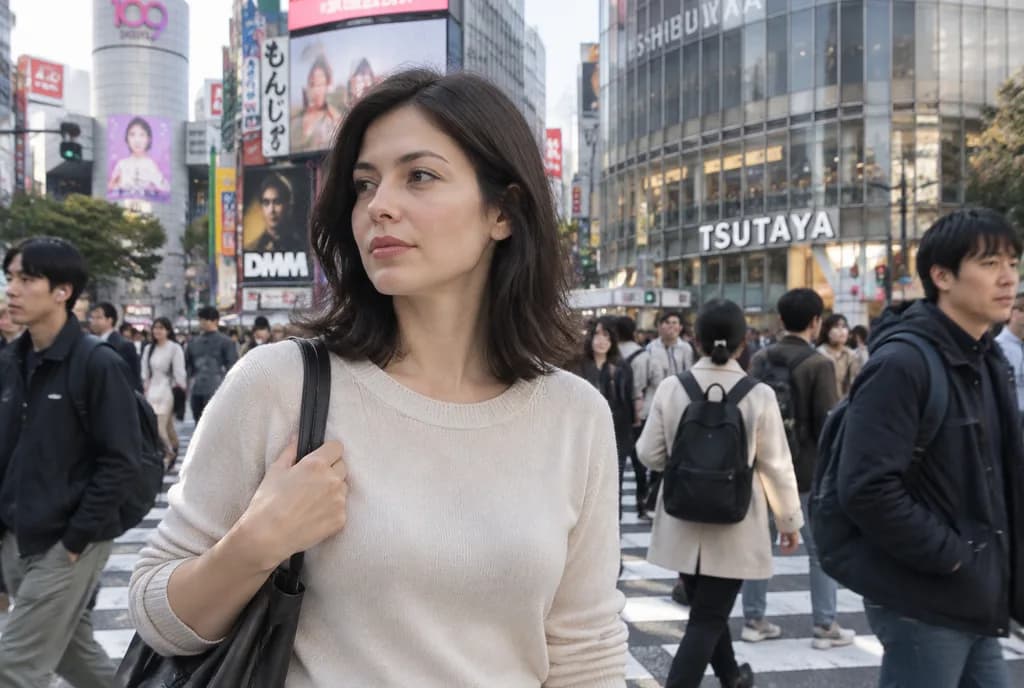
Inserting Reference Person Into Shibuya Crossing
Composites a person from a reference photo into a crowded Shibuya street scene with realistic lighting and perspective. Swap the reference images or change the urban location to fit other cityscapes.
Prompt
Using the first reference photo as the person reference and the second reference photo as the base scene, naturally insert the woman from the first reference photo into the busy [Shibuya Scramble Crossing] crowd as a photorealistic passerby. Match the lighting, perspective, camera lens characteristics, scale, and candid street-photography realism of the base scene. Keep her outfit, bag, hairstyle, and facial features consistent with the reference photo. Place her in the foreground slightly left of center, standing among pedestrians and facing slightly to the left with a relaxed, casual posture. Ensure seamless integration with accurate contact shadows, ambient color matching, subtle depth of field, and natural crowd occlusion so she appears authentically photographed on location. Preserve the original background architecture, signage, and surrounding pedestrian flow.
What you can customize
Swap these parts of the prompt for your own subject or wording before you generate.
[Shibuya Scramble Crossing]placeholder
Prompt details
- Category
- Portrait & Photography
- Model
- Nano Banana Pro
- Cost per image
- 1K: 108 credits · 2K: 108 credits · 4K: 193 credits
- Aspect ratio
- 3:2
- Added