
Social Media
Social Screenshot #19
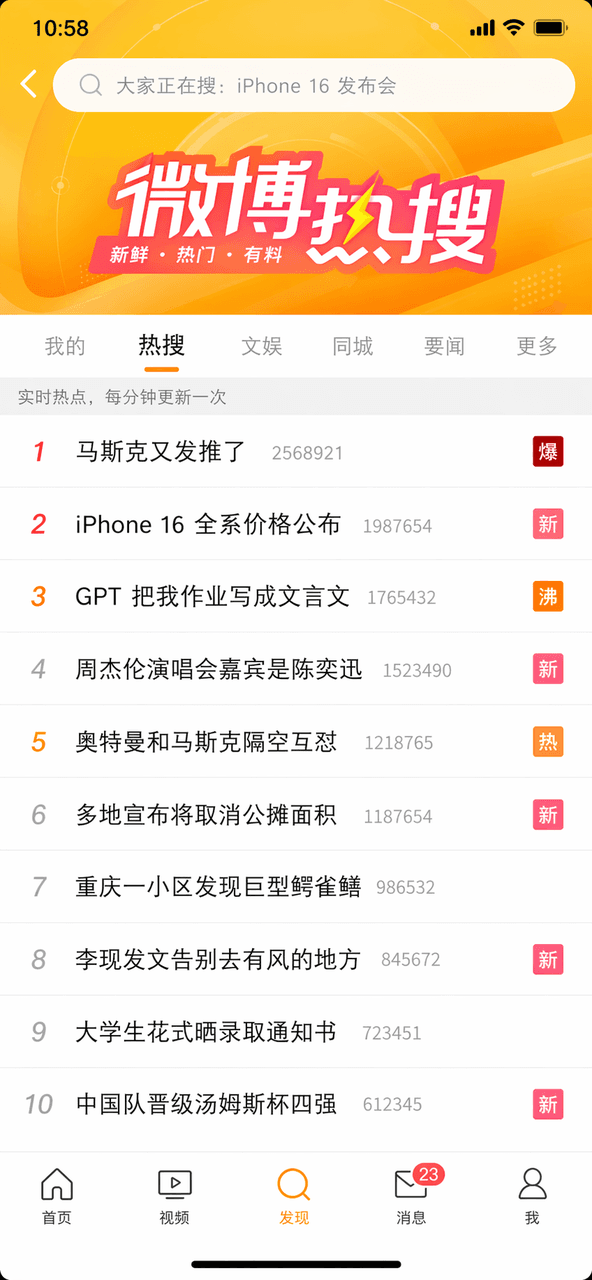
Generate a mobile screenshot of a Weibo trending search list with ranked topics, suitable for social media campaigns, viral memes, and design mockups.
Source:GPT-Image-2 全量上线,100+全行业通用生图提示词大全
Prompt
As a reminder, draw a screenshot of Weibo's hot search list, the top ten hot searches. The first article "Musk tweeted again" is marked with the word "explosion", the third article "GPT wrote my homework in classical Chinese" is marked with the word "boiling", and the fifth article "Ultraman and Musk are fighting each other in the air" is marked with the word "hot". The search box at the top and the navigation bar at the bottom are complete.
What you can customize
Swap these parts of the prompt for your own subject or wording before you generate.
“Musk tweeted again”quoted wording“explosion”quoted wording“GPT wrote my homework in classical Chinese”quoted wording“boiling”quoted wording“Ultraman and Musk are fighting each other in the air”quoted wording“hot”quoted wording
Prompt details
- Category
- Social Media
- Model
- GPT IMAGE 2
- Cost per image
- 1K: 43 credits · 2K: 86 credits · 4K: 143 credits
- Aspect ratio
- 1:1
- Added
- Updated