
Social Media
Social Screenshot #16
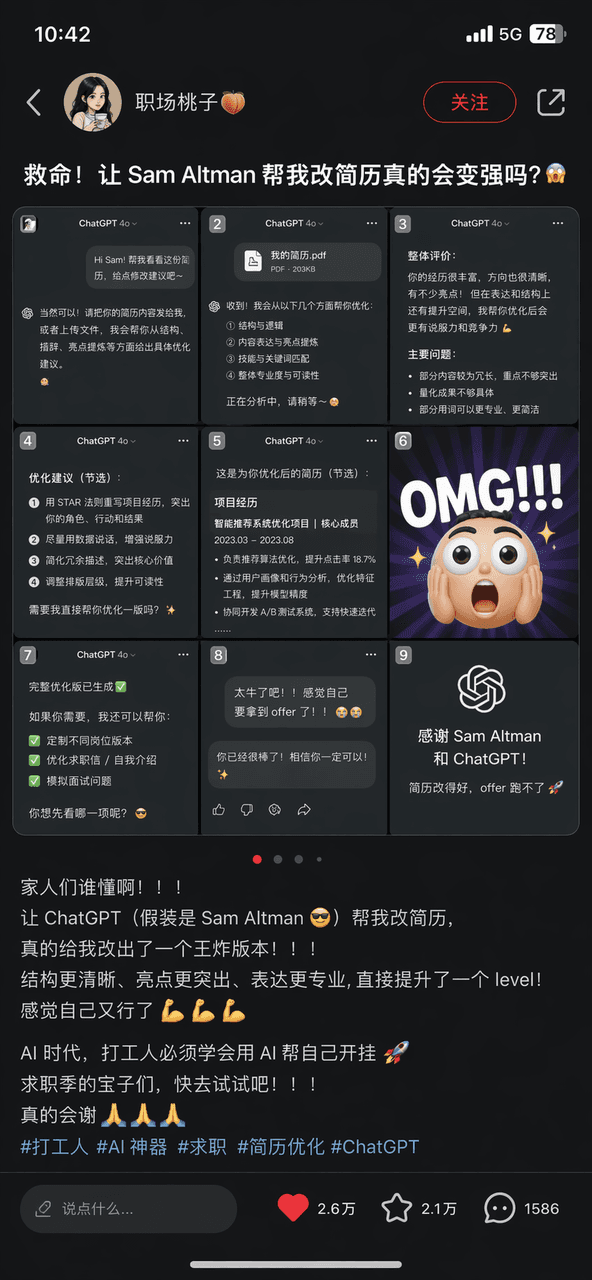
Generate a realistic Xiaohongshu post screenshot featuring a chat conversation grid, suitable for tech marketing mockups and social media case studies.
Source:GPT-Image-2 全量上线,100+全行业通用生图提示词大全
Prompt
The prompt is to draw a screenshot of a Xiaohongshu note with the title "Help! Will letting Sam Altman help me change my resume really make me stronger?". The Jiugongge picture is a screenshot of the ChatGPT conversation and OMG emoticons. The text contains a large number of emojis and the hashtag "#打工#AI神器#job hunting". There is a complete S interface with collection and like buttons on the lower right.
What you can customize
Swap these parts of the prompt for your own subject or wording before you generate.
“Help! Will letting Sam Altman help me change my resume really make me stronger?”quoted wording“#打工#AI神器#job hunting”quoted wording
Prompt details
- Category
- Social Media
- Model
- GPT IMAGE 2
- Cost per image
- 1K: 43 credits · 2K: 86 credits · 4K: 143 credits
- Aspect ratio
- 1:1
- Added
- Updated