
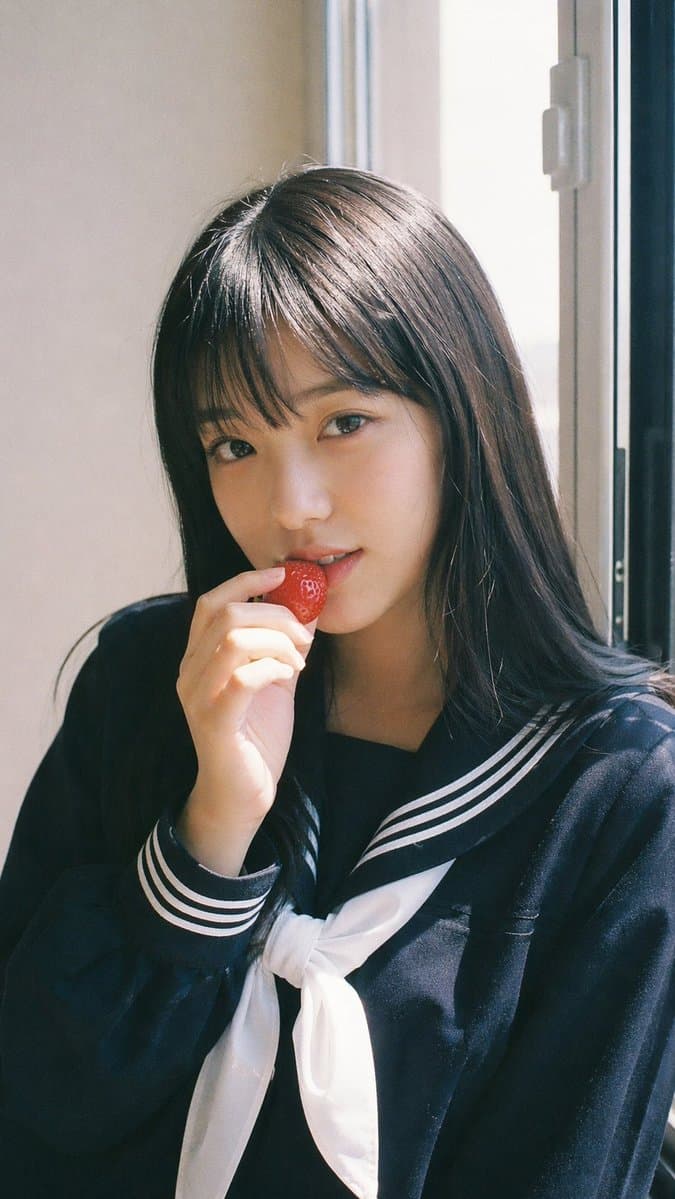
Fujifilm Strawberry School Portrait
An airy, window-lit portrait with a small strawberry gesture and restrained pastel color. The effect depends on soft exposure and an uncomplicated background, not on adding a heavy film filter.
Prompt
9:16 vertical — Japanese Fuji film style portrait, single subject. Fujifilm analog aesthetic (Pro 400H / Superia feel), soft pastel tones, slight green-magenta shift, low contrast, gentle highlight roll-off, fine film grain, subtle halation, slight vignette. Bright natural daylight, diffused sunlight through window, soft shadows, airy atmosphere. Young female idol, natural minimal makeup, fresh glowing skin, realistic texture. Outfit: Japanese school uniform (sailor-style or blazer), neatly styled, youthful and clean. Hair: natural dark hair, straight or softly flowing, a few loose strands. Pose: front-facing, relaxed posture, one hand gently holding a strawberry near lips, mid-action as if about to take a bite. Expression: soft playful gaze, light smile, gentle eye contact with camera. Setting: minimal indoor near window, clean background, everyday atmosphere. Mood: fresh, youthful, sweet everyday moment, understated charm.
Example images
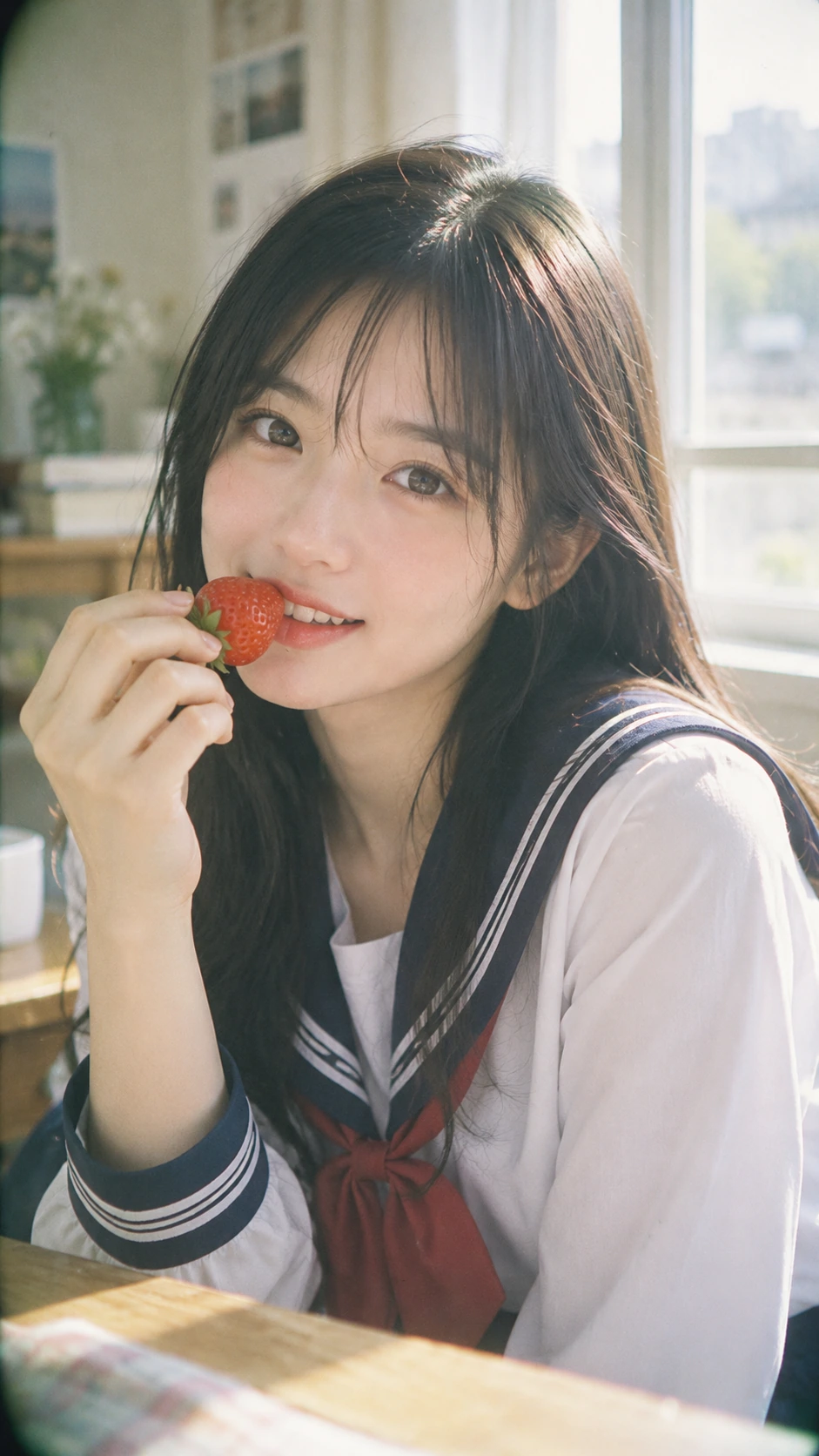
Created with our built-in image tool as composition and style examples.
Usage guide
An airy, window-lit portrait with a small strawberry gesture and restrained pastel color. The effect depends on soft exposure and an uncomplicated background, not on adding a heavy film filter.
When to use
Lifestyle portrait concepts, seasonal fruit campaigns, and gentle editorial mood boards. The small hand gesture works best with a single clearly framed subject.
What the existing example shows
The existing image shows a close portrait by a bright window, a strawberry near the mouth, and soft green surroundings. The window light and pale tones carry the look more strongly than any visible film grain.
Suggested setup
- Aspect ratio
- 9:16 · Use a chest-up vertical crop with room around the raised hand. Keep the window to one side so the face retains gentle shape.
- Reference images
- Optional for a new adult character. A face reference helps when the same person needs to appear across a series.
What to customize
- Hand-held detailA small peach slice
- Keep the object small and place it near, rather than across, the face. Describe the contact between fingers and fruit.
- WardrobeCream cardigan over a navy blouse
- Choose a simple two-color outfit so clothing patterns do not compete with the expression.
- Color treatmentPale sage greens and warm cream highlights
- Describe the desired colors and contrast directly; a film-stock name alone does not specify the whole appearance.
View a complete adaptation
Soft peach café portrait
An adult café portrait with a peach slice, a cardigan, and the same bright window-light approach.
This adaptation has not been generated. The existing image belongs to the original illustration record.
Create a 9:16 vertical lifestyle portrait of an adult university student seated beside a café window. Frame the subject from the chest upward, with a little space above the head and around the raised hand. She wears a cream cardigan over a plain navy blouse and gently holds a small peach slice near her lips, with naturally positioned fingers and an unobstructed face. Use a relaxed expression and soft eye contact with the camera. Diffused daylight comes from the left, with gentle shadows and realistic skin texture. Keep the café background minimal and softly blurred, with pale sage greens, warm cream highlights, low contrast, and subtle film-like grain. Avoid washed-out facial features, strong beauty retouching, and decorative text.
Troubleshooting
- The hand covers too much of the face
- Ask for the fruit beside the lips, a relaxed wrist, and visible eyes and nose; a slightly wider crop gives the hand more room.
- The image becomes flat and overexposed
- Keep the background bright but request a small amount of shadow on the far cheek and visible texture in the highlights.
Editorial notes and generation record
AI-assisted editorial analysis of the source prompt and existing illustration. Settings are starting suggestions; the new adaptation is not a model test.
The existing illustration was generated with the built-in image tool. Its provider model is not disclosed. Actual image size: 941 × 1672.
Original illustration input
Create one finished image illustrating this image prompt.
Aspect ratio: 9:16.
9:16 vertical — Japanese Fuji film style portrait, single subject. Fujifilm analog aesthetic (Pro 400H / Superia feel), soft pastel tones, slight green-magenta shift, low contrast, gentle highlight roll-off, fine film grain, subtle halation, slight vignette. Bright natural daylight, diffused sunlight through window, soft shadows, airy atmosphere. Young female idol, natural minimal makeup, fresh glowing skin, realistic texture. Outfit: Japanese school uniform (sailor-style or blazer), neatly styled, youthful and clean. Hair: natural dark hair, straight or softly flowing, a few loose strands. Pose: front-facing, relaxed posture, one hand gently holding a strawberry near lips, mid-action as if about to take a bite. Expression: soft playful gaze, light smile, gentle eye contact with camera. Setting: minimal indoor near window, clean background, everyday atmosphere. Mood: fresh, youthful, sweet everyday moment, understated charm.
Prompt details
- Category
- Portrait & Photography
- Model
- GPT IMAGE 2
- Cost per image
- 1K: 43 credits · 2K: 86 credits · 4K: 143 credits
- Aspect ratio
- 9:16
- Creator
- @BubbleBrain
- Added
- Updated