
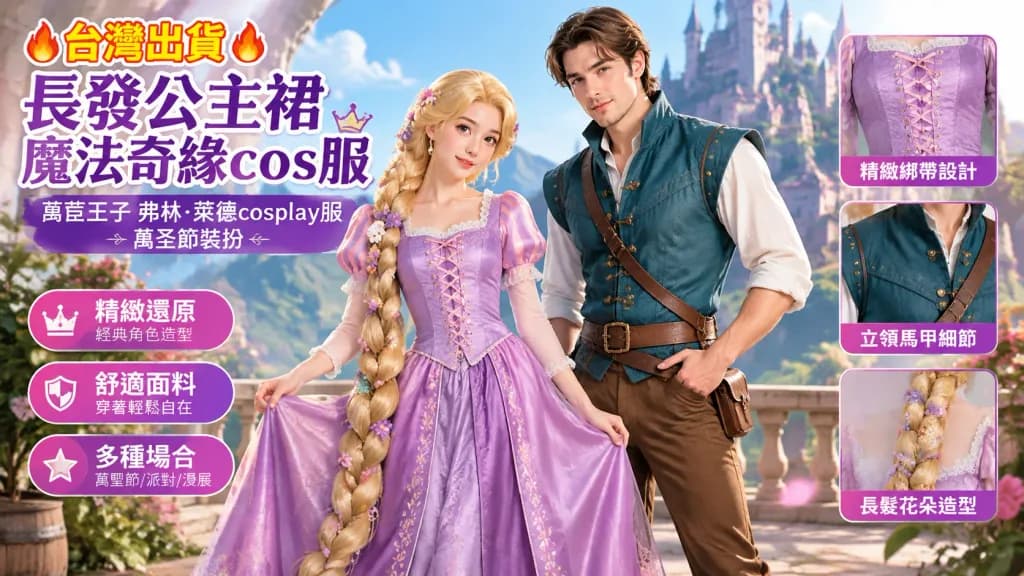
Compositional Aspect Ratio Outpainting Expansion
Expands an existing image into a new aspect ratio while keeping subjects, text, and faces intact. Adjust the target ratio and expansion axes to resize assets for any commercial format.
Prompt
Intelligently transform the aspect ratio of the reference photo to [[16:9]] with compositional awareness: - Subject Placement: Identify the primary subject and secondary elements in the reference photo, recomposing along a balanced grid for the new aspect ratio while preserving negative space and breathing room. - Canvas Extension: Seamlessly expand the background along the [horizontal] axes using content-aware visual continuation, precisely matching existing textures, patterns, and environmental depth. - Strict Preservation: Preserve all typographic elements, logos, facial features, and fine details with exact fidelity, ensuring fully clothed subjects, modest attire, and avoiding distortion, warping, or regeneration of original elements. - Lighting & Seamless Integration: Ensure uniform lighting direction, tonal grading, and color balance across both original and extended regions, eliminating visible borders, seams, or artifacts so the final output looks natively captured at the new ratio.
What you can customize
Swap these parts of the prompt for your own subject or wording before you generate.
[horizontal]placeholder
Prompt details
- Category
- Other
- Model
- Nano Banana Pro
- Cost per image
- 1K: 108 credits · 2K: 108 credits · 4K: 193 credits
- Aspect ratio
- 16:9
- Added