
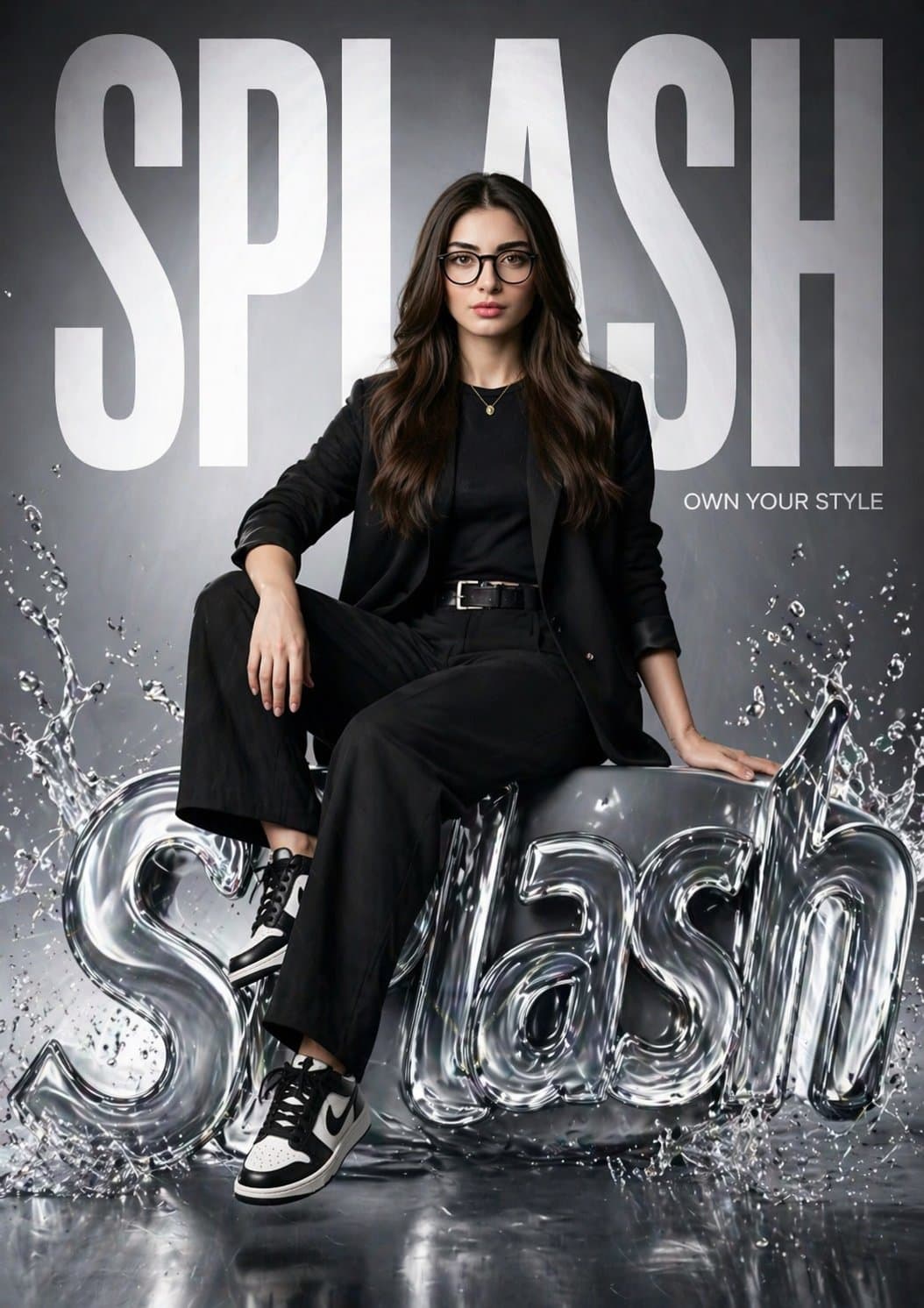
SPLASH Fashion Brand Hyper-Realistic Campaign Poster
Generate an editorial fashion brand poster of your subject seated on a 3D liquid logo for promotional ads. Upload your own photo.
Prompt
Create a hyper-realistic fashion poster for “SPLASH” featuring the same girl from the reference image (keep her face 100% identical). She is sitting confidently on a glossy, liquid-style 3D SPLASH logo with water splash effects. One leg relaxed, one bent, strong editorial pose. Background has massive bold “SPLASH” text filling the frame, partially behind her. Add small tagline: “Own Your Style.” Outfit: modern black street-fashion (blazer, fitted top, trousers, sneakers). Lighting: cinematic studio, soft key light + rim light, reflective highlights on liquid logo. Style: luxury brand campaign (Zara / H&M), clean glossy environment. Camera: 85mm lens, shallow depth of field, 8K, ultra-detailed, photorealistic.
What you can customize
Swap these parts of the prompt for your own subject or wording before you generate.
“SPLASH”quoted wording“Own Your Style.”quoted wording
Prompt details
- Category
- Logo & Branding
- Model
- GPT IMAGE 2
- Cost per image
- 1K: 43 credits · 2K: 86 credits · 4K: 143 credits
- Aspect ratio
- 1:1
- Creator
- @miratechtool
- License
- CC BY 4.0
- Added
- Updated