
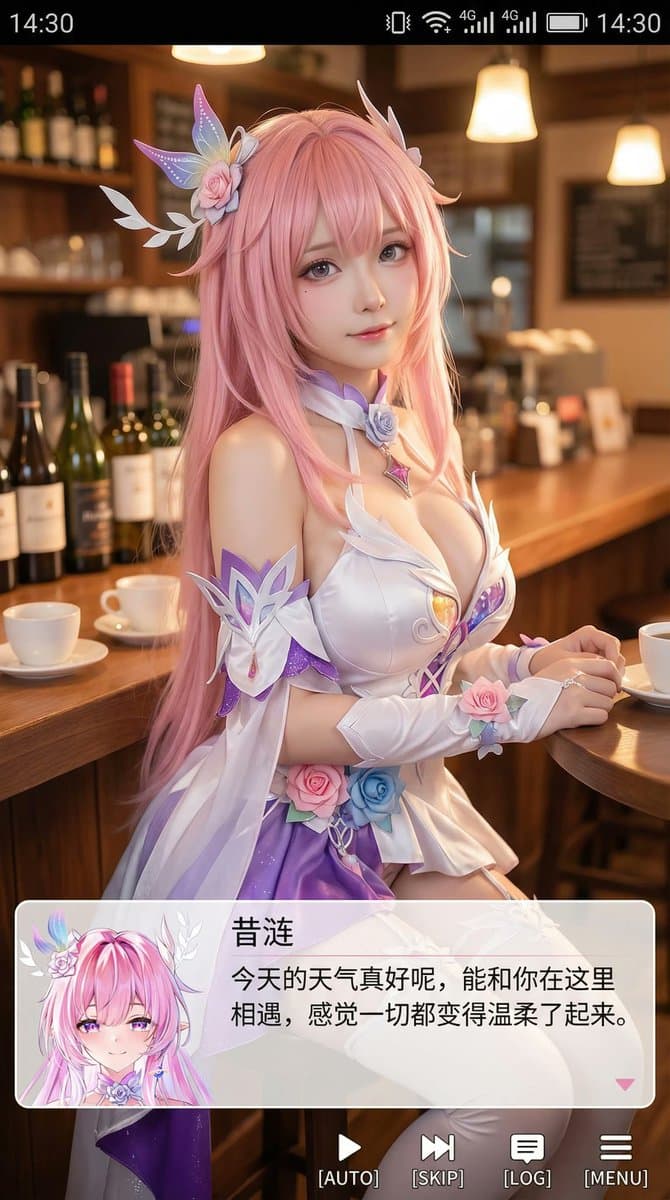
9:16 Cosplayer Portrait Screenshot
Create a mobile visual novel screenshot featuring a realistic anime cosplayer and dialogue UI, suitable for phone wallpapers and anime social media posts.
Prompt
Generate a vertical mobile phone screenshot style picture with an overall ratio of close to 9:16. In the upper center of the screen is a real cosplayer, playing the two-dimensional character of (character name). The character is in a realistic style, but his facial features are slightly anime-like, with delicate skin, slightly larger eyes, and a gentle expression looking at the camera. He is sitting in an indoor leisure scene, such as in front of the bar in a cafe or bar. There are props in the background that match the scene. The mobile phone system status bar UI is added to the top of the screen, including time, battery, signal, network and other icons, making the entire picture look like a mobile phone screenshot. A large translucent galgame style dialog box is superimposed at the bottom of the screen. On the left side of the dialog box, an anime or Q-version avatar corresponding to the character on the screen is placed; on the right side of the dialog box, the text is typed: the first line displays the same character name as before in a larger font, and the next one to two lines displays a gentle and healing simplified Chinese line suitable for this character's personality, which is automatically created by you. Then add an operation bar below the dialog box, imitating galgame UI. The overall style is high-definition, rich in details, soft light, and a natural blend of two-dimensional and real-life photos.
Prompt details
- Category
- Portrait & Photography
- Model
- GPT IMAGE 2
- Cost per image
- 1K: 43 credits · 2K: 86 credits · 4K: 143 credits
- Aspect ratio
- 1:1
- Creator
- @Zoulinshen
- License
- CC BY 4.0
- Added
- Updated