
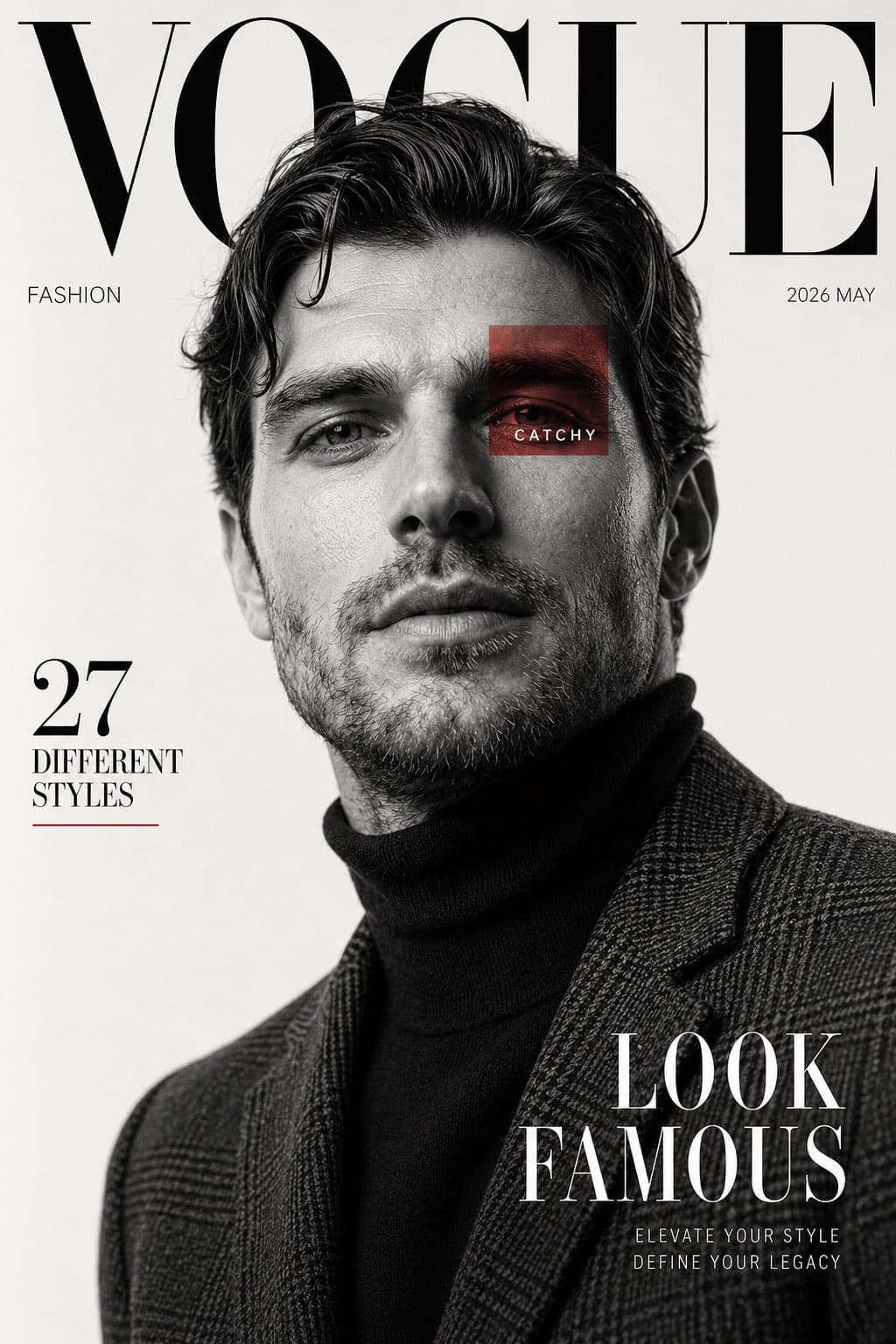
Luxury Fashion Magazine Cover Black and White
Generate a black-and-white fashion magazine cover ideal for wall posters, digital lookbooks, or social media posts. Upload your own photo.
Prompt
Create a high fashion editorial magazine cover inspired by luxury fashion publications. Use the reference image of the male subject. Black and white portrait photography with a clean off white studio background. Subject is posed confidently from a low angle, looking slightly upward, sharp jawline, soft parted lips, tousled wavy hair with natural volume. Outfit includes a dark turtleneck layered under a textured tailored plaid blazer. Lighting is soft yet dramatic, creating sculpted facial shadows and elegant contrast. Magazine layout design with oversized serif masthead text at the top reading “VOGUE”, partially hidden behind the subject’s head. Minimal premium typography across the page. Add side text “FASHION”, issue date “2026 MAY”, left side headline “27 DIFFERENT STYLES”, and bold bottom right cover line “LOOK FAMOUS”. Include a small red translucent square overlay on one eye area with the word “CATCHY”. Style should feel premium, modern, cinematic, clean composition, sharp focus, ultra realistic skin texture, editorial luxury aesthetic, balanced negative space, timeless fashion cover design. Vertical magazine ratio, high resolution.
What you can customize
Swap these parts of the prompt for your own subject or wording before you generate.
“VOGUE”quoted wording“FASHION”quoted wording“2026 MAY”quoted wording“27 DIFFERENT STYLES”quoted wording“LOOK FAMOUS”quoted wording“CATCHY”quoted wording
Prompt details
- Category
- Poster & Illustration
- Model
- GPT IMAGE 2
- Cost per image
- 1K: 43 credits · 2K: 86 credits · 4K: 143 credits
- Aspect ratio
- 1:1
- Creator
- @iamrealsnow
- License
- CC BY 4.0
- Added
- Updated