
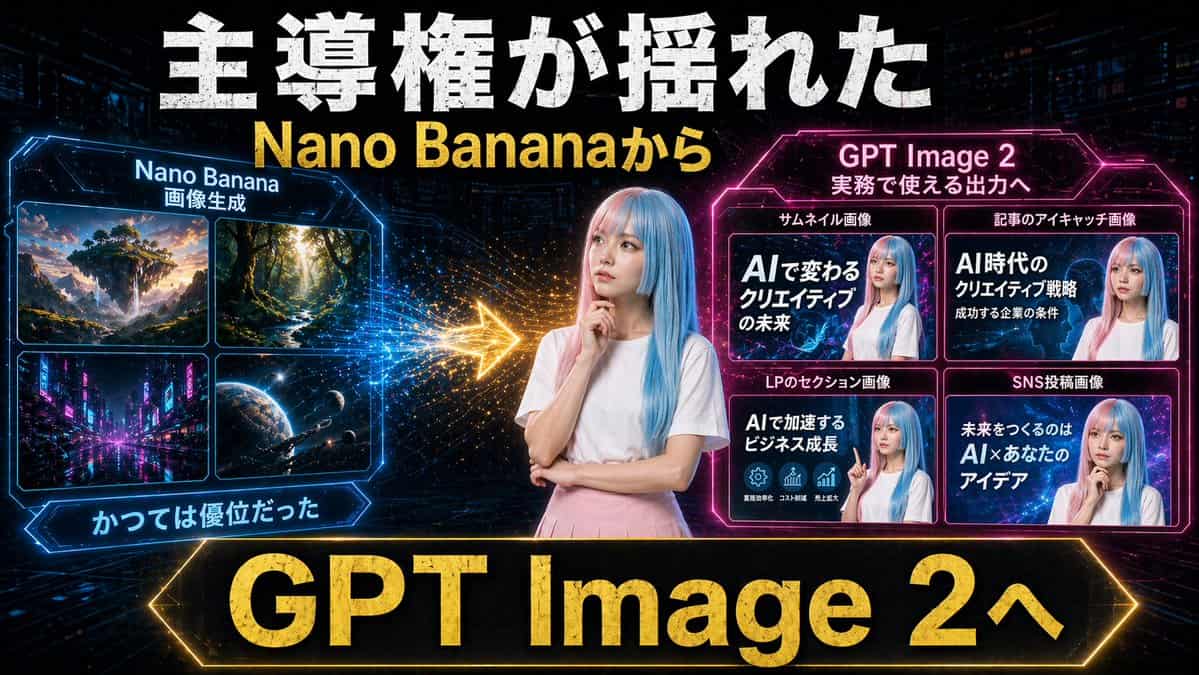
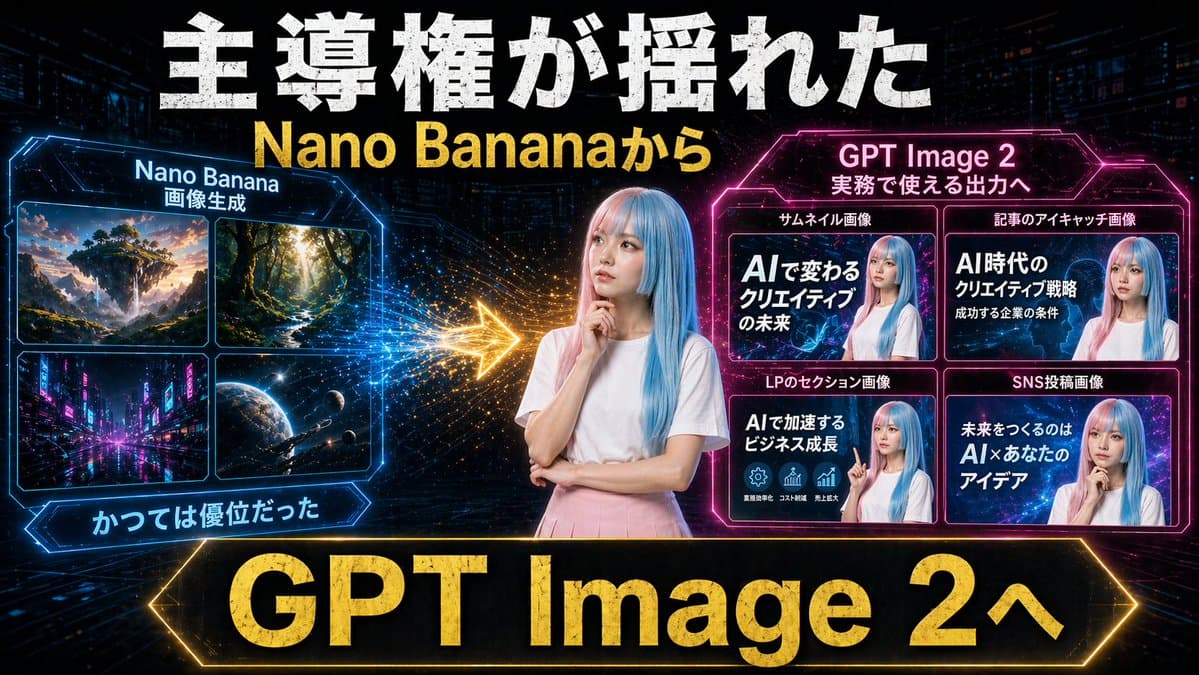
Neon AI Thumbnail Comparison
Create a dramatic Japanese YouTube thumbnail in a futuristic neon cyberpunk style, 16:9 landscape. Use a dark tech-city background with faint skyscrapers, digital grid lines, glowing particles, and high-contrast blue, p…
Prompt
Create a dramatic Japanese YouTube thumbnail in a futuristic neon cyberpunk style, 16:9 landscape. Use a dark tech-city background with faint skyscrapers, digital grid lines, glowing particles, and high-contrast blue, pink, and gold lighting. In the exact center, place a young woman from the waist up with long straight pastel blue hair, wearing a plain white short-sleeve T-shirt and a light pink skirt, posing thoughtfully with one hand near her chin and the other arm folded; anonymize her face with a soft rectangular blur. Across the very top, add huge distressed bold white Japanese headline text reading 主導権が揺れた, and directly below it add large bold yellow text reading {argument name="subheadline text" default="Nano Bananaから"}. On the left side, create a glowing blue hexagonal-framed panel titled Nano Banana with a smaller subtitle 画像生成. Inside that panel, include exactly 4 image tiles in a 2x2 grid: 1) a fantasy floating island landscape at sunset, 2) a sunlit forest path with tall trees, 3) a neon futuristic city street at night, 4) an outer-space planet scene with stars and a spacecraft. Beneath the left panel, add a blue glowing ribbon label reading かつては優位だった. On the right side, create a glowing magenta hexagonal-framed panel titled {argument name="right panel title" default="GPT Image 2"} with a smaller subtitle 実務で使える出力へ. Inside it, include exactly 4 example thumbnail cards in a 2x2 grid, each featuring the same blue-haired woman with a blurred face and bold Japanese text. The 4 card labels above the tiles are: サムネイル画像, 記事のアイキャッチ画像, LPのセクション画像, SNS投稿画像. The large text inside the 4 cards should read respectively: 1) AIで変わるクリエイティブの未来, 2) AI時代のクリエイティブ戦略 成功する企業の条件, 3) AIで加速するビジネス成長, 4) 未来をつくるのは AI×あなたのアイデア. Between the left and right panels, place a bright glowing gold arrow pointing from left to right with spark-like particle trails, indicating transition or superiority shift. Along the bottom, add a very large black banner with a glowing gold border and massive bold gold text reading {argument name="bottom banner text" default="GPT Image 2へ"}. Overall composition should feel like a comparison graphic showing a shift from older image generation to more practical commercial output, with aggressive thumbnail typography, strong glow effects, metallic texture on major text, and polished social-media marketing visuals.
How to use this prompt
Read the complete Neon AI Thumbnail Comparison prompt and identify the subject, style, camera, lighting, and composition requirements before generating.
Replace bracketed or argument-style placeholders with your product, character, brand, scene, color palette, or aspect ratio requirements.
Open https://www.gptimagehub.com/generate?promptId=cmogx2av400ctzpdy1crzqmnp, generate the image, then refine the prompt with more specific subject, text, layout, or negative constraints if needed.
Prompt FAQ
What is the Neon AI Thumbnail Comparison prompt best used for?
This prompt is best used for social media images where you want a reusable structure, detailed visual direction, and consistent output quality.
Can I edit the prompt before generating?
Yes. The full prompt text is visible on this page so you can change subjects, product names, colors, composition, camera terms, aspect ratio, and style notes before generation.
Which model should I use with this prompt?
Use the model shown in the prompt metadata as the default starting point. If another image model supports the same aspect ratio and instruction style, you can adapt the prompt and compare results.