
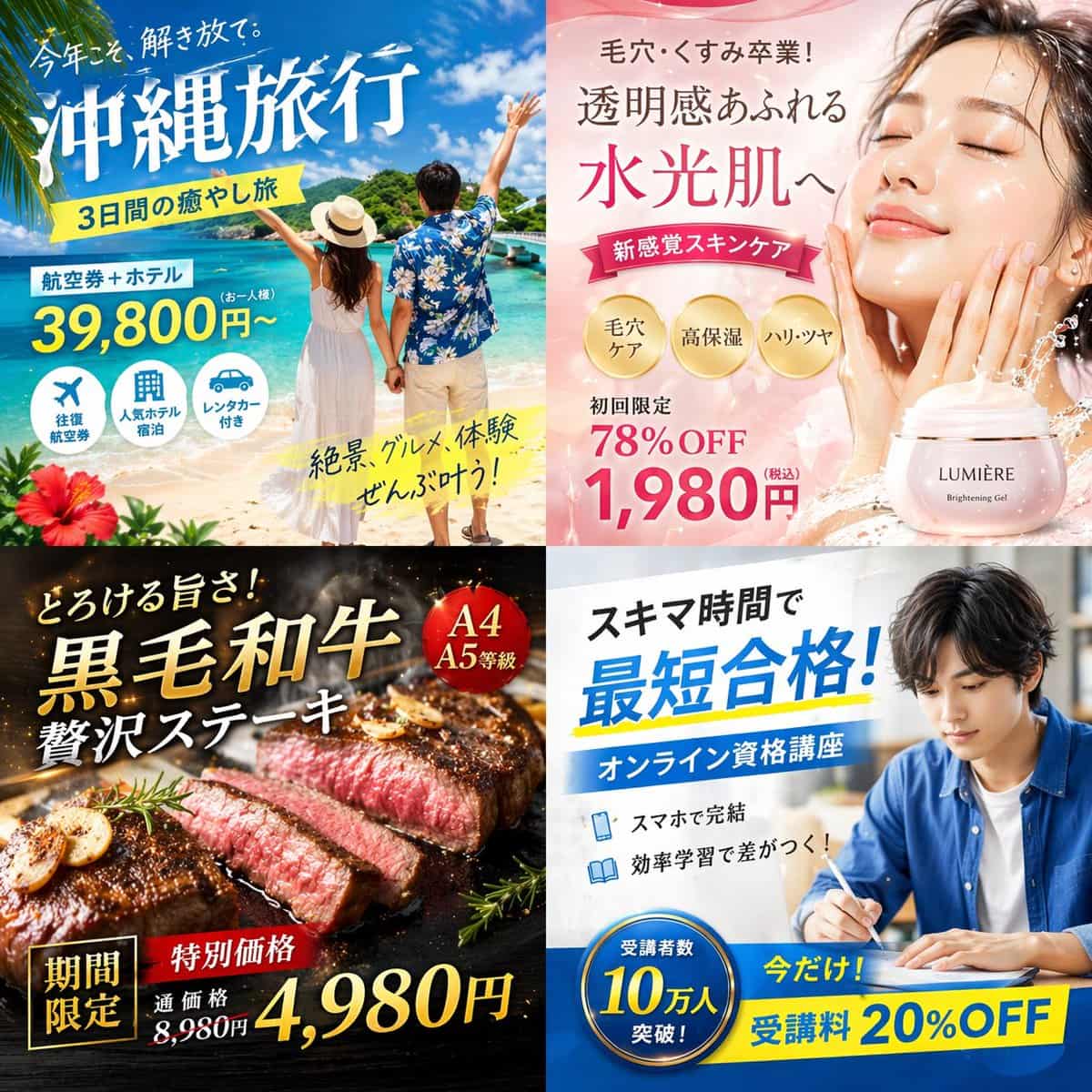
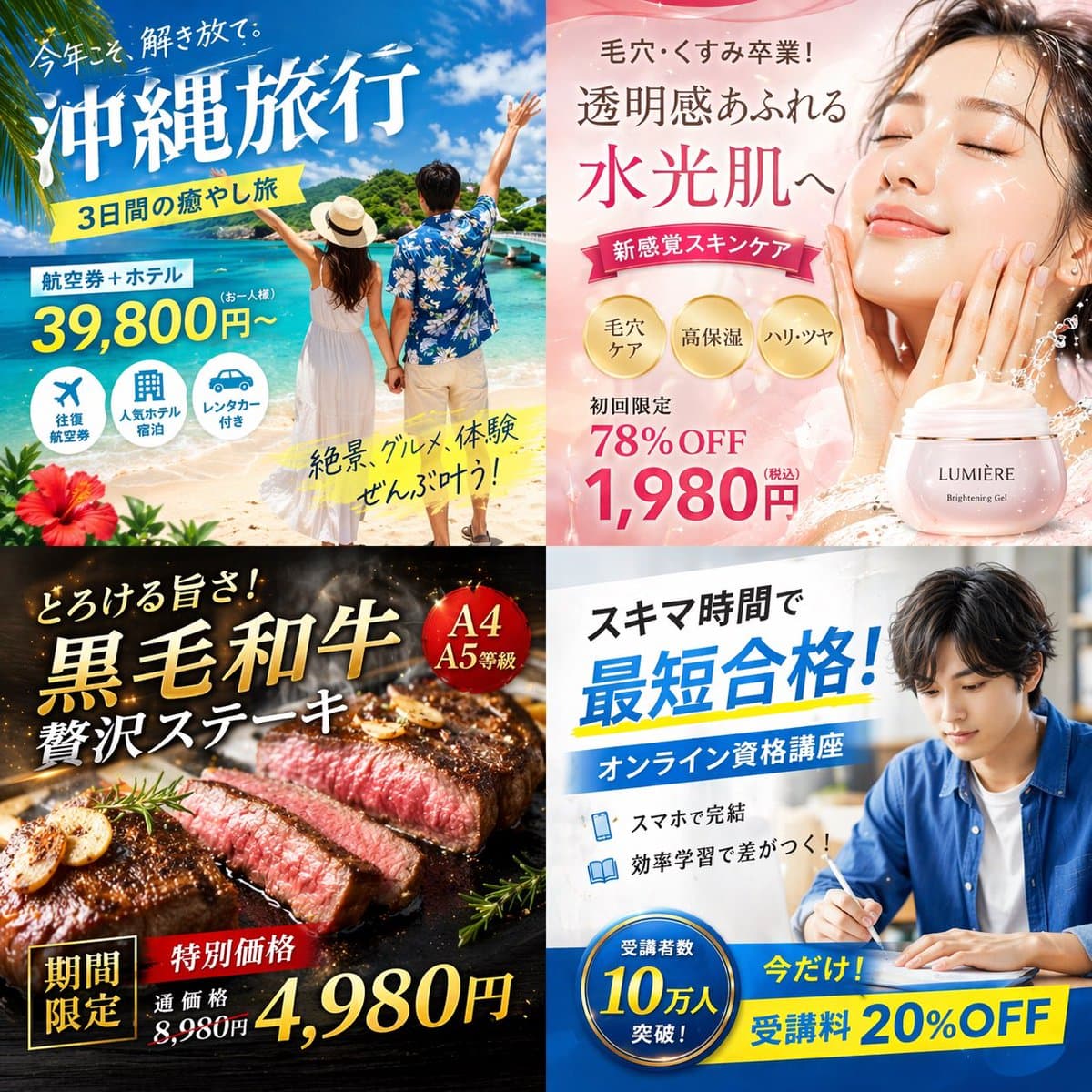
4-Panel Japanese Digital Ad Banner Grid
{ "type": "2x2 grid of Japanese digital advertisement banners", "layout": { "structure": "4 equal quadrants", "quadrants": [ { "position": "top-left", "theme": "Travel", "subject": "A couple holding hands on a white san…
Prompt
{ "type": "2x2 grid of Japanese digital advertisement banners", "layout": { "structure": "4 equal quadrants", "quadrants": [ { "position": "top-left", "theme": "Travel", "subject": "A couple holding hands on a white sand beach, looking out at turquoise ocean water under a bright blue sky.", "elements": ["red hibiscus flower in bottom left corner"], "text_labels": [ "This year, let loose.", "{argument name=\"travel destination\" default=\"沖縄旅行\"}", "3-day healing trip", "Flight + Hotel", "From 39,800 yen", "Spectacular views, gourmet food, and experiences all come true!" ], "icons": { "count": 3, "descriptions": ["airplane", "hotel building", "car"] } }, { "position": "top-right", "theme": "Skincare", "subject": "Close-up portrait of a young woman with glowing, dewy skin, eyes closed, gently touching her cheeks.", "elements": [ "soft pink gradient background", "dynamic water splash effects", "pink cosmetic jar labeled '{argument name=\"skincare product name\" default=\"LUMIÈRE\"} Brightening Gel'" ], "text_labels": [ "Graduation from pores and dullness!", "Full of transparency", "To water glowing skin", "New sensation skin care", "First time limited 78% OFF", "{argument name=\"discount price\" default=\"1,980円\"}" ], "badges": { "count": 3, "style": "gold circular", "labels": ["Pore care", "High moisturizing", "Hardness and shine"] } }, { "position": "bottom-left", "theme": "Gourmet Food", "subject": "Thick, sliced, medium-rare steak sizzling on a dark grill plate.", "elements": [ "garlic chips" "rosemary sprig", "dark background with smoke and glowing embers" ], "text_labels": [ "It melts in your mouth!", "{argument name=\"food item\" default=\"黒毛和牛\"}", "luxury steak", "Limited time", "Special price", "Regular price 8,980 yen", "4,980 yen" ], "badges": { "count": 1, "style": "red circular", "labels": ["A4 A5 grade"] } }, { "position": "bottom-right", "theme": "Online Education", "subject": "Young man in a blue shirt studying at a desk, writing in a notebook next to an open laptop.", "elements": ["bright indoor lighting", "desk environment"], "text_labels": [ "In free time", "{argument name=\"education goal\" default=\"最短合格!\"}", "Online qualification course", "Complete with smartphone", "Effective learning makes a difference!", "Now only! 20% OFF tuition fee" ], "badges": { "count": 1, "style": "blue circular", "labels": ["Number of participants exceeded 100,000!"] }, "icons": { "count": 2, "descriptions": ["smartphone", "open book"] } } ] } }
How to use this prompt
Read the complete 4-Panel Japanese Digital Ad Banner Grid prompt and identify the subject, style, camera, lighting, and composition requirements before generating.
Replace bracketed or argument-style placeholders with your product, character, brand, scene, color palette, or aspect ratio requirements.
Open https://www.gptimagehub.com/generate?promptId=cmogwzlmn00arzpdywa7y0h6t, generate the image, then refine the prompt with more specific subject, text, layout, or negative constraints if needed.
Prompt FAQ
What is the 4-Panel Japanese Digital Ad Banner Grid prompt best used for?
This prompt is best used for social media images where you want a reusable structure, detailed visual direction, and consistent output quality.
Can I edit the prompt before generating?
Yes. The full prompt text is visible on this page so you can change subjects, product names, colors, composition, camera terms, aspect ratio, and style notes before generation.
Which model should I use with this prompt?
Use the model shown in the prompt metadata as the default starting point. If another image model supports the same aspect ratio and instruction style, you can adapt the prompt and compare results.