
How to Fix Grainy Photos
Grainy photos are full of noise: tiny specks of random color and brightness that make a picture look rough and soft. Here is why it happens, how to clean it up in three steps with an AI photo enhancer, and how to avoid it next time you shoot.
Upload the photo to an AI photo enhancer, upscale it 2× or 4×, and download the result. The AI separates noise from real detail, smooths the specks away and rebuilds sharper texture, which a plain blur or resize cannot do.
Why are my photos grainy?
| Cause | What happens |
|---|---|
| Low light | With too little light reaching the sensor, the random noise every camera produces becomes visible next to the weak signal. Night streets, concerts and dim rooms are the usual suspects. |
| High ISO | Raising ISO amplifies the sensor signal to brighten the shot, and it amplifies the noise with it. Phones raise ISO automatically in the dark. |
| Small sensors | Phone and compact-camera sensors collect less light per pixel than larger cameras, so they show grain sooner. |
| Heavy compression | Low-quality JPEGs, screenshots of screenshots and photos re-sent through chat apps add blocky artifacts that look like grain. |
| Enlarging a small image | Stretching a small or cropped photo makes every speck of existing noise bigger and the edges softer. |
How to fix a grainy photo in 3 steps
- Open the free AI photo enhancer and choose your photo (PNG, JPEG or WebP, up to 2048 px for 2× or 1024 px for 4×).
- Pick 2× for a light clean-up or 4× for a small or very noisy photo. The new size and price are shown before you start.
- Click Upscale, compare the result with the original, then download it.
Before and after
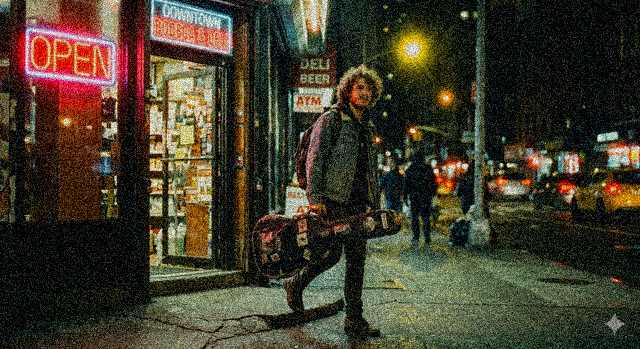
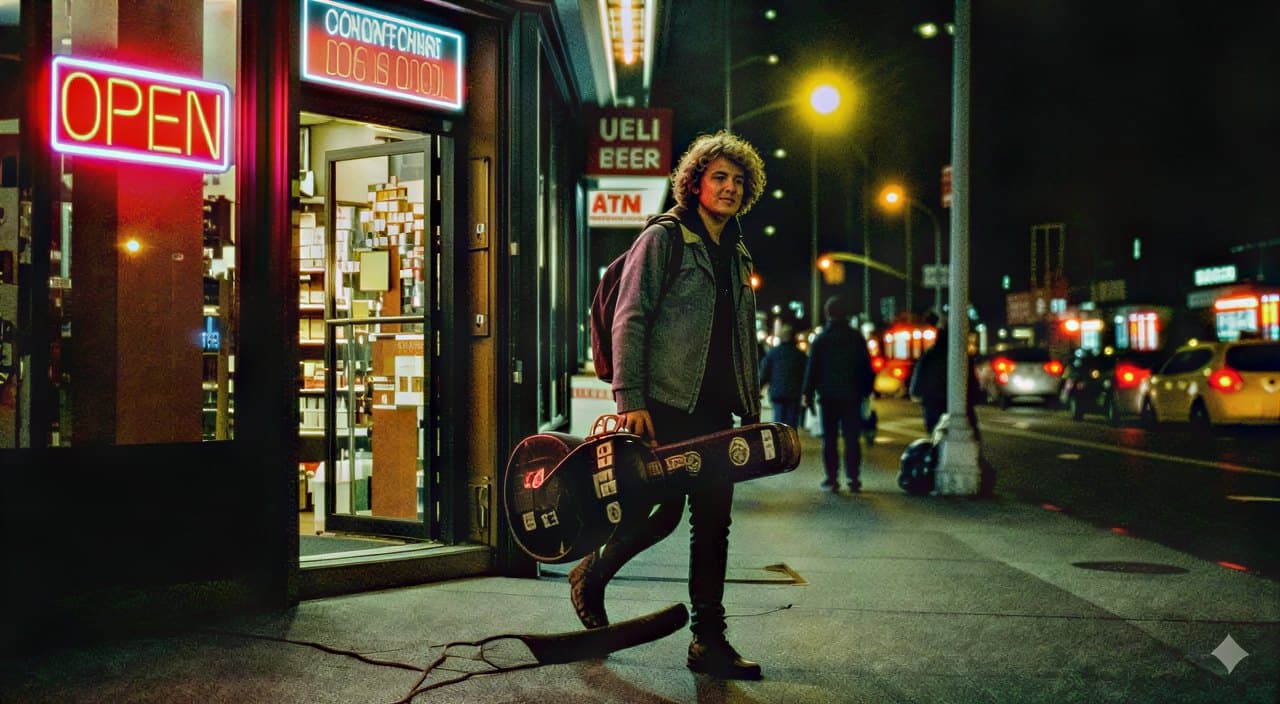
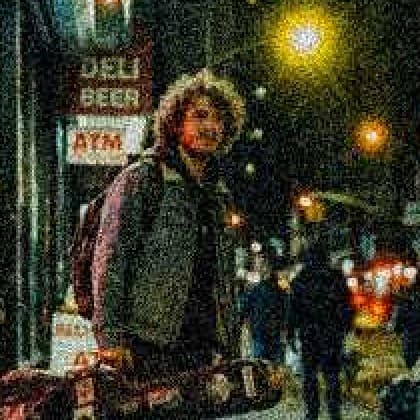
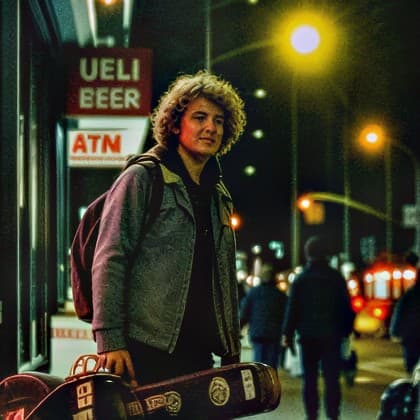
A night street photo with heavy grain and JPEG compression, run through the enhancer at 2×. The noise is gone and the jacket, hair and lights are sharp again. Look closely at the small sign, though: the enhancer read the blurry "DELI" as "UELI", because detail that is lost under the noise has to be guessed.
How to avoid grainy photos when you shoot
- Add light: move toward a window or lamp, or turn on more lights, before raising ISO.
- Keep the phone steady or lean on something, so night mode can use a longer exposure instead of a higher ISO.
- Use your phone's main (1×) camera in the dark: it has the biggest sensor and the widest aperture.
- Don't zoom digitally; get closer instead, and crop as little as possible afterward.
- Share the original file instead of a screenshot, and avoid re-compressing a photo again and again.
Common questions
Can you fix a grainy photo?
Yes, in most cases. An AI photo enhancer removes the noise and rebuilds fine detail while it enlarges the image. Very dark or tiny photos improve a lot but cannot recover detail that was never captured.
Why are my photos grainy?
Usually because there was too little light, so the camera raised its ISO and amplified sensor noise. Small phone sensors, heavy JPEG compression and enlarging a small photo make grain worse.
Does AI denoise lose detail?
It keeps real detail far better than a blur filter, because it tells noise from texture. Where the noise has fully covered something small, such as distant text, the AI has to guess, and it can guess wrong: always check signs, labels and faces in the result.
Is it free?
Every new account gets free credits, and a 2× enhancement of a 1024 px photo costs 6 of them, so you can fix several photos free. After that the price follows the size of the result and is shown before you start.
Fix your photo now