
ฉากตำนานแห่งความมืดของสันเขาอูฐสิงโต
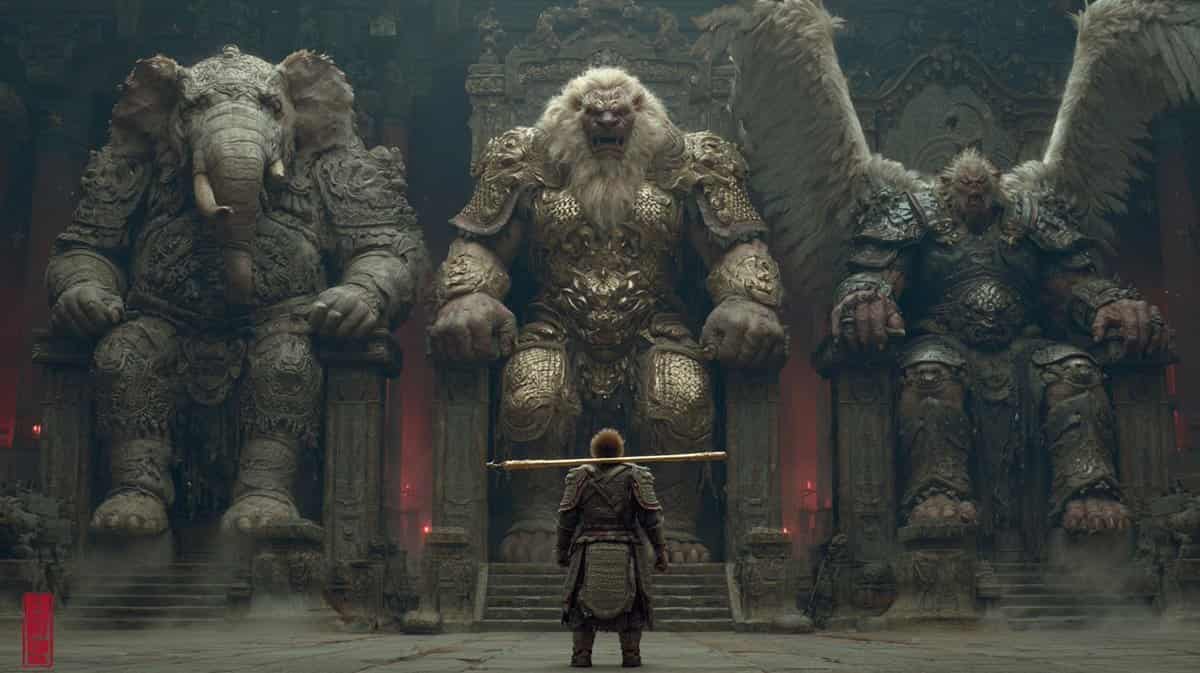
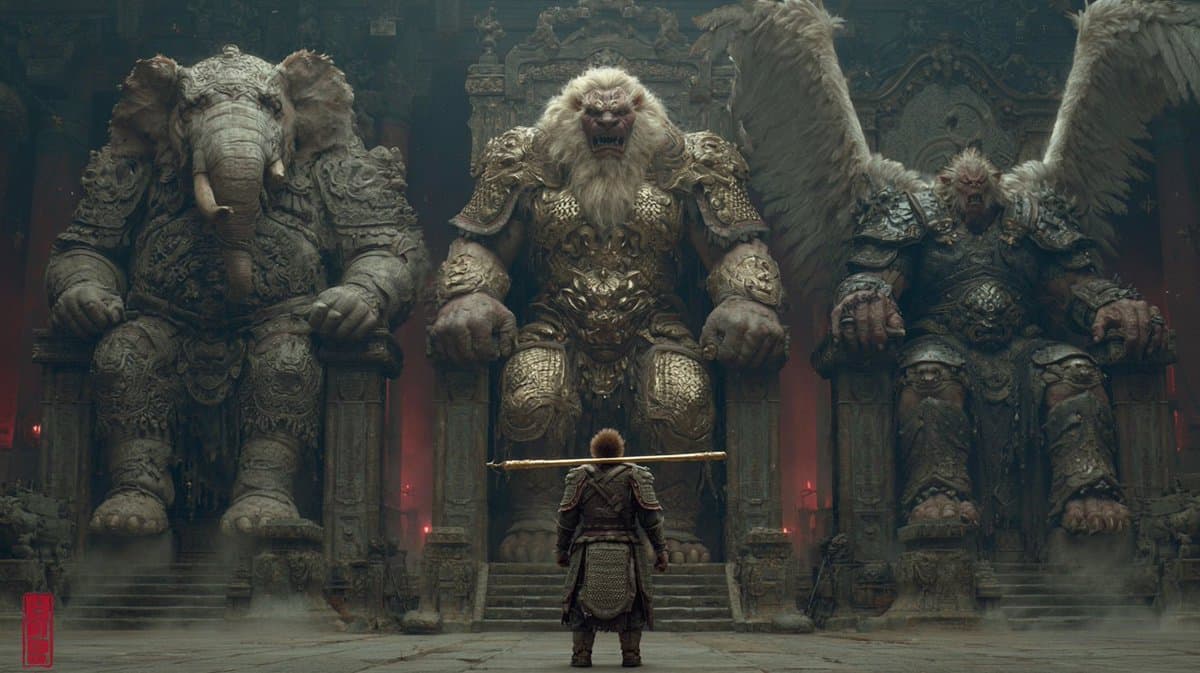
สไตล์แปลก มืดมน และลึกลับของจีนผสมผสานสุนทรียภาพแบบจีน รายละเอียดที่สมบูรณ์แบบ การเรนเดอร์หลายขั้นตอน และการสร้างแบบจำลองที่สมบูรณ์แบบ ในฉากหลังของ Journey to the West สันเขา Lion Camel เต็มไปด้วยสัตว์ประหลาดและสัตว์ประ…
พรอมต์
สไตล์แปลก มืดมน และลึกลับของจีนผสมผสานสุนทรียภาพแบบจีน รายละเอียดที่สมบูรณ์แบบ การเรนเดอร์หลายขั้นตอน และการสร้างแบบจำลองที่สมบูรณ์แบบ ในฉากหลังของ Journey to the West สันเขา Lion Camel เต็มไปด้วยสัตว์ประหลาดและสัตว์ประหลาด ราชาช้างและนางฟ้าชุดเกราะหนักนั่งบนบัลลังก์ใหญ่ทางด้านซ้าย ราชาสิงโตและนางฟ้าชุดเกราะหนักนั่งบนบัลลังก์ใหญ่ตรงกลาง และต้าเผิงและราชานกนั่งบนบัลลังก์ใหญ่ทางด้านขวา และนางฟ้าชุดเกราะหนัก เมื่อหันหลังให้กับกล้อง ซุนหงอคงตัวเล็กก็เดินไปข้างหน้าพร้อมกับกระบองสีทองบนไหล่ของเขา ซุนหงอคงสวมชุดเกราะ กล้องนี้ถ่ายจากระยะใกล้ถึงพื้น โดยใช้เลนส์เทเลโฟโต้และมีเงาที่ชัดเจน การแสดงลักษณะที่ละเอียดมาก การแก้ไขหลายครั้ง มุมมองที่ถูกต้องและบรรทัดหลัก รายละเอียดประณีต
วิธีการใช้งานพร้อมท์นี้
อ่านข้อความแจ้ง ฉากตำนานแห่งความมืดของสันเขาอูฐสิงโต ฉบับสมบูรณ์ และระบุวัตถุ สไตล์ กล้อง แสง และข้อกำหนดองค์ประกอบก่อนสร้าง
แทนที่ตัวยึดตำแหน่งแบบวงเล็บเหลี่ยมหรือแบบอาร์กิวเมนต์ด้วยข้อกำหนดเกี่ยวกับผลิตภัณฑ์ ตัวละคร แบรนด์ ฉาก ชุดสี หรืออัตราส่วนภาพ
เปิด https://www.gptimagehub.com/th/generate?promptId=cmogwwrmn0079zpdyvvf3k2m8 สร้างรูปภาพ จากนั้นปรับแต่งข้อความแจ้งด้วยหัวข้อ ข้อความ เค้าโครง หรือข้อจำกัดเชิงลบที่เฉพาะเจาะจงมากขึ้น หากจำเป็น
คำถามที่พบบ่อยพร้อมท์
พรอมต์ ฉากตำนานแห่งความมืดของสันเขาอูฐสิงโต ใช้ทำอะไรได้ดีที่สุด
ข้อความแจ้งนี้เหมาะที่สุดสำหรับอิมเมจ ออกแบบ ui / ux ที่คุณต้องการโครงสร้างที่นำมาใช้ซ้ำได้ ทิศทางของภาพโดยละเอียด และคุณภาพเอาต์พุตที่สม่ำเสมอ
ฉันสามารถแก้ไขพรอมต์ก่อนสร้างได้หรือไม่
ใช่ ข้อความแจ้งแบบเต็มจะปรากฏบนหน้านี้ เพื่อให้คุณสามารถเปลี่ยนชื่อเรื่อง ชื่อผลิตภัณฑ์ สี องค์ประกอบ ข้อกำหนดของกล้อง อัตราส่วนภาพ และหมายเหตุสไตล์ก่อนการสร้าง
ฉันควรใช้รุ่นใดกับข้อความแจ้งนี้
ใช้โมเดลที่แสดงในข้อมูลเมตาของพรอมต์เป็นจุดเริ่มต้นเริ่มต้น หากรูปภาพรุ่นอื่นรองรับอัตราส่วนภาพและรูปแบบคำสั่งเดียวกัน คุณสามารถปรับข้อความแจ้งและเปรียบเทียบผลลัพธ์ได้