
ร้านสะดวกซื้อชุมชนบันทึกกะกลางคืนบนดวงจันทร์
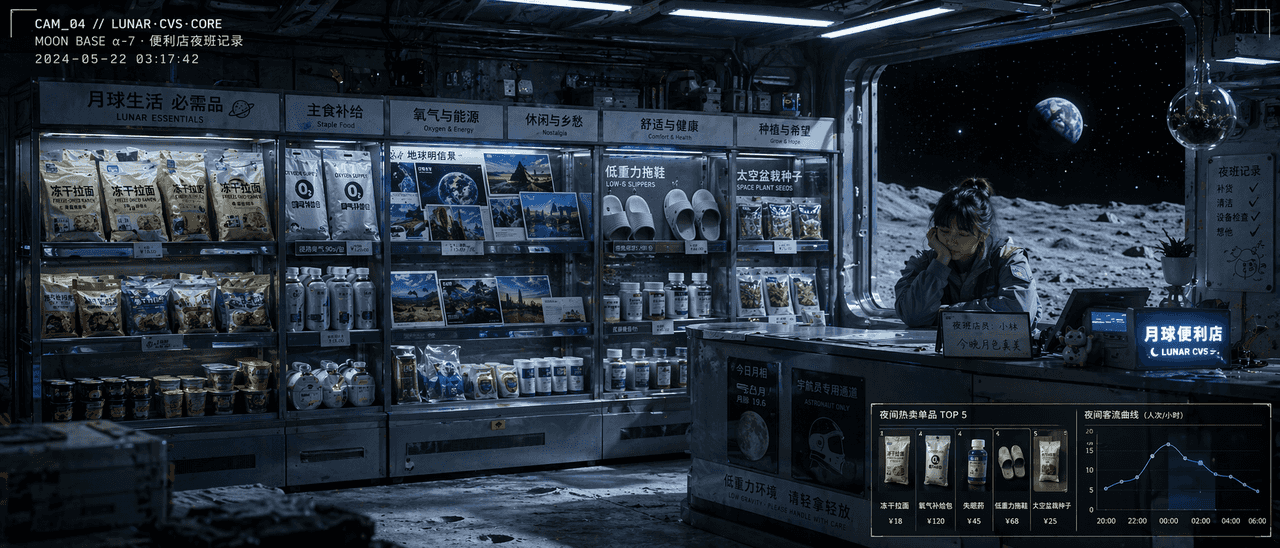
"บันทึกกะกลางคืนของร้านสะดวกซื้อชุมชนบนดวงจันทร์" เป็นการผสมผสานระหว่างภาพประกอบสไตล์สารคดีและภาพถ่ายจัดแสดงสินค้า ชั้นวางในร้านได้รับการจัดเรียงตามความต้องการของชีวิตบนดวงจันทร์: ราเม็งแห้ง ชุดออกซิเจน โปสการ์ดดิน รองเ…
พรอมต์
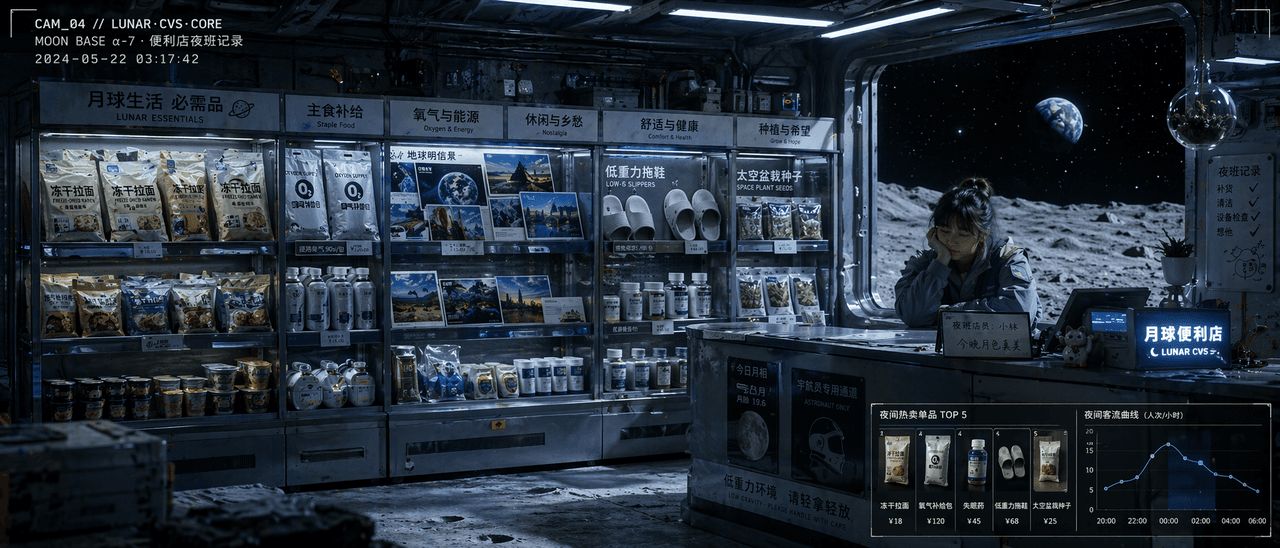
"บันทึกกะกลางคืนของร้านสะดวกซื้อชุมชนบนดวงจันทร์" เป็นการผสมผสานระหว่างภาพประกอบสไตล์สารคดีและภาพถ่ายจัดแสดงสินค้า ชั้นวางในร้านได้รับการจัดเรียงตามความต้องการของชีวิตบนดวงจันทร์: ราเม็งแห้ง ชุดออกซิเจน โปสการ์ดดิน รองเท้าแตะแรงโน้มถ่วงต่ำ ยารักษาโรคนอนไม่หลับ และเมล็ดในหม้ออวกาศ ด้านหลังเคาน์เตอร์ชำระเงินดูเหนื่อยๆ แต่ผู้ช่วยร้านผู้อ่อนโยน จักรวาลสีดำ และโลกที่อยู่ไกลๆ สามารถมองเห็นได้นอกหน้าต่างกระจก มุมซ้ายบนของภาพดูเหมือนวิดีโอวงจรปิดที่มีรหัสเวลาซ้อนทับอยู่ มุมขวาล่างใช้โมดูลขนาดเล็กเพื่อแสดงรายการขายดีและเส้นโค้งการไหลของผู้โดยสารในเวลากลางคืน แสงนี้เป็นแสงฟลูออเรสเซนต์สีขาวเย็นที่พันกับเงาสีน้ำเงินของดวงจันทร์ เหมือนกับการผสมผสานระหว่างภาพนิ่งภาพยนตร์และภาพวาดการออกแบบพื้นที่เชิงพาณิชย์ สัดส่วน 21:9.
วิธีการใช้งานพร้อมท์นี้
อ่านข้อความแจ้ง ร้านสะดวกซื้อชุมชนบันทึกกะกลางคืนบนดวงจันทร์ ฉบับสมบูรณ์ และระบุวัตถุ สไตล์ กล้อง แสง และข้อกำหนดองค์ประกอบก่อนสร้าง
แทนที่ตัวยึดตำแหน่งแบบวงเล็บเหลี่ยมหรือแบบอาร์กิวเมนต์ด้วยข้อกำหนดเกี่ยวกับผลิตภัณฑ์ ตัวละคร แบรนด์ ฉาก ชุดสี หรืออัตราส่วนภาพ
เปิด https://www.gptimagehub.com/th/generate?promptId=cmogxinsm00gxxt5ggpma7ovn สร้างรูปภาพ จากนั้นปรับแต่งข้อความแจ้งด้วยหัวข้อ ข้อความ เค้าโครง หรือข้อจำกัดเชิงลบที่เฉพาะเจาะจงมากขึ้น หากจำเป็น
คำถามที่พบบ่อยพร้อมท์
พรอมต์ ร้านสะดวกซื้อชุมชนบันทึกกะกลางคืนบนดวงจันทร์ ใช้ทำอะไรได้ดีที่สุด
ข้อความแจ้งนี้เหมาะที่สุดสำหรับอิมเมจ อื่น ๆ ที่คุณต้องการโครงสร้างที่นำมาใช้ซ้ำได้ ทิศทางของภาพโดยละเอียด และคุณภาพเอาต์พุตที่สม่ำเสมอ
ฉันสามารถแก้ไขพรอมต์ก่อนสร้างได้หรือไม่
ใช่ ข้อความแจ้งแบบเต็มจะปรากฏบนหน้านี้ เพื่อให้คุณสามารถเปลี่ยนชื่อเรื่อง ชื่อผลิตภัณฑ์ สี องค์ประกอบ ข้อกำหนดของกล้อง อัตราส่วนภาพ และหมายเหตุสไตล์ก่อนการสร้าง
ฉันควรใช้รุ่นใดกับข้อความแจ้งนี้
ใช้โมเดลที่แสดงในข้อมูลเมตาของพรอมต์เป็นจุดเริ่มต้นเริ่มต้น หากรูปภาพรุ่นอื่นรองรับอัตราส่วนภาพและรูปแบบคำสั่งเดียวกัน คุณสามารถปรับข้อความแจ้งและเปรียบเทียบผลลัพธ์ได้