
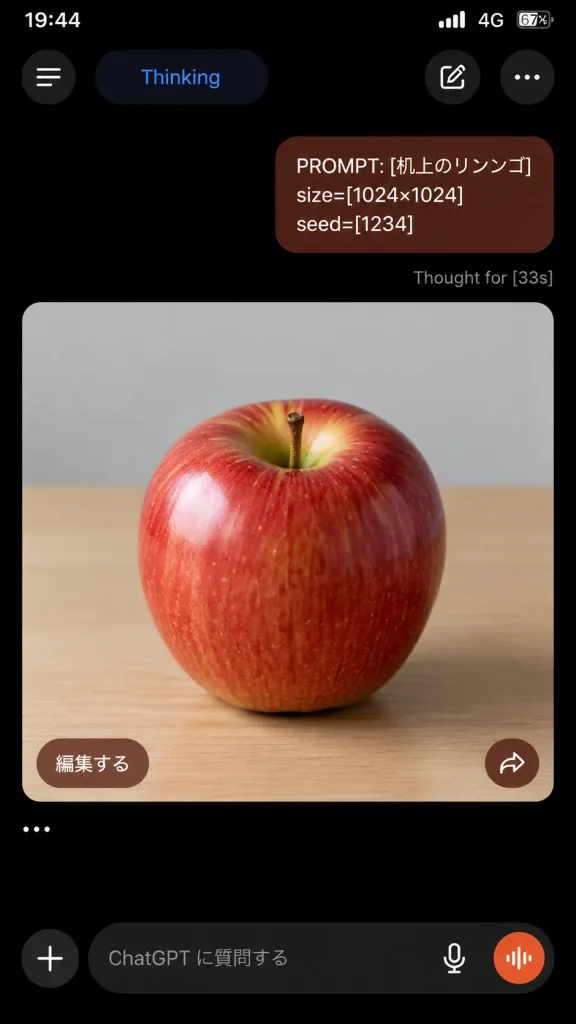
Captura de Tela do ChatGPT em Modo Escuro
Cria uma captura realista do app móvel ChatGPT em modo escuro com prompt e imagem gerada. Altere o texto, dimensões e semente nos colchetes para personalizar.
Prompt
A realistic vertical smartphone screenshot of the ChatGPT mobile app in dark mode, 9:16 aspect ratio, displaying an image generation conversation. At the top, an iPhone-style status bar shows 19:44, cellular bars, 4G, and 67% battery on a pitch black background. The top app navigation bar features four elements: a circular hamburger menu button on the far left, a rounded pill labeled "Thinking" in blue text, a rounded button with a pencil edit icon, and a three-dot menu icon on the far right. Below, a single right-aligned user chat bubble in dark reddish-brown with rounded corners contains three lines of text: "PROMPT: [机上のリンゴ]" "size=[1024×1024]" "seed=[1234]" Directly beneath the user bubble, small gray status text reads: "Thought for [33s]". Below the status text is a large rounded-corner image card filling most of the screen width. Inside the card is a photorealistic image of a glossy red apple centered on a light wooden tabletop under soft studio lighting, with yellow-green highlights near the stem indentation, subtle vertical streaks, a small brown stem, and a softly blurred pale gray wall in the background. In the lower-left corner of the image card, there is a rounded brown button labeled "編集する". In the lower-right corner, there is a circular brown button with a white share arrow icon. Below the card, a single standalone ellipsis line displays "…". At the bottom of the screen, the ChatGPT text input bar features a plus icon button, placeholder text reading "ChatGPT に質問する", a microphone icon, and an orange circular voice-waveform button inside a dark rounded input container. Authentic iOS dark theme UI, crisp typography, clean spacing, no watermarks, no browser chrome.
O que você pode personalizar
Antes de gerar, troque estas partes do prompt pelo seu próprio tema ou texto.
[机上のリンゴ]espaço reservado[1024×1024]espaço reservado[1234]espaço reservado[33s]espaço reservado“Thinking”texto entre aspas“PROMPT: [机上のリンゴ]”texto entre aspas“size=[1024×1024]”texto entre aspas“seed=[1234]”texto entre aspas
Detalhes do prompt
- Categoria
- Design UI / UX
- Modelo
- GPT IMAGE 2
- Custo por imagem
- 1K: 43 créditos · 2K: 86 créditos · 4K: 143 créditos
- Proporção
- 9:16
- Adicionado em