
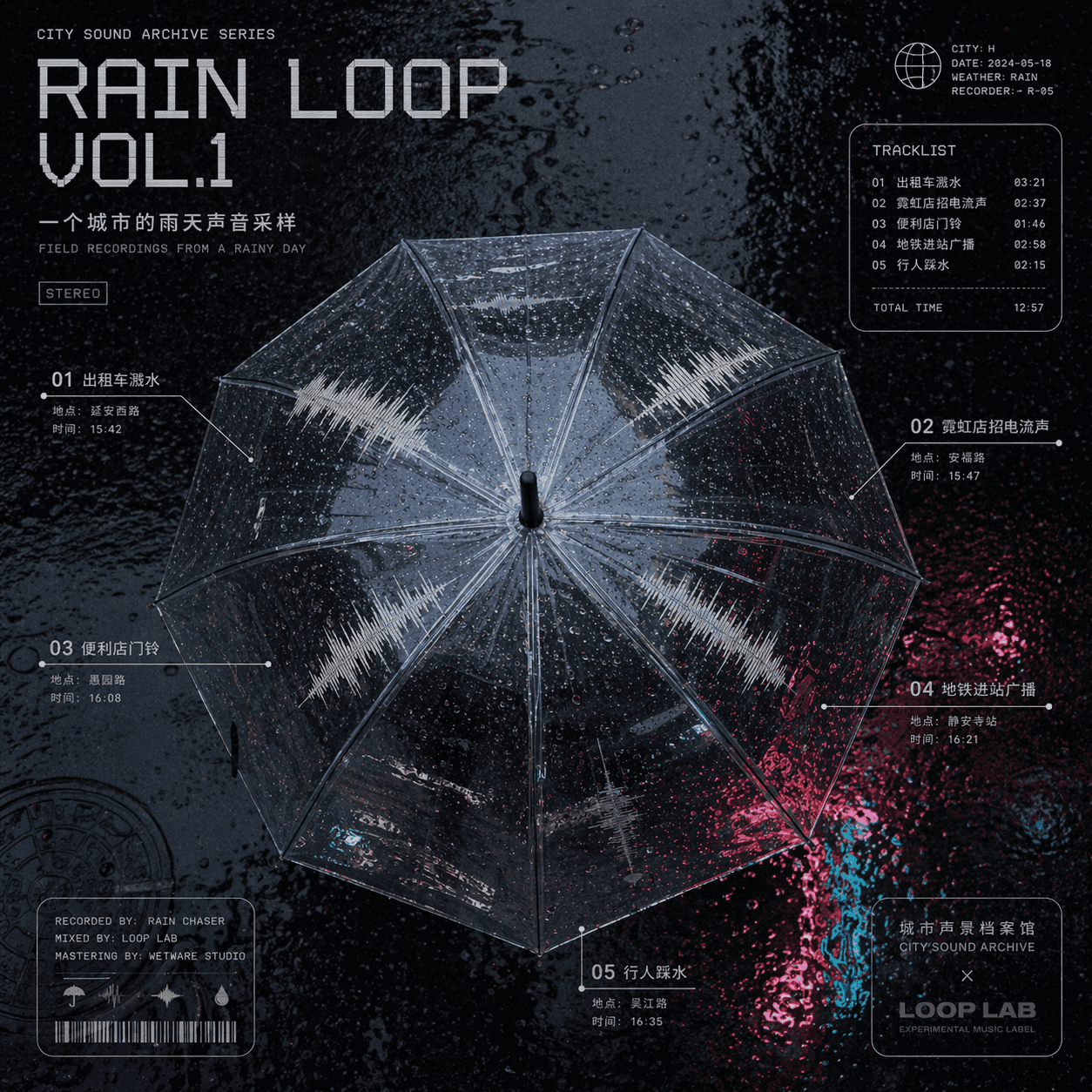
A rainy day sound sample cover of a city
"A rainy day sound sample cover of a city" is a combination of music album cover and urban soundscape archives. The center is a top view of a transparent umbrella. Different sound track waveforms are distributed on the…
Prompt
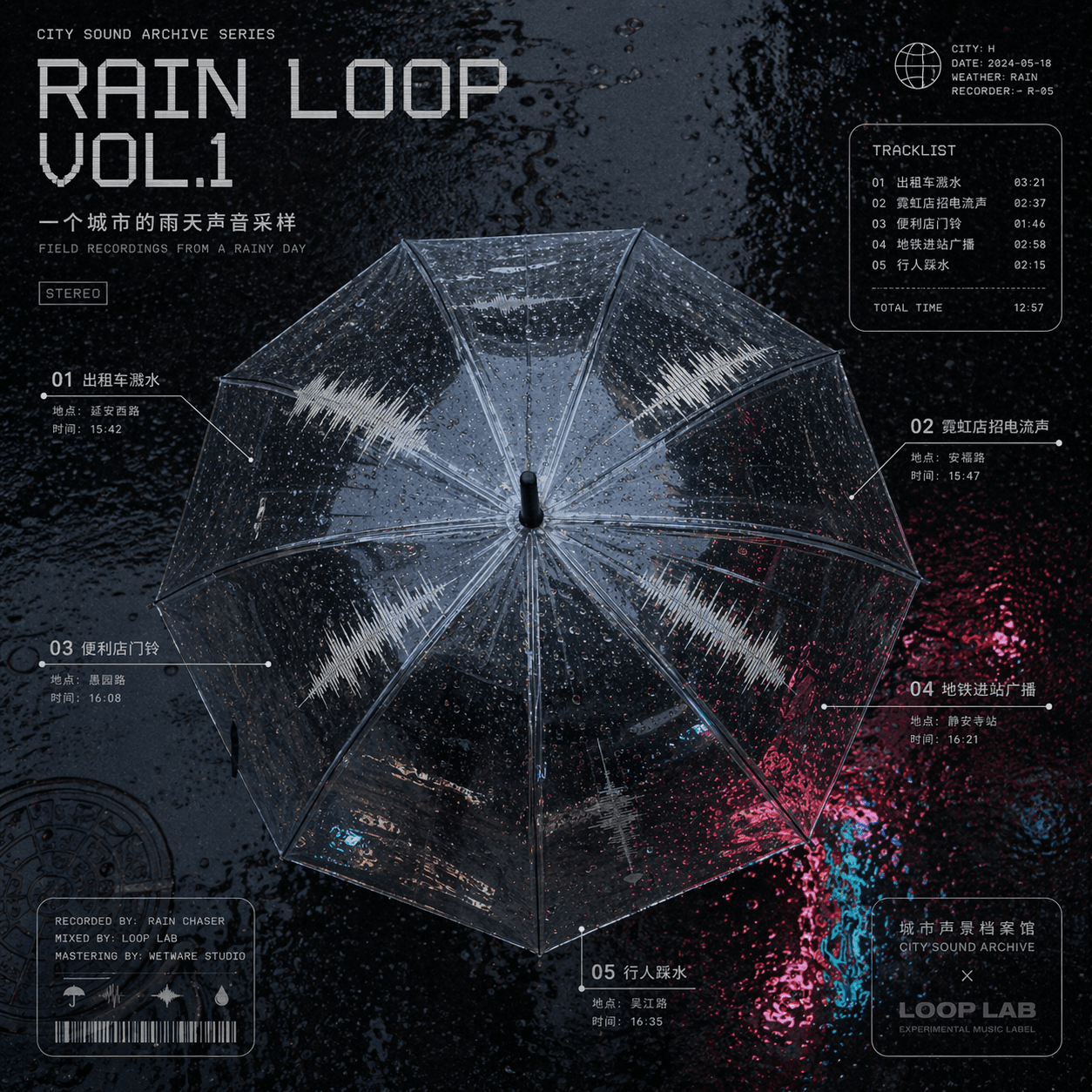
"A rainy day sound sample cover of a city" is a combination of music album cover and urban soundscape archives. The center is a top view of a transparent umbrella. Different sound track waveforms are distributed on the umbrella surface: taxi splashing water, neon shop signs, convenience store doorbells, subway arrival announcements, pedestrians treading water, and the sampling location and time are annotated in small characters around it, with the title "RAIN LOOP" VOL.1" uses a cold electronic font, and the background is the highly reflective texture of wet asphalt road. The overall design looks like a joint design between an experimental music album and the Sound Map Archive, with a ratio of 1:1.
How to use this prompt
Read the complete A rainy day sound sample cover of a city prompt and identify the subject, style, camera, lighting, and composition requirements before generating.
Replace bracketed or argument-style placeholders with your product, character, brand, scene, color palette, or aspect ratio requirements.
Open https://www.gptimagehub.com/generate?promptId=cmogxj93z00h9xt5gap0nslsa, generate the image, then refine the prompt with more specific subject, text, layout, or negative constraints if needed.
Prompt FAQ
What is the A rainy day sound sample cover of a city prompt best used for?
This prompt is best used for poster & illustration images where you want a reusable structure, detailed visual direction, and consistent output quality.
Can I edit the prompt before generating?
Yes. The full prompt text is visible on this page so you can change subjects, product names, colors, composition, camera terms, aspect ratio, and style notes before generation.
Which model should I use with this prompt?
Use the model shown in the prompt metadata as the default starting point. If another image model supports the same aspect ratio and instruction style, you can adapt the prompt and compare results.