
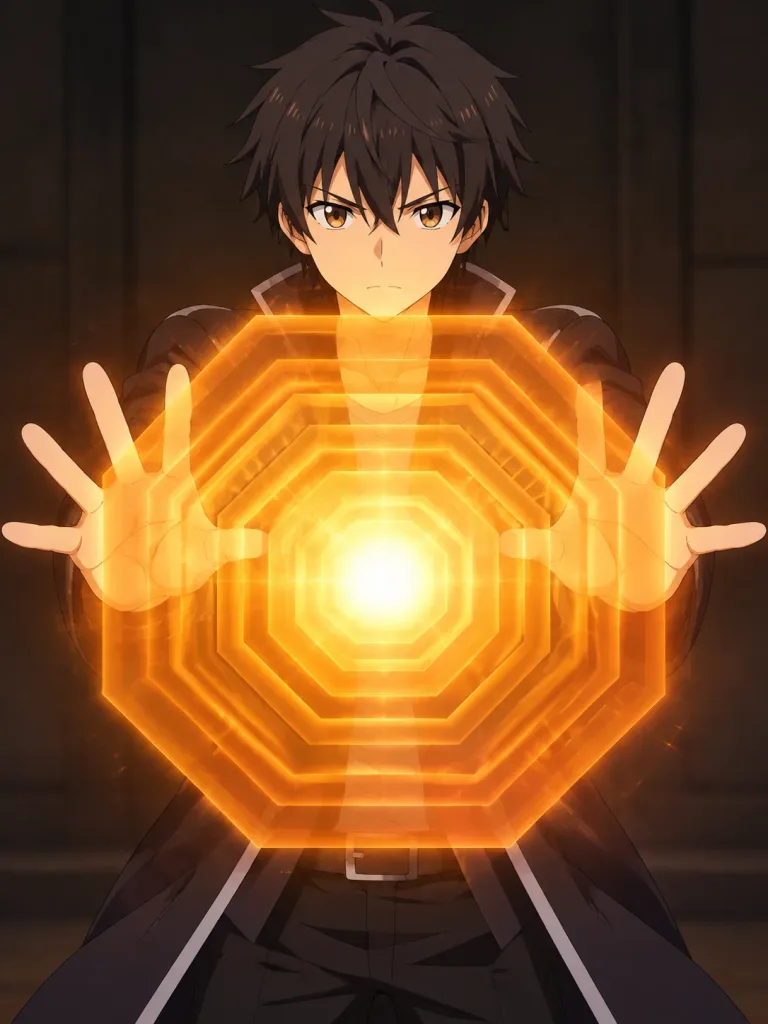
동심 팔각형 에너지 배리어 VFX
캐릭터가 두 손을 앞으로 내미는 포즈로 수정하고 AT 필드 스타일의 동심 팔각형 방어막을 생성합니다. 레이어 수와 색상 그라데이션을 조절해 실드 강도를 맞춤 설정하세요.
프롬프트
task: "pose-and-barrier-vfx" reference_image: keep_original: true subject: keep_character_design: true rules: - do not change the character's face, expression, hairstyle, anatomy, or proportions - do not change outfit, colors, lineart, or art style - do not change background, composition, shading, or lighting - all modifications occur only through the defined steps steps: - step: "pose-adjustment" action: - extend both arms forward toward the viewer - rotate both palms to face directly toward the camera - fingers naturally spread constraints: forbidden: - altering facial expression - modifying outfit - adding props or new items - introducing glow or VFX - step: "energy-barrier-vfx" vfx: type: "concentric-octagonal-barrier" placement: "in front of both palms" geometry: shape: "regular octagon" structure: "multiple concentric octagonal surfaces" alignment: - all surfaces share the same center - all surfaces are parallel to the camera plane - no curvature or spherical distortion forbidden: - outline-only shapes - hollow frames - hexagonal shapes - domed or warped surfaces surface: fill: "center-to-edge radial gradient" colors: center: "[white-yellow]" mid: "[orange-gold]" edge: "[transparent orange]" glow: - strong center luminosity - soft bloom - refractive shimmer opacity: "semi-transparent" layering: count: [8] direction: "stacked forward" composition: camera: angle: "frontal" distance: "medium shot" focus: "hands and barrier surface" lighting: keep_original: true placement: barrier_position: "centered between both palms" size: "large frontal barrier"
바꿔 쓸 수 있는 부분
생성하기 전에 프롬프트의 이 부분을 원하는 주제나 문구로 바꿔 보세요.
[white-yellow]자리 표시자[orange-gold]자리 표시자[transparent orange]자리 표시자[8]자리 표시자“pose-and-barrier-vfx”따옴표 안 문구“pose-adjustment”따옴표 안 문구“energy-barrier-vfx”따옴표 안 문구“concentric-octagonal-barrier”따옴표 안 문구
프롬프트 정보
- 카테고리
- 애니메이션 / 만화
- 모델
- Nano Banana Pro
- 이미지당 비용
- 1K: 108 크레딧 · 2K: 108 크레딧 · 4K: 193 크레딧
- 화면 비율
- 3:4
- 추가일