
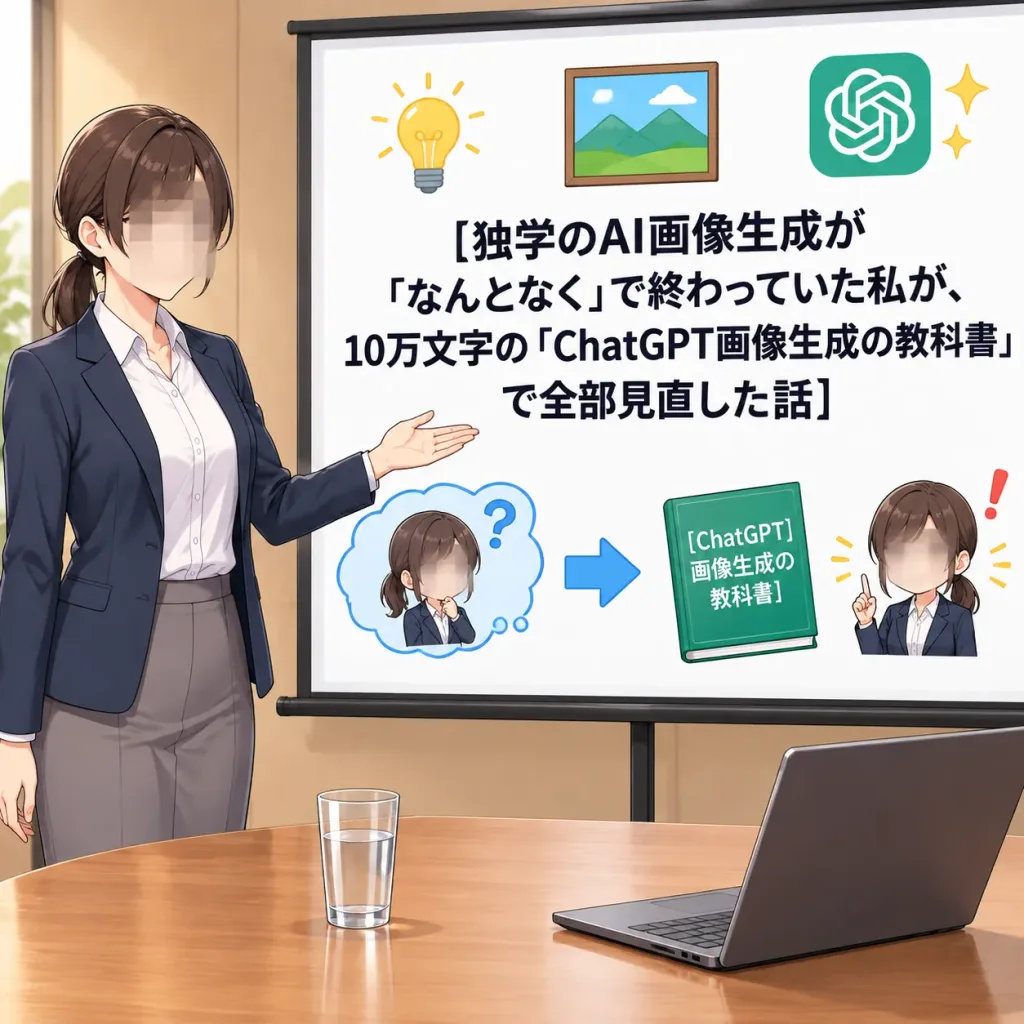
애니메이션 스타일 AI 강의 발표 썸네일
모자이크 처리된 발표자와 일본어 슬라이드가 포함된 정사각 애니메이션 썸네일을 생성합니다. 헤드라인과 책 제목, 정장 색상을 변경해 보세요.
프롬프트
Clean polished digital anime illustration in a 1:1 square format, designed as a Japanese business manga explainer social media thumbnail. Medium-wide shot in a bright meeting room with warm beige walls and a wooden conference table in the foreground. Subject (Left): An adult Japanese businesswoman presenter shown from thigh-up. She wears a navy blazer, white button-up shirt, and gray trousers or skirt, with dark brown hair tied in a neat low ponytail. Her face is intentionally obscured by a soft rectangular mosaic privacy blur. She stands confidently with one arm extended toward the presentation screen on the right. Foreground: On the wooden conference table, exactly two items: one clear glass of water near center-left, and one open dark laptop angled on the right. Presentation Screen (Right): A large white projection screen with a slim black frame and stand. The screen displays dominant, bold, centered black Japanese headline text: "[独学のAI画像生成が 「なんとなく」で終わっていた私が、 10万文字の「ChatGPT画像生成の教科書」 で全部見直した話]" Slide Graphic Elements (exactly 7 elements): 1. Yellow lightbulb icon at top-left 2. Framed landscape picture icon at top-center 3. Green ChatGPT logo icon with 2 small sparkle marks at top-right 4. Small confused chibi woman inside a blue thought cloud with a question mark at bottom-left (face blurred) 5. Blue horizontal arrow pointing right at bottom-center 6. Green booklet icon labeled "[ChatGPT 画像生成の 教科書]" 7. Small confident chibi woman raising an index finger with a red exclamation mark at bottom-right (face blurred) Style and Lighting: Japanese business anime/manga informational thumbnail style, crisp ink line work, soft digital gradients, muted corporate color palette with subtle warm accents, high contrast typography. Exactly 3 blurred faces total. No extra people, charts, or unmentioned text.
바꿔 쓸 수 있는 부분
생성하기 전에 프롬프트의 이 부분을 원하는 주제나 문구로 바꿔 보세요.
“なんとなく”따옴표 안 문구“ChatGPT画像生成の教科書”따옴표 안 문구
프롬프트 정보
- 카테고리
- 애니메이션 / 만화
- 모델
- GPT IMAGE 2
- 이미지당 비용
- 1K: 43 크레딧 · 2K: 86 크레딧 · 4K: 143 크레딧
- 화면 비율
- 1:1
- 추가일