
애니메이션 박물관 배경 변환
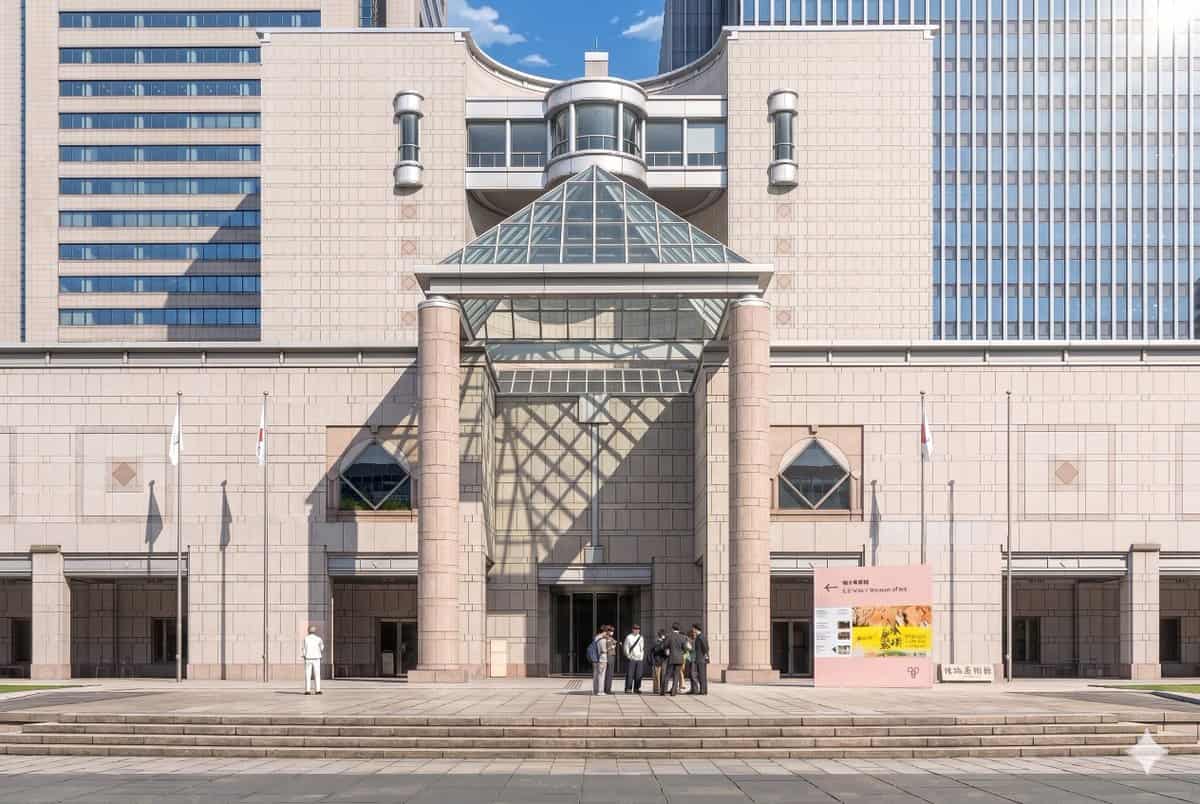
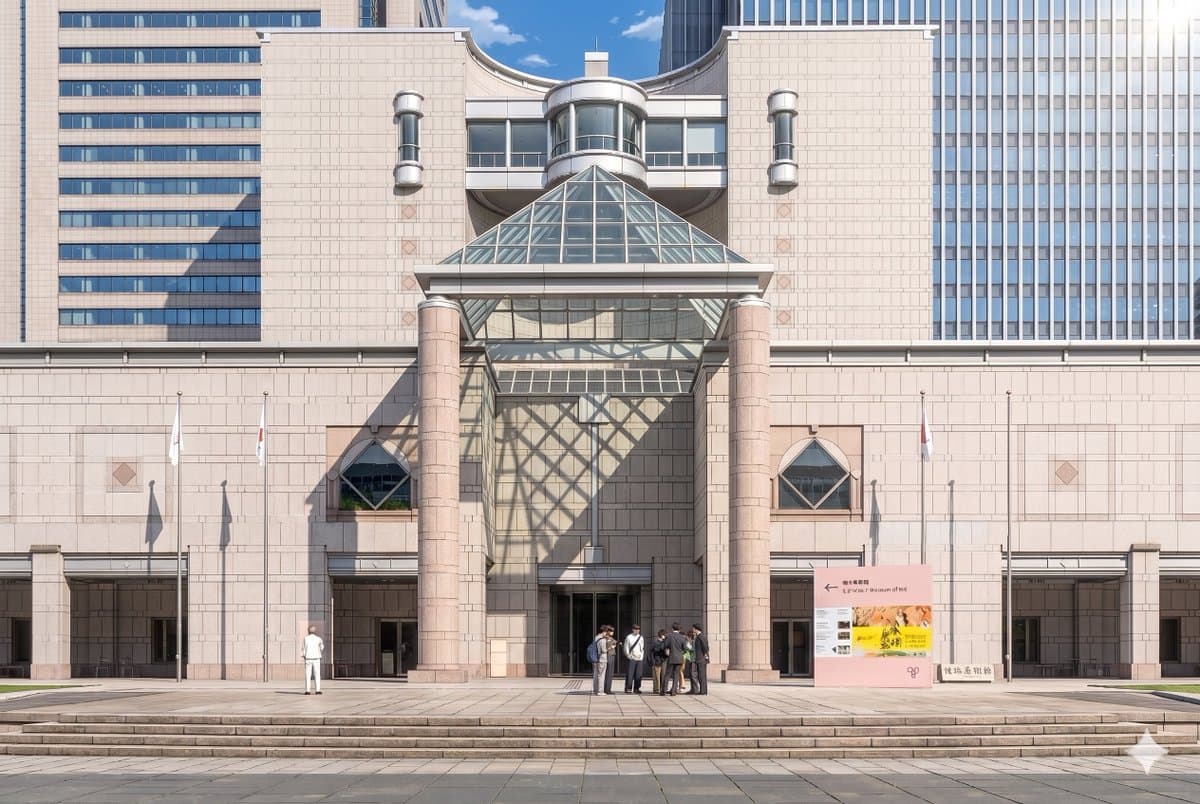
제공된 참조 사진을 사용하여 동일한 박물관 정면과 정면 구도를 세련된 극장식 애니메이션 배경 일러스트로 재현하시오. 건축물, 간판, 깃대 3개, 넓은 계단, 그리고 전체 레이아웃을 일관되게 유지하되, 이미지를 사실적인 사진에서 깔끔한 라인 작업, 부드러운 셀 셰이딩, 부드러운 파스텔 석재 색상, 그리고 선명한 분위기 조명이 있는 매우 디테일한 손으로 그린 애니메이션 영화 스타일로 변환하시오…
프롬프트
제공된 참조 사진을 사용하여 동일한 박물관 정면과 정면 구도를 세련된 극장식 애니메이션 배경 일러스트로 재현하시오. 건축물, 간판, 깃대 3개, 넓은 계단, 그리고 전체 레이아웃을 일관되게 유지하되, 이미지를 사실적인 사진에서 깔끔한 라인 작업, 부드러운 셀 셰이딩, 부드러운 파스텔 석재 색상, 그리고 선명한 분위기 조명이 있는 매우 디테일한 손으로 그린 애니메이션 영화 스타일로 변환하시오. 오른쪽 위에서 극적인 햇빛을 추가하여 유리 피라미드가 중앙 벽과 입구 왼쪽에 큰 기하학적 격자 그림자를 드리우도록 한다. 사람들을 단순화하고 애니메이션 배경 캐릭터로 양식화하면서, 보이는 2개의 그룹을 유지하시오: 왼쪽의 외로운 인물 1명과 중앙-오른쪽 입구 근처의 7명으로 구성된 작은 무리 1개. 맑은 푸른 하늘 낮 분위기를 보존하면서 장면을 우아하고, 세련되며, 시네마틱하게 느끼게 한다.
이 프롬프트를 사용하는 방법
전체 애니메이션 박물관 배경 변환 프롬프트를 읽고 생성하기 전에 피사체, 스타일, 카메라, 조명 및 구성 요구 사항을 식별하십시오.
괄호로 묶인 자리 표시자나 인수 스타일 자리 표시자를 제품, 캐릭터, 브랜드, 장면, 색상 팔레트 또는 화면 비율 요구 사항으로 바꾸세요.
https://www.gptimagehub.com/ko/generate?promptId=cmogx3mgt00dvzpdy0t3buci9을 열고 이미지를 생성한 다음 필요한 경우 보다 구체적인 주제, 텍스트, 레이아웃 또는 제외 제약 조건을 사용하여 프롬프트를 구체화합니다.
프롬프트 FAQ
애니메이션 박물관 배경 변환 프롬프트는 어떤 용도로 가장 잘 사용되나요?
이 프롬프트는 재사용 가능한 구조, 상세한 시각적 방향 및 일관된 출력 품질을 원하는 애니메이션 / 만화 이미지에 가장 적합합니다.
프롬프트를 생성하기 전에 편집할 수 있나요?
그렇습니다. 전체 프롬프트 텍스트가 이 페이지에 표시되므로 생성 전에 주제, 제품 이름, 색상, 구성, 카메라 용어, 종횡비 및 스타일 노트를 변경할 수 있습니다.
이 메시지에는 어떤 모델을 사용해야 합니까?
프롬프트 메타데이터에 표시된 모델을 기본 시작점으로 사용합니다. 다른 이미지 모델이 동일한 종횡비와 지침 스타일을 지원하는 경우 프롬프트를 조정하고 결과를 비교할 수 있습니다.