
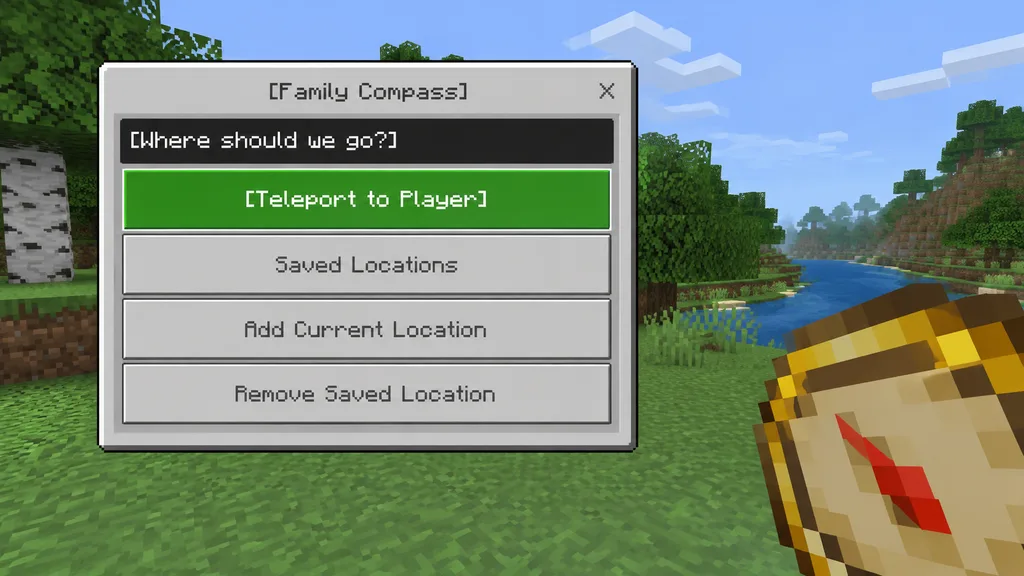
Interface de Menu de Téléportation Minecraft Bedrock
Génère une maquette de capture Minecraft Bedrock avec menu de téléportation et boussole en main. Modifiez le titre, la question et les boutons.
Prompt
A clean in-game screenshot mockup in the authentic visual style of Minecraft Bedrock Edition, featuring a custom teleport menu overlay titled "[Family Compass]". On the left side, a large Bedrock-style UI window dominates the frame, featuring a light gray panel, darker gray border, and a small close 'X' button in the top-right corner. Centered at the top is the window title text. Inside the panel, a dark header bar asks "[Where should we go?]". Below it are four vertically stacked horizontal rectangular buttons: the top button is highlighted bright green with white pixel-style text reading "[Teleport to Player]", followed by three light gray buttons with medium-gray pixel-style text reading "Saved Locations", "Add Current Location", and "Remove Saved Location". In the lower-right foreground, held from the player's first-person perspective, is an oversized chunky pixel-art compass item with a tan face, gold rim, and a red needle angled diagonally downward. The background is a bright daytime outdoor Minecraft scene with blocky grass terrain, leafy trees, and a pale blue sky with rectangular box clouds. Authentic game UI proportions, pixelated font, crisp blocky edges, and soft in-game lighting.
Ce que vous pouvez personnaliser
Avant de générer, remplacez ces parties du prompt par votre propre sujet ou texte.
[Family Compass]espace réservé[Where should we go?]espace réservé[Teleport to Player]espace réservé“Saved Locations”texte entre guillemets“Add Current Location”texte entre guillemets“Remove Saved Location”texte entre guillemets
Détails du prompt
- Catégorie
- Assets de jeu
- Modèle
- GPT IMAGE 2
- Coût par image
- 1K : 43 crédits · 2K : 86 crédits · 4K : 143 crédits
- Format
- 16:9
- Ajouté le