
Produktvergleichstabelle
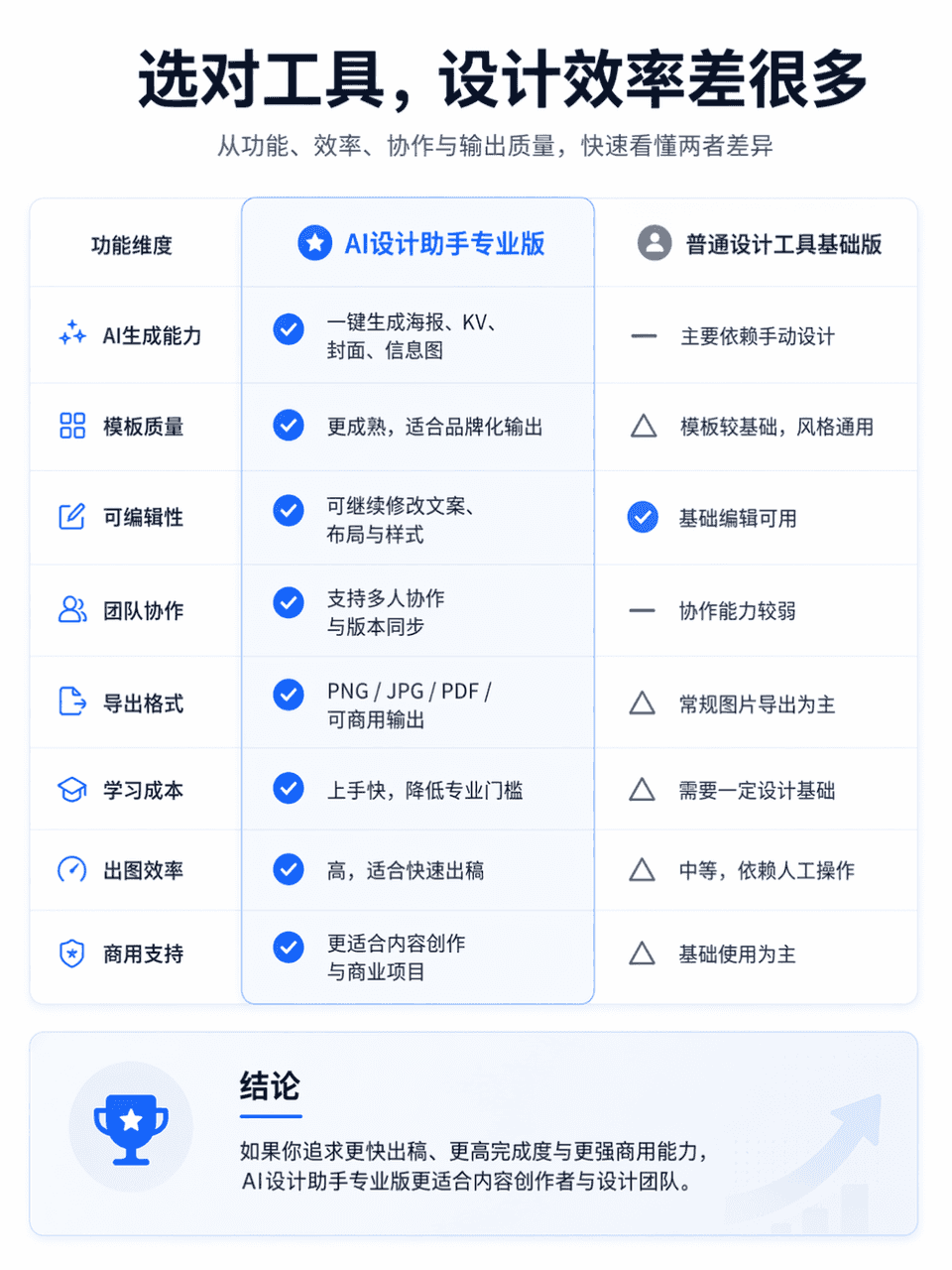
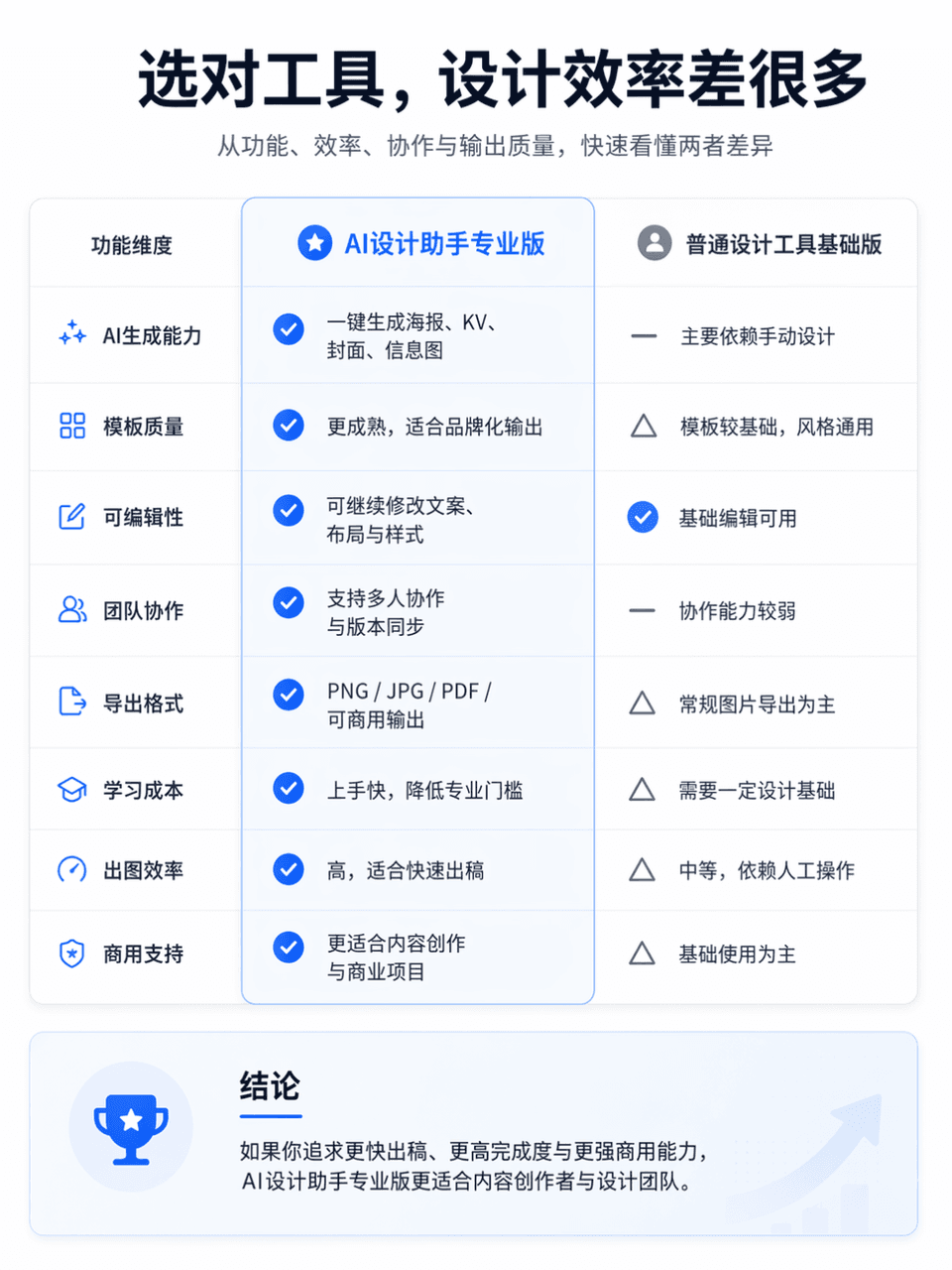
Die Rahmengröße beträgt 3:4 und es wird eine professionelle und übersichtliche Vergleichstabelle der Produktfunktionen erstellt. Das Vergleichsobjekt ist AI Design Assistant Professional Edition vs. General Design Tool…
Prompt
Die Rahmengröße beträgt 3:4 und es wird eine professionelle und übersichtliche Vergleichstabelle der Produktfunktionen erstellt. Das Vergleichsobjekt ist AI Design Assistant Professional Edition vs. General Design Tool Basic Edition. Das Gesamtlayout ist zum Vergleich in eine linke und eine rechte Spalte unterteilt. Die linke Seite ist „AI Design Assistant Professional Edition“ und die rechte Seite ist „General Design Tool Basic Edition“. Platzieren Sie oben auf dem Bildschirm einen auffälligen Haupttitel: „Wählen Sie das richtige Werkzeug, und die Designeffizienz wird ganz anders sein.“ Der Untertitel kann mit „Verstehen Sie schnell die Unterschiede zwischen den beiden in Bezug auf Funktionalität, Effizienz, Zusammenarbeit und Ausgabequalität“ ergänzt werden. Der Gesamtstil bezieht sich auf die Produktvergleichsseite der offiziellen Website, die ein einfaches Layout, eine klare Informationshierarchie, ausreichend Leerraum, moderne Schriftarten, eine zurückhaltende und erweiterte Farbanpassung sowie die visuelle Textur einer echten offiziellen Website für Internetprodukte erfordert. Sie können leichte Symbole, Trennlinien, Kartenschatten und wichtige Hervorhebungen hinzufügen, aber vermeiden Sie E-Commerce-Werbung, Unordnung und Tabellen von geringer Qualität.
So verwenden Sie diese Eingabeaufforderung
Lesen Sie die vollständige Produktvergleichstabelle-Eingabeaufforderung und ermitteln Sie die Anforderungen an Thema, Stil, Kamera, Beleuchtung und Komposition, bevor Sie sie erstellen.
Ersetzen Sie Platzhalter in Klammern oder im Argumentstil durch Ihre Anforderungen an Produkt, Charakter, Marke, Szene, Farbpalette oder Seitenverhältnis.
Öffnen Sie https://www.gptimagehub.com/de/generate?promptId=cmogxm7as00mxxt5gcv7epe6c, generieren Sie das Bild und verfeinern Sie die Eingabeaufforderung bei Bedarf mit spezifischeren Betreff-, Text-, Layout- oder negativen Einschränkungen.
Schnelle FAQ
Wofür eignet sich die Eingabeaufforderung Produktvergleichstabelle am besten?
Diese Eingabeaufforderung eignet sich am besten für sonstiges-Bilder, bei denen Sie eine wiederverwendbare Struktur, eine detaillierte visuelle Ausrichtung und eine konsistente Ausgabequalität wünschen.
Kann ich die Eingabeaufforderung vor dem Generieren bearbeiten?
Ja. Der vollständige Aufforderungstext ist auf dieser Seite sichtbar, sodass Sie Betreff, Produktnamen, Farben, Komposition, Kamerabegriffe, Seitenverhältnis und Stilhinweise vor der Generierung ändern können.
Welches Modell soll ich mit dieser Aufforderung verwenden?
Verwenden Sie das in den Metadaten der Eingabeaufforderung angezeigte Modell als Standardstartpunkt. Wenn ein anderes Bildmodell dasselbe Seitenverhältnis und denselben Anweisungsstil unterstützt, können Sie die Eingabeaufforderung anpassen und die Ergebnisse vergleichen.