
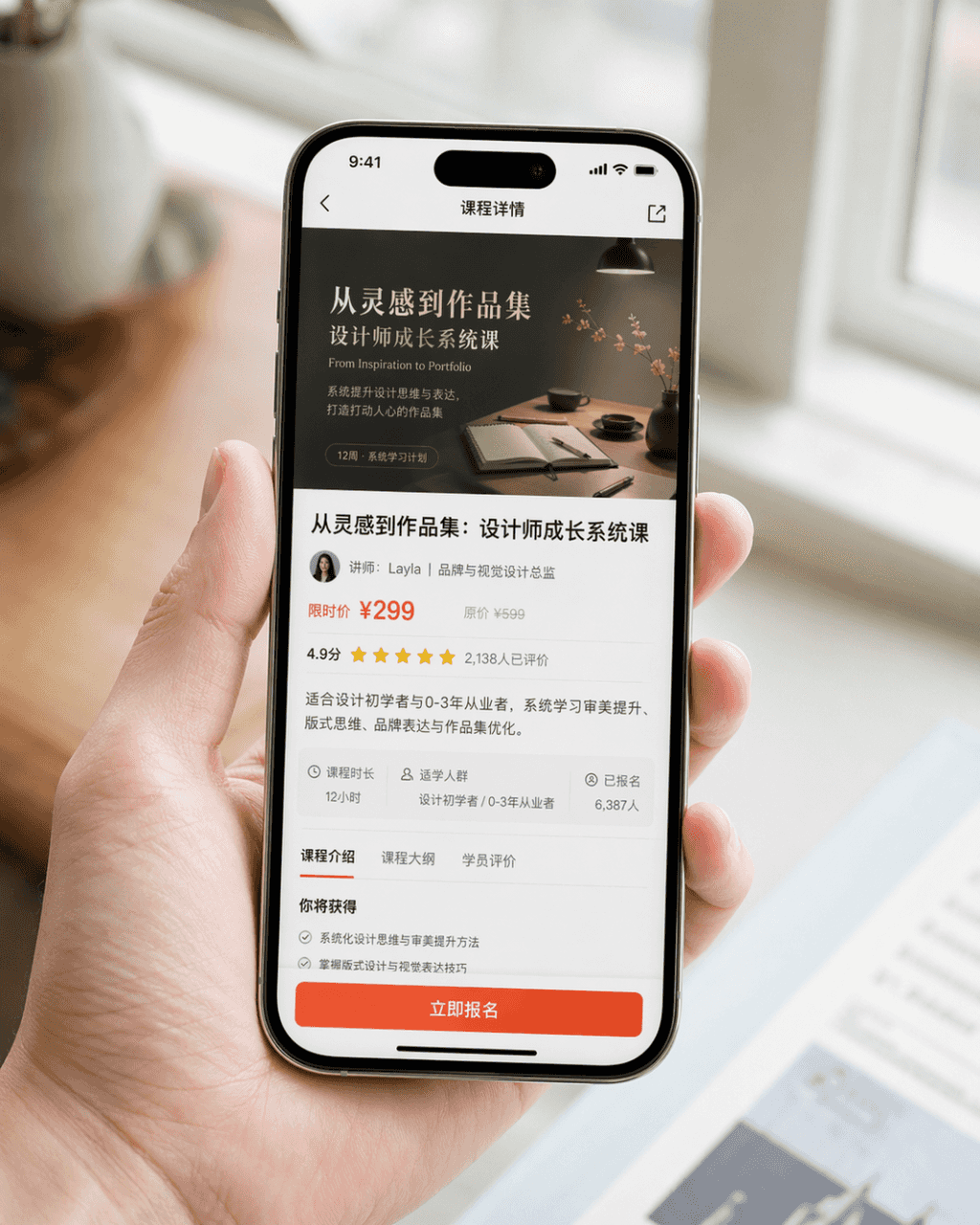
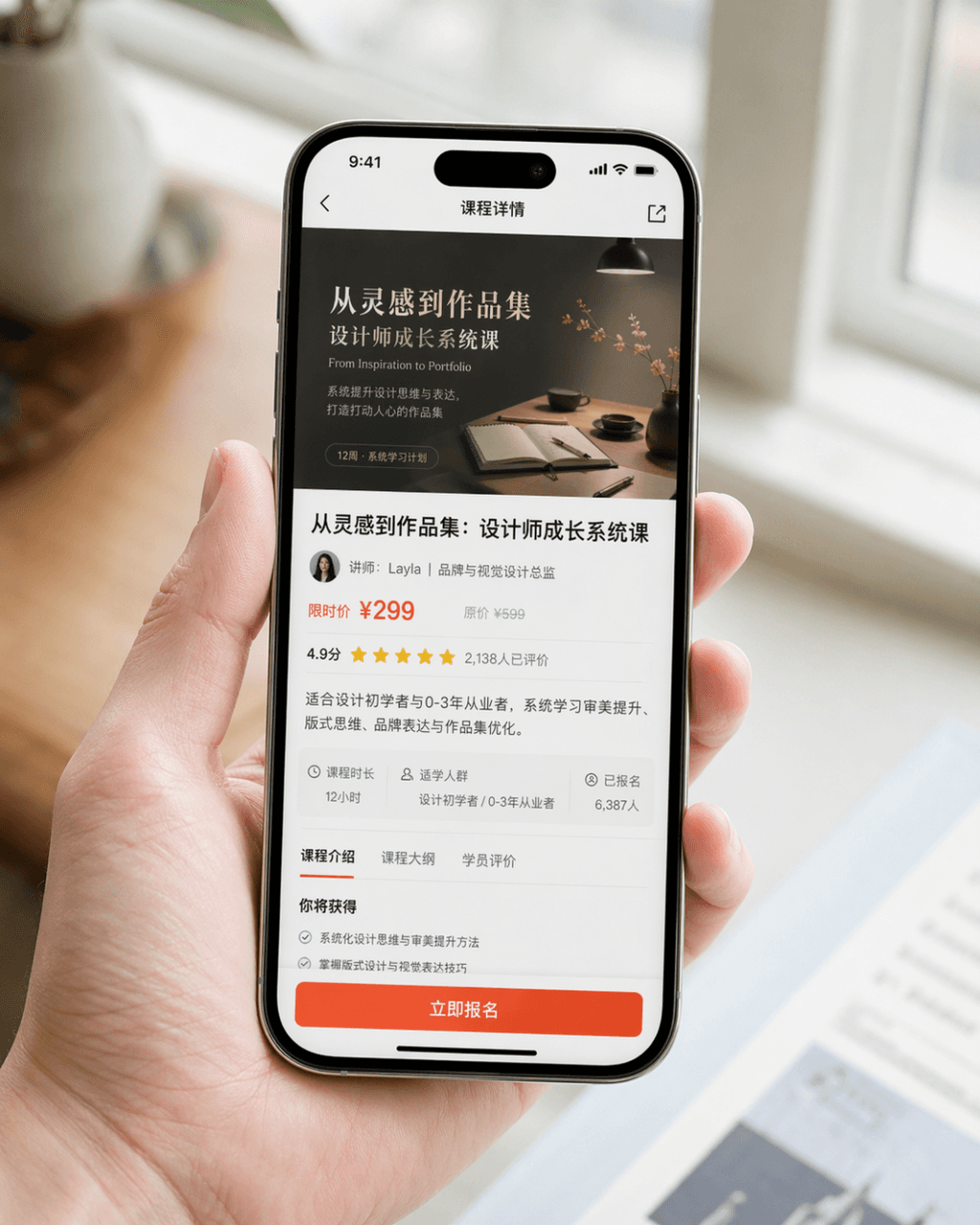
Werbebild für Handy-Screenshot
Erstellen Sie ein sehr realistisches Werbebild für einen Handy-Screenshot. Das Gerät ist das iPhone 15 Pro. Der Bildschirminhalt ist die Kursdetailseite einer Design-Lern-App. Auf der Seite werden das Kurscover, der Kur…
Prompt
Erstellen Sie ein sehr realistisches Werbebild für einen Handy-Screenshot. Das Gerät ist das iPhone 15 Pro. Der Bildschirminhalt ist die Kursdetailseite einer Design-Lern-App. Auf der Seite werden das Kurscover, der Kurstitel, Dozenteninformationen, Preisinformationen, Benutzerbewertungen, eine zusammenfassende Zusammenfassung und eine auffällige Schaltfläche „Jetzt registrieren“ deutlich angezeigt. Das Bild ist eine Nahaufnahme einer Person, die ganz natürlich ein Mobiltelefon in der Hand hält. Die Hände der Figur sind sauber und natürlich, der Bildschirm des Mobiltelefons ist klar und hell und der Hintergrund ist unscharf. Das Gesamtbild ähnelt dem von der Marke offiziell veröffentlichten Produkt-PR-Bild. Es erfordert realistische Fotografietexturen, weiches und hochwertiges Licht, prägnante Komposition und realistische Details. Vermeiden Sie eine übertriebene Benutzeroberfläche, einen billigen E-Commerce-Stil und ein übermäßiges Design.
So verwenden Sie diese Eingabeaufforderung
Lesen Sie die vollständige Werbebild für Handy-Screenshot-Eingabeaufforderung und ermitteln Sie die Anforderungen an Thema, Stil, Kamera, Beleuchtung und Komposition, bevor Sie sie erstellen.
Ersetzen Sie Platzhalter in Klammern oder im Argumentstil durch Ihre Anforderungen an Produkt, Charakter, Marke, Szene, Farbpalette oder Seitenverhältnis.
Öffnen Sie https://www.gptimagehub.com/de/generate?promptId=cmogxm5f000mvxt5gnyc2fxa4, generieren Sie das Bild und verfeinern Sie die Eingabeaufforderung bei Bedarf mit spezifischeren Betreff-, Text-, Layout- oder negativen Einschränkungen.
Schnelle FAQ
Wofür eignet sich die Eingabeaufforderung Werbebild für Handy-Screenshot am besten?
Diese Eingabeaufforderung eignet sich am besten für sonstiges-Bilder, bei denen Sie eine wiederverwendbare Struktur, eine detaillierte visuelle Ausrichtung und eine konsistente Ausgabequalität wünschen.
Kann ich die Eingabeaufforderung vor dem Generieren bearbeiten?
Ja. Der vollständige Aufforderungstext ist auf dieser Seite sichtbar, sodass Sie Betreff, Produktnamen, Farben, Komposition, Kamerabegriffe, Seitenverhältnis und Stilhinweise vor der Generierung ändern können.
Welches Modell soll ich mit dieser Aufforderung verwenden?
Verwenden Sie das in den Metadaten der Eingabeaufforderung angezeigte Modell als Standardstartpunkt. Wenn ein anderes Bildmodell dasselbe Seitenverhältnis und denselben Anweisungsstil unterstützt, können Sie die Eingabeaufforderung anpassen und die Ergebnisse vergleichen.