
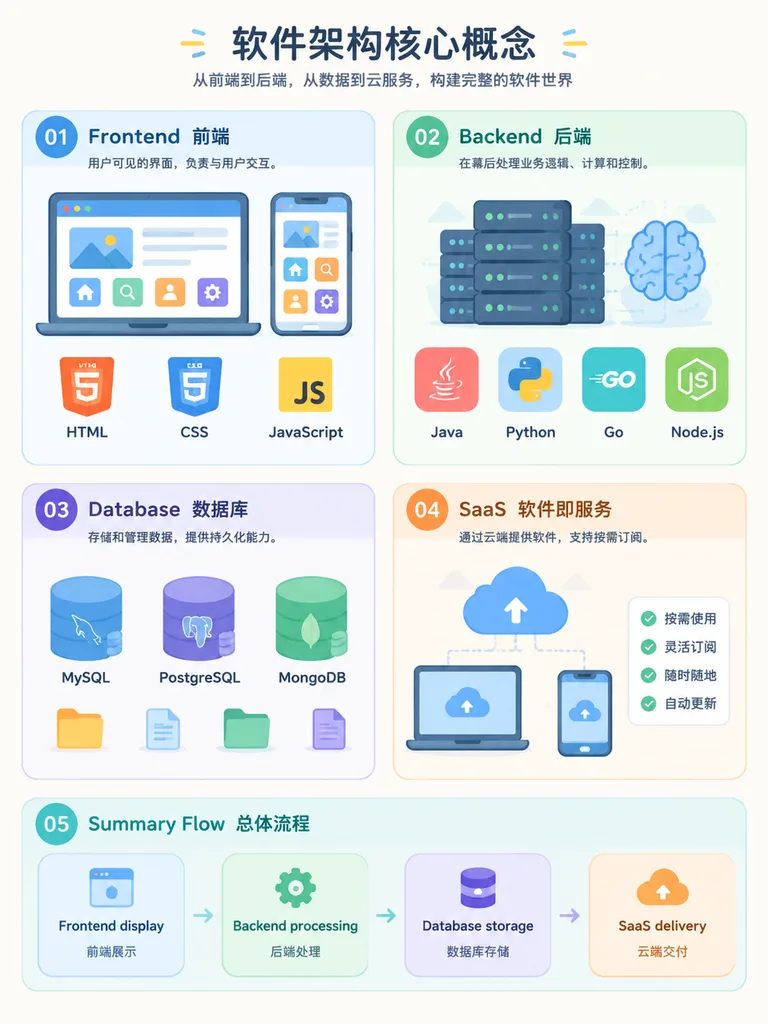
Lehrreiche Infografik zur Softwarearchitektur
Erstellt eine leicht verständliche Infografik zu Frontend, Backend, Datenbank und SaaS. Modultitel und Programmiersprachen lassen sich flexibel anpassen.
Prompt
An easy-to-understand educational infographic diagram explaining core software architecture concepts in an organized layout: - Section 01: [Frontend] - The user-visible interface, showing web browser and smartphone screens with icons for HTML, CSS, and JavaScript. - Section 02: [Backend] - The logic and calculation layer behind the scenes, featuring server racks and brain icons with tags for Java, Python, Go, and Node.js. - Section 03: [Database] - Data storage and memory, illustrated with relational table cylinders and document folder icons representing MySQL, PostgreSQL, and MongoDB. - Section 04: [SaaS] - Software as a Service, depicting cloud delivery and subscription models across desktop and mobile devices. - Section 05: [Summary Flow] - A horizontal connecting flowchart showing: [Frontend display → Backend processing → Database storage → SaaS delivery]. Style: Modern flat vector infographic, clean layout, pastel color-coded modules, minimalist tech icons, clear readable labels, on a soft off-white background.
Was Sie anpassen können
Ersetzen Sie diese Teile des Prompts vor dem Generieren durch Ihr eigenes Motiv oder Ihren eigenen Text.
[Frontend]Platzhalter[Backend]Platzhalter[Database]Platzhalter[SaaS]Platzhalter[Summary Flow]Platzhalter
Prompt-Details
- Kategorie
- Infografik / Bildung
- Modell
- GPT IMAGE 2
- Kosten pro Bild
- 1K: 43 Credits · 2K: 86 Credits · 4K: 143 Credits
- Seitenverhältnis
- 3:4
- Hinzugefügt