
Warteerlebnisdesign für zukünftige Kliniken
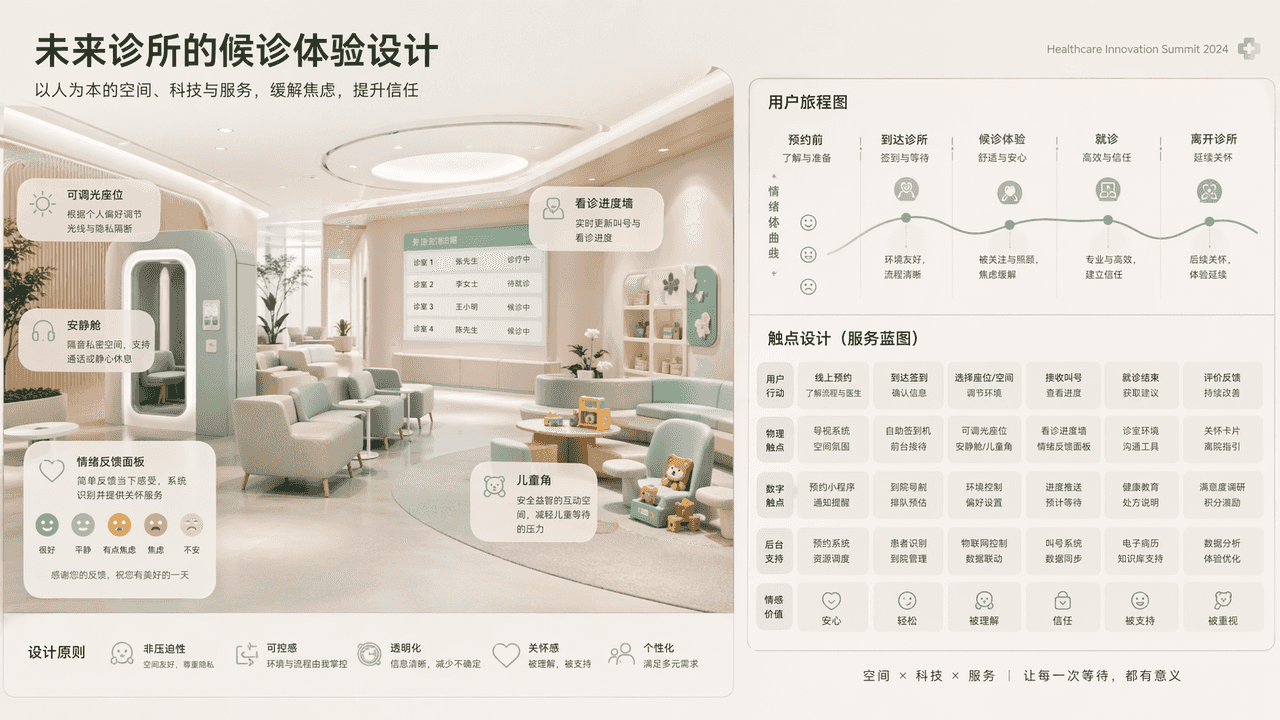
„Warteerlebnisdesign für zukünftige Kliniken“ kombiniert die Vision des medizinischen Raums mit der Service-Blaupause. Der Hauptbildschirm zeigt einen nicht bedrückenden Wartebereich der Zukunft: dimmbare Sitze, Ruhekab…
Prompt
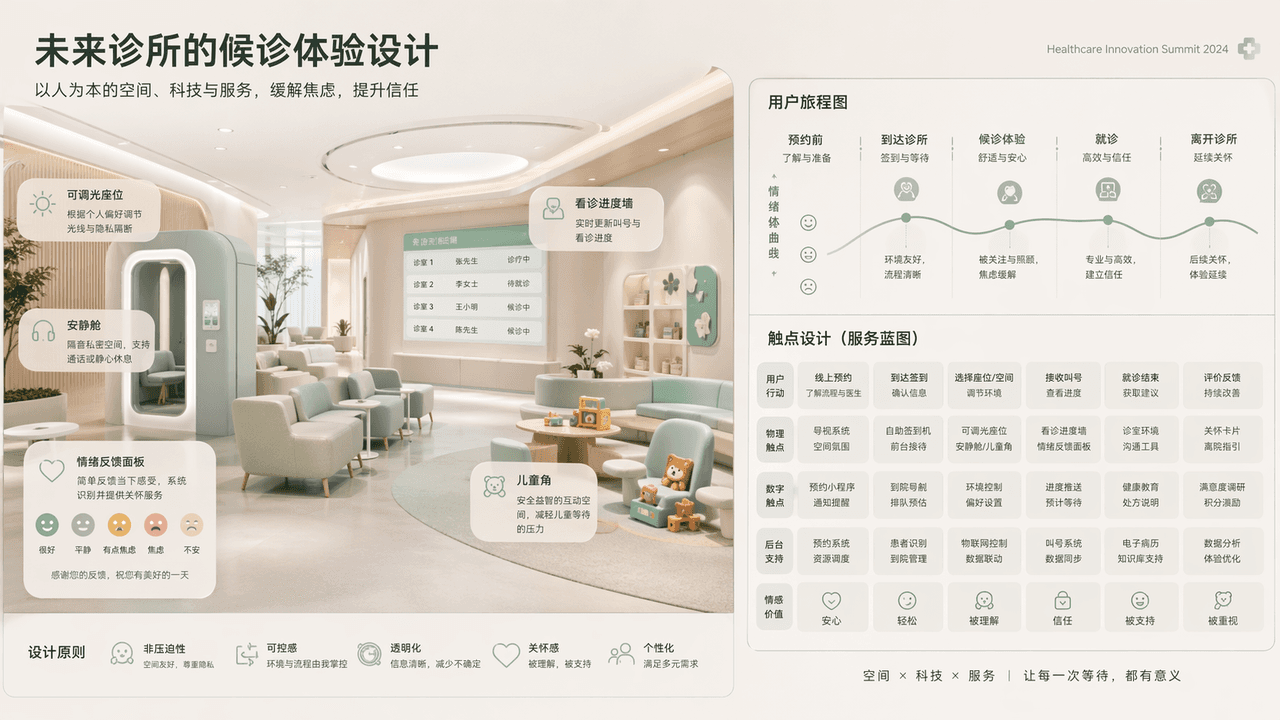
„Warteerlebnisdesign für zukünftige Kliniken“ kombiniert die Vision des medizinischen Raums mit der Service-Blaupause. Der Hauptbildschirm zeigt einen nicht bedrückenden Wartebereich der Zukunft: dimmbare Sitze, Ruhekabinen, Kinderecken, emotionale Feedback-Panels und Wände für den Beratungsverlauf. Die User Journey Map und das Touchpoint-Design werden auf der rechten Seite erweitert. Das Farbschema ist niedrig gesättigtes Mintgrün, warmes Weiß und nebliges Grau. Das Gesamtbild entspricht mit einem Verhältnis von 16:9 der Keynote-Vision der Medical Innovation Conference.
So verwenden Sie diese Eingabeaufforderung
Lesen Sie die vollständige Warteerlebnisdesign für zukünftige Kliniken-Eingabeaufforderung und ermitteln Sie die Anforderungen an Thema, Stil, Kamera, Beleuchtung und Komposition, bevor Sie sie erstellen.
Ersetzen Sie Platzhalter in Klammern oder im Argumentstil durch Ihre Anforderungen an Produkt, Charakter, Marke, Szene, Farbpalette oder Seitenverhältnis.
Öffnen Sie https://www.gptimagehub.com/de/generate?promptId=cmogxkoe500i7xt5gvz65z48u, generieren Sie das Bild und verfeinern Sie die Eingabeaufforderung bei Bedarf mit spezifischeren Betreff-, Text-, Layout- oder negativen Einschränkungen.
Schnelle FAQ
Wofür eignet sich die Eingabeaufforderung Warteerlebnisdesign für zukünftige Kliniken am besten?
Diese Eingabeaufforderung eignet sich am besten für sonstiges-Bilder, bei denen Sie eine wiederverwendbare Struktur, eine detaillierte visuelle Ausrichtung und eine konsistente Ausgabequalität wünschen.
Kann ich die Eingabeaufforderung vor dem Generieren bearbeiten?
Ja. Der vollständige Aufforderungstext ist auf dieser Seite sichtbar, sodass Sie Betreff, Produktnamen, Farben, Komposition, Kamerabegriffe, Seitenverhältnis und Stilhinweise vor der Generierung ändern können.
Welches Modell soll ich mit dieser Aufforderung verwenden?
Verwenden Sie das in den Metadaten der Eingabeaufforderung angezeigte Modell als Standardstartpunkt. Wenn ein anderes Bildmodell dasselbe Seitenverhältnis und denselben Anweisungsstil unterstützt, können Sie die Eingabeaufforderung anpassen und die Ergebnisse vergleichen.