
Eintrittspaket für Erstsemester der School of Magic
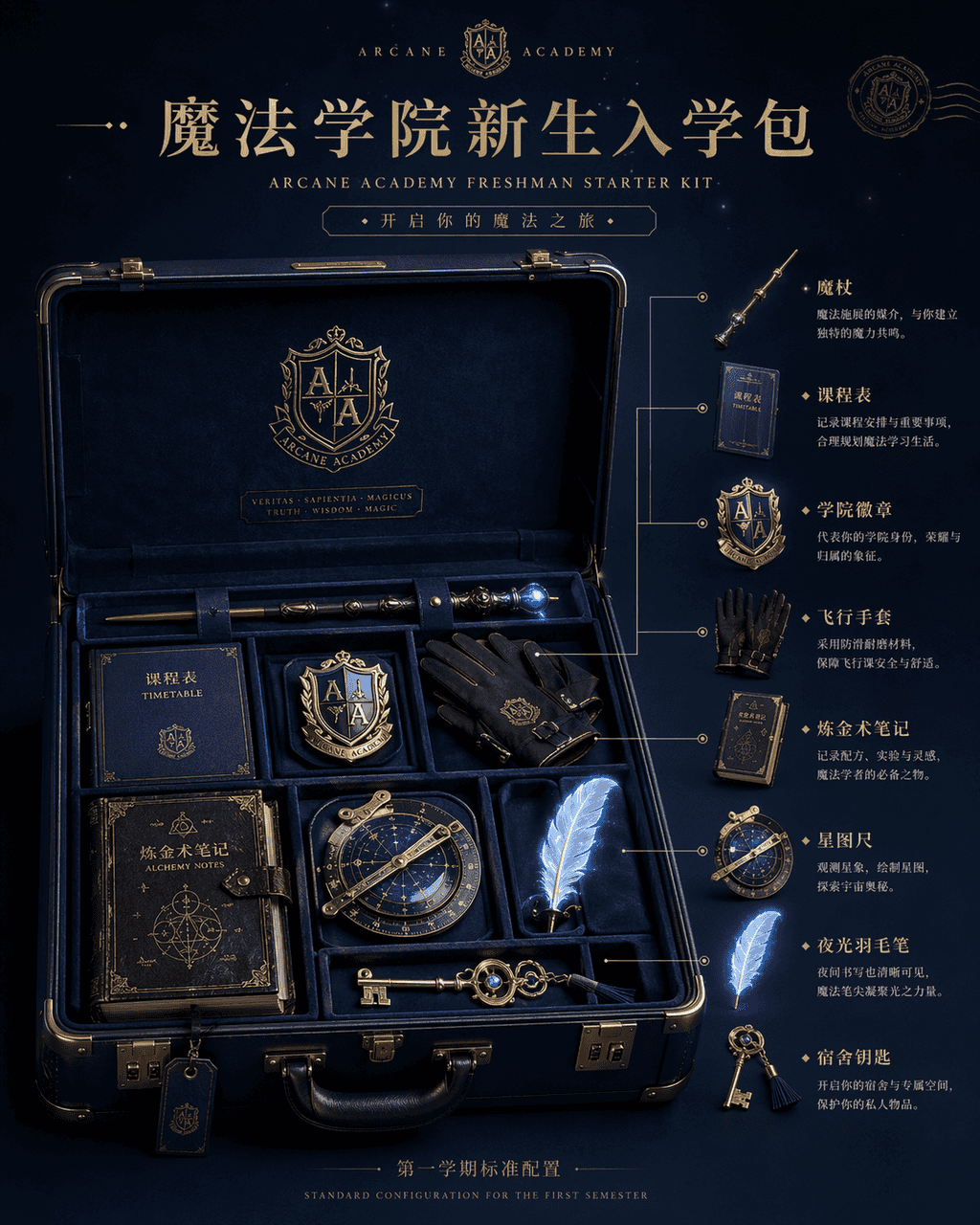
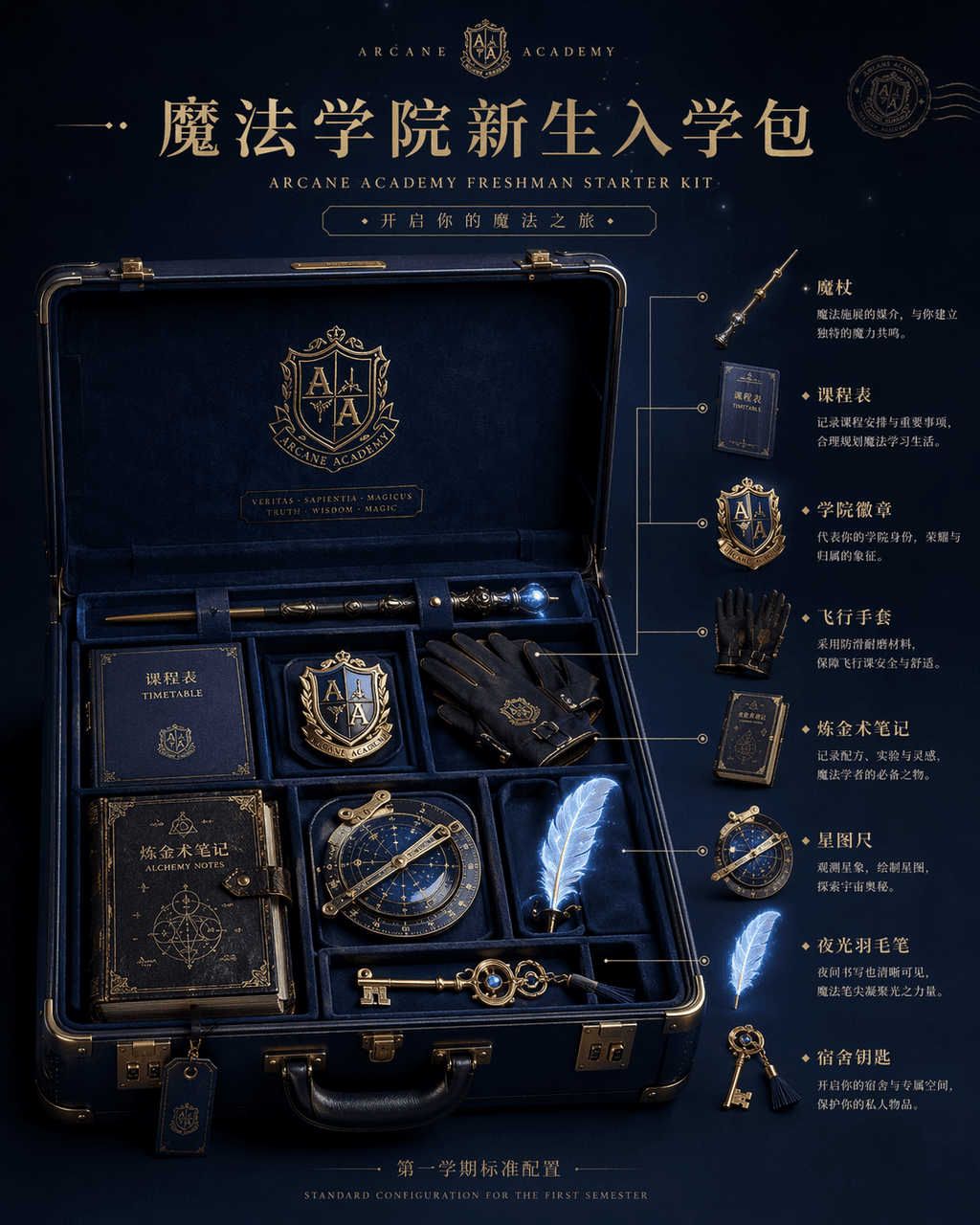
Produktanzeigebild „Magic Academy Freshman Admission Pack“, das Hauptbild des E-Commerce ist in die Fantasy-World-View-Einstellung integriert. In der Mitte des Bildes befindet sich ein offener dunkelblauer Hartschalenko…
Prompt
Produktanzeigebild „Magic Academy Freshman Admission Pack“, das Hauptbild des E-Commerce ist in die Fantasy-World-View-Einstellung integriert. In der Mitte des Bildes befindet sich ein offener dunkelblauer Hartschalenkoffer, in dem ordentlich angeordnet ein Zauberstab, ein Lehrplan, ein Akademieabzeichen, fliegende Handschuhe, Alchemienotizen, ein Sternenlineal, eine leuchtende Feder und der Home-Schlüssel untergebracht sind. Auf der rechten Seite befindet sich die Anmerkung zur Explosionszeichnung und die Verwendungsbeschreibung jedes Gegenstands. Der Titel oben ähnelt einer High-End-Seite zur Veröffentlichung brandneuer Produkte, und in den kleinen Buchstaben unten steht „Standardkonfiguration für das erste Semester“. Das Licht ist sanftes Studiolicht, aber das Objekt hat einen schwachen magischen Glanz. Das Material ist reich an Details, wie eine Luxusreisemarke und Magie. IP-Co-Branding-Materialien, Verhältnis 4:5.
So verwenden Sie diese Eingabeaufforderung
Lesen Sie die vollständige Eintrittspaket für Erstsemester der School of Magic-Eingabeaufforderung und ermitteln Sie die Anforderungen an Thema, Stil, Kamera, Beleuchtung und Komposition, bevor Sie sie erstellen.
Ersetzen Sie Platzhalter in Klammern oder im Argumentstil durch Ihre Anforderungen an Produkt, Charakter, Marke, Szene, Farbpalette oder Seitenverhältnis.
Öffnen Sie https://www.gptimagehub.com/de/generate?promptId=cmogxi9wd00gpxt5gxj310gqt, generieren Sie das Bild und verfeinern Sie die Eingabeaufforderung bei Bedarf mit spezifischeren Betreff-, Text-, Layout- oder negativen Einschränkungen.
Schnelle FAQ
Wofür eignet sich die Eingabeaufforderung Eintrittspaket für Erstsemester der School of Magic am besten?
Diese Eingabeaufforderung eignet sich am besten für sonstiges-Bilder, bei denen Sie eine wiederverwendbare Struktur, eine detaillierte visuelle Ausrichtung und eine konsistente Ausgabequalität wünschen.
Kann ich die Eingabeaufforderung vor dem Generieren bearbeiten?
Ja. Der vollständige Aufforderungstext ist auf dieser Seite sichtbar, sodass Sie Betreff, Produktnamen, Farben, Komposition, Kamerabegriffe, Seitenverhältnis und Stilhinweise vor der Generierung ändern können.
Welches Modell soll ich mit dieser Aufforderung verwenden?
Verwenden Sie das in den Metadaten der Eingabeaufforderung angezeigte Modell als Standardstartpunkt. Wenn ein anderes Bildmodell dasselbe Seitenverhältnis und denselben Anweisungsstil unterstützt, können Sie die Eingabeaufforderung anpassen und die Ergebnisse vergleichen.