
2049
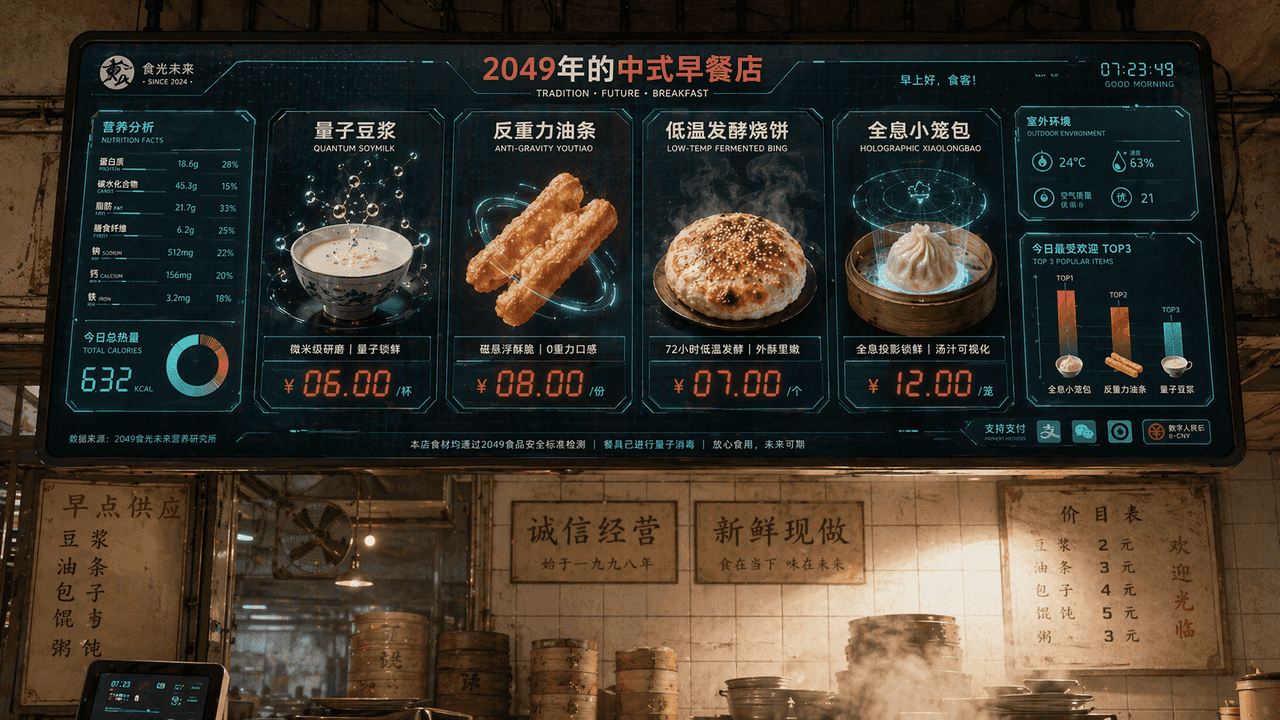
„Chinese Breakfast Shop Menu Screen in 2049“, die Vision der Catering-Marke ist in die Science-Fiction-Bildschirmoberfläche integriert. Der Hauptbildschirm ist ein riesiger elektronischer Bestellbildschirm, der über dem…
Prompt
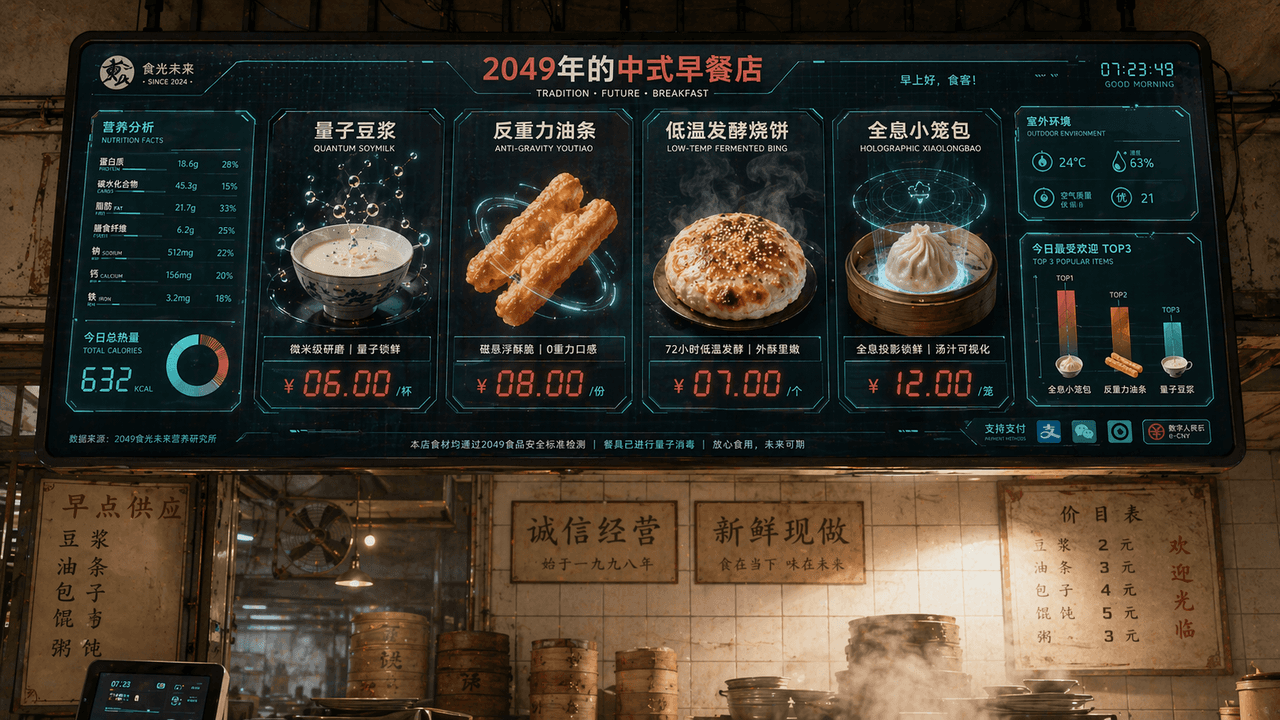
„Chinese Breakfast Shop Menu Screen in 2049“, die Vision der Catering-Marke ist in die Science-Fiction-Bildschirmoberfläche integriert. Der Hauptbildschirm ist ein riesiger elektronischer Bestellbildschirm, der über dem Shop hängt. Zu den Gerichten gehören „Quantum Soy Milk“, „Anti-Gravity Fritters“, „Low-temperature Fermented Shaobing“ und „Holographic Xiao Long Bao“. Jedes Gericht wird mit äußerst exquisiten Lebensmittel-3D-Renderings angezeigt. Das Preisschild verwendet rote LED-Digitalzeichen. Auf der linken Seite befindet sich eine Nährwert- und Kalorieninformationstabelle, und in der unteren rechten Ecke befindet sich ein Balkendiagramm „Die beliebtesten TOP3 von heute“. Der Hintergrund zeigt die gekachelte Wand eines altmodischen Frühstücksladens und die echte, mit Dampf gefüllte Umgebung, wodurch eine Kollision zwischen Alt und Neu entsteht. Das Farbschema ist Milchweiß, Tomatenrot und Digitalgrün im Verhältnis 16:9.
So verwenden Sie diese Eingabeaufforderung
Lesen Sie die vollständige 2049-Eingabeaufforderung und ermitteln Sie die Anforderungen an Thema, Stil, Kamera, Beleuchtung und Komposition, bevor Sie sie erstellen.
Ersetzen Sie Platzhalter in Klammern oder im Argumentstil durch Ihre Anforderungen an Produkt, Charakter, Marke, Szene, Farbpalette oder Seitenverhältnis.
Öffnen Sie https://www.gptimagehub.com/de/generate?promptId=cmogxi55d00glxt5g4zgzwk75, generieren Sie das Bild und verfeinern Sie die Eingabeaufforderung bei Bedarf mit spezifischeren Betreff-, Text-, Layout- oder negativen Einschränkungen.
Schnelle FAQ
Wofür eignet sich die Eingabeaufforderung 2049 am besten?
Diese Eingabeaufforderung eignet sich am besten für sonstiges-Bilder, bei denen Sie eine wiederverwendbare Struktur, eine detaillierte visuelle Ausrichtung und eine konsistente Ausgabequalität wünschen.
Kann ich die Eingabeaufforderung vor dem Generieren bearbeiten?
Ja. Der vollständige Aufforderungstext ist auf dieser Seite sichtbar, sodass Sie Betreff, Produktnamen, Farben, Komposition, Kamerabegriffe, Seitenverhältnis und Stilhinweise vor der Generierung ändern können.
Welches Modell soll ich mit dieser Aufforderung verwenden?
Verwenden Sie das in den Metadaten der Eingabeaufforderung angezeigte Modell als Standardstartpunkt. Wenn ein anderes Bildmodell dasselbe Seitenverhältnis und denselben Anweisungsstil unterstützt, können Sie die Eingabeaufforderung anpassen und die Ergebnisse vergleichen.