
Offenes fotorealistisches Schlafzimmer-Selfie-Porträt
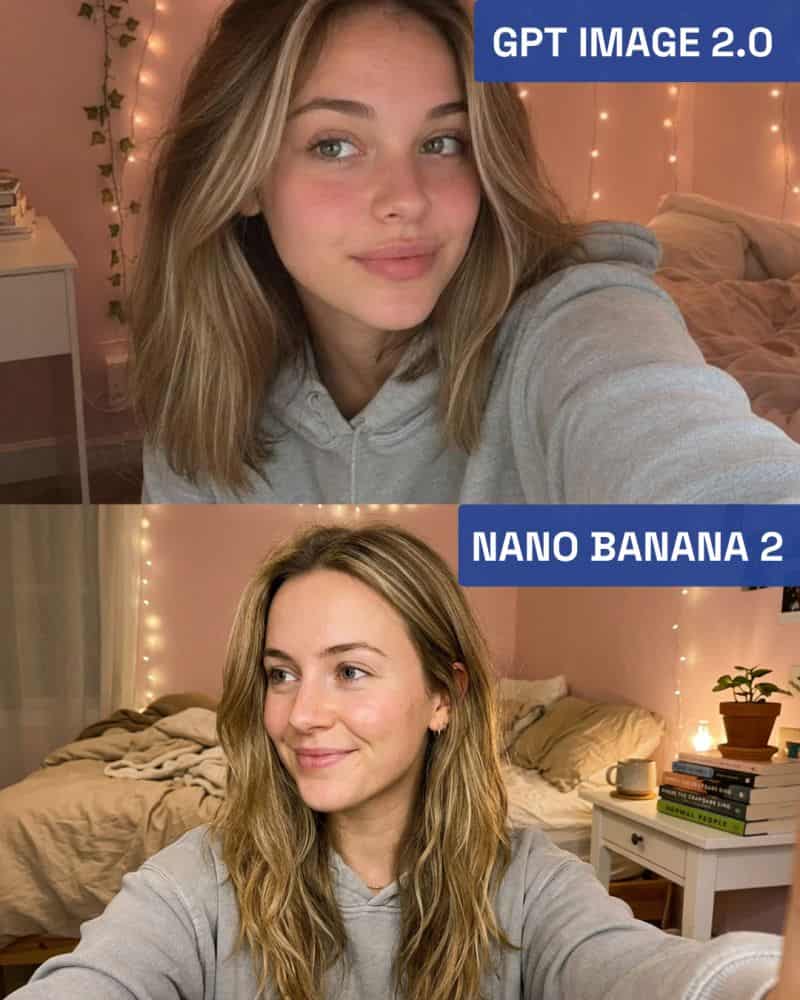
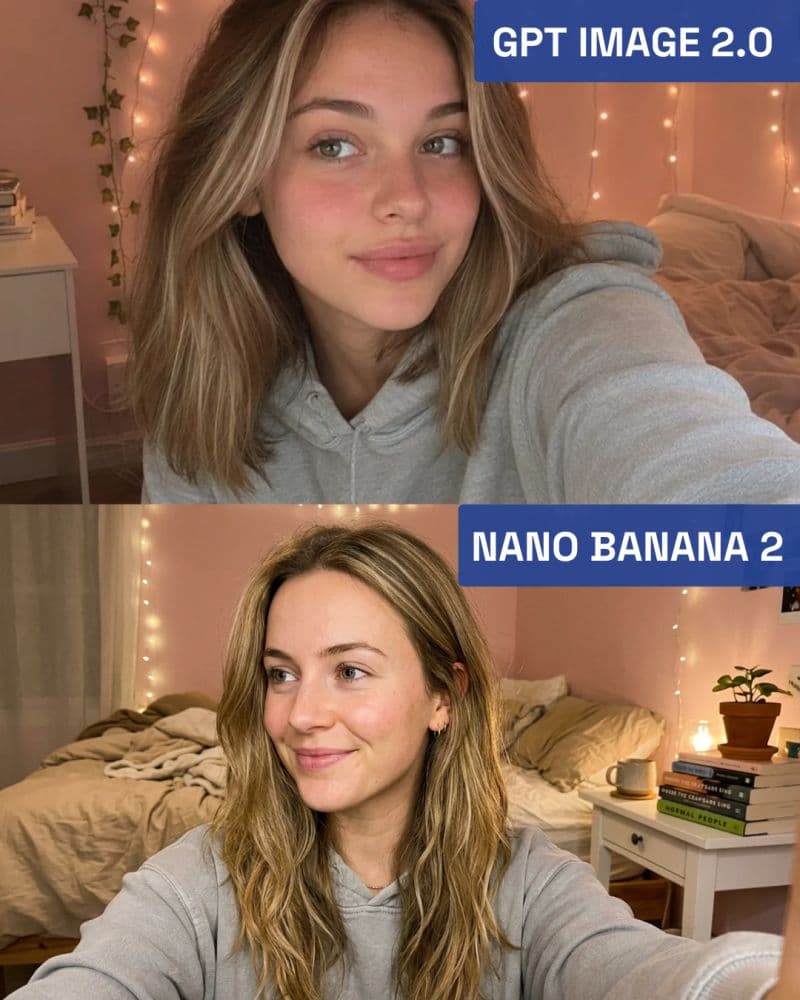
Offenes Selfie einer jungen Frau mit schulterlangen honigblonden Haaren mit helleren Strähnchen, grüngrauen Augen, rosigen Wangen und einem natürlichen Make-up-Look ohne Make-up. Sie trägt einen hellgrauen Kapuzenpullov…
Prompt
Offenes Selfie einer jungen Frau mit schulterlangen honigblonden Haaren mit helleren Strähnchen, grüngrauen Augen, rosigen Wangen und einem natürlichen Make-up-Look ohne Make-up. Sie trägt einen hellgrauen Kapuzenpullover und blickt mit entspannter Miene leicht aus dem Off. Der Hintergrund zeigt ein gemütliches Schlafzimmer mit warmen Lichterketten an einer rosa Wand, ein ungemachtes Bett mit hellbrauner Bettwäsche und einen kleinen weißen Schreibtisch mit gestapelten Büchern. Sanfte, warme Umgebungsbeleuchtung. Fotorealistische, lässige, intime Atmosphäre.
So verwenden Sie diese Eingabeaufforderung
Lesen Sie die vollständige Offenes fotorealistisches Schlafzimmer-Selfie-Porträt-Eingabeaufforderung und ermitteln Sie die Anforderungen an Thema, Stil, Kamera, Beleuchtung und Komposition, bevor Sie sie erstellen.
Ersetzen Sie Platzhalter in Klammern oder im Argumentstil durch Ihre Anforderungen an Produkt, Charakter, Marke, Szene, Farbpalette oder Seitenverhältnis.
Öffnen Sie https://www.gptimagehub.com/de/generate?promptId=cmogws301001tzpdyagy5ah59, generieren Sie das Bild und verfeinern Sie die Eingabeaufforderung bei Bedarf mit spezifischeren Betreff-, Text-, Layout- oder negativen Einschränkungen.
Schnelle FAQ
Wofür eignet sich die Eingabeaufforderung Offenes fotorealistisches Schlafzimmer-Selfie-Porträt am besten?
Diese Eingabeaufforderung eignet sich am besten für porträt und fotografie-Bilder, bei denen Sie eine wiederverwendbare Struktur, eine detaillierte visuelle Ausrichtung und eine konsistente Ausgabequalität wünschen.
Kann ich die Eingabeaufforderung vor dem Generieren bearbeiten?
Ja. Der vollständige Aufforderungstext ist auf dieser Seite sichtbar, sodass Sie Betreff, Produktnamen, Farben, Komposition, Kamerabegriffe, Seitenverhältnis und Stilhinweise vor der Generierung ändern können.
Welches Modell soll ich mit dieser Aufforderung verwenden?
Verwenden Sie das in den Metadaten der Eingabeaufforderung angezeigte Modell als Standardstartpunkt. Wenn ein anderes Bildmodell dasselbe Seitenverhältnis und denselben Anweisungsstil unterstützt, können Sie die Eingabeaufforderung anpassen und die Ergebnisse vergleichen.