
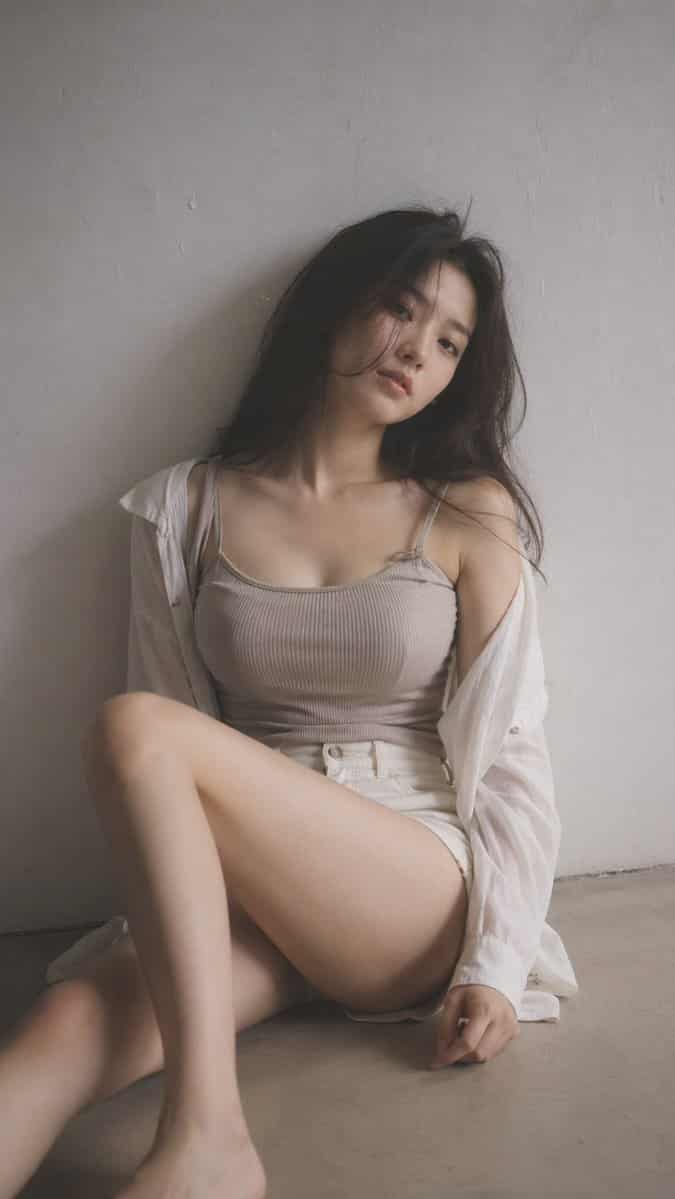
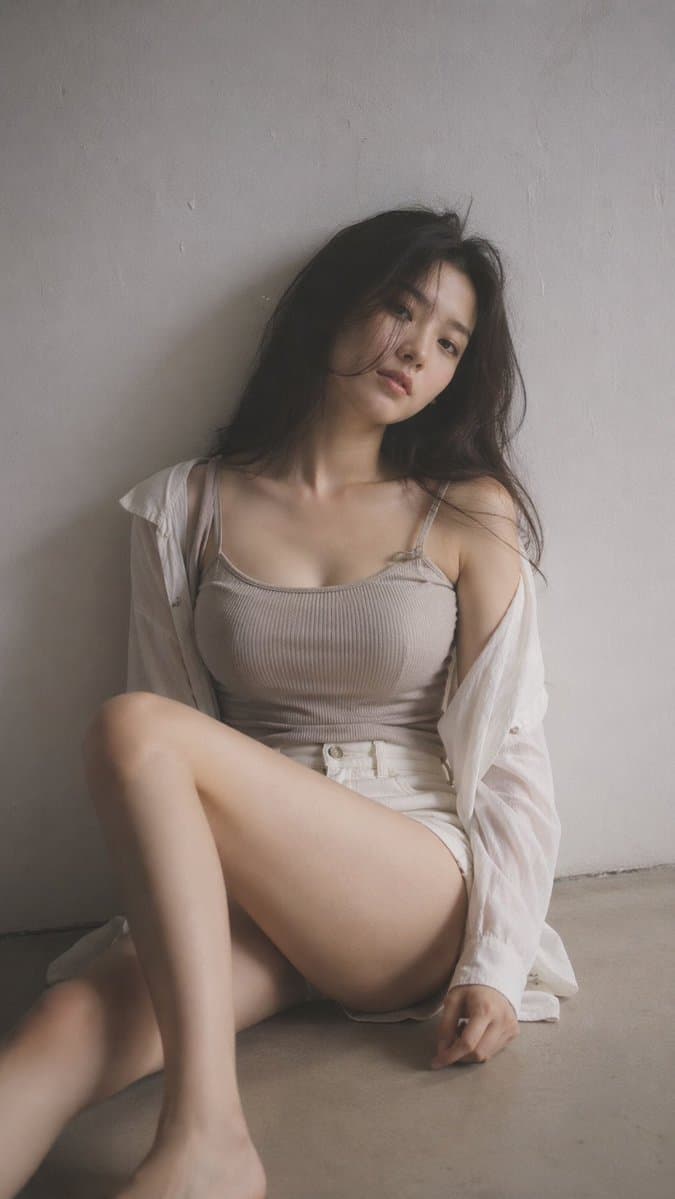
Redaktionelles Porträt „Soft Black Mist“.
9:16 vertikal – redaktionelles Porträt, weicher schwarzer Nebelfilter für ein einzelnes Motiv, subtiler Dunst, sanfte Highlight-Blüte, gedämpfte Töne, minimaler Innenraum, sauberer Hintergrund, leichte Textur, junge Kor…
Prompt
9:16 vertikal – redaktionelles Porträt, weicher schwarzer Nebelfilter für ein einzelnes Motiv, subtiler Dunst, sanfte Highlight-Blüte, gedämpfte Töne, minimaler Innenraum, sauberer Hintergrund, leichte Textur, junge Koreanerin, minimales Make-up, natürliche Hautstruktur. Outfit: enganliegendes Rippstrickoberteil oder weiches Leibchen unter einem lockeren Hemd, gepaart mit Shorts oder Rock mit hoher Taille; Der Stoff schmiegt sich leicht an die Körperform an, weich und natürlich, keine freizügigen Elemente. Haare: leicht unordentlich, natürliches Volumen. Pose: auf dem Boden sitzend, ein Bein gebeugt und das andere entspannt, der Körper leicht geneigt, Schultern nicht ausgerichtet, Kopf geneigt. Komposition: Motiv leicht außermittig, negativer Raum. Gegenwärtiger Ausdruck: ruhig, leicht distanziert, natürliche Lippen. Beleuchtung: weiches Seitenlicht, sanfter Schattenabfall. Stimmung: zurückhaltend, ruhig, subtil sinnlich durch natürliche Körperlinien, entspannt und ungestellt. Qualität: feine Körnung, leichte Weichheit, realistischer Look
So verwenden Sie diese Eingabeaufforderung
Lesen Sie die vollständige Redaktionelles Porträt „Soft Black Mist“.-Eingabeaufforderung und ermitteln Sie die Anforderungen an Thema, Stil, Kamera, Beleuchtung und Komposition, bevor Sie sie erstellen.
Ersetzen Sie Platzhalter in Klammern oder im Argumentstil durch Ihre Anforderungen an Produkt, Charakter, Marke, Szene, Farbpalette oder Seitenverhältnis.
Öffnen Sie https://www.gptimagehub.com/de/generate?promptId=cmogwrt0h0015zpdys698d3dm, generieren Sie das Bild und verfeinern Sie die Eingabeaufforderung bei Bedarf mit spezifischeren Betreff-, Text-, Layout- oder negativen Einschränkungen.
Schnelle FAQ
Wofür eignet sich die Eingabeaufforderung Redaktionelles Porträt „Soft Black Mist“. am besten?
Diese Eingabeaufforderung eignet sich am besten für porträt und fotografie-Bilder, bei denen Sie eine wiederverwendbare Struktur, eine detaillierte visuelle Ausrichtung und eine konsistente Ausgabequalität wünschen.
Kann ich die Eingabeaufforderung vor dem Generieren bearbeiten?
Ja. Der vollständige Aufforderungstext ist auf dieser Seite sichtbar, sodass Sie Betreff, Produktnamen, Farben, Komposition, Kamerabegriffe, Seitenverhältnis und Stilhinweise vor der Generierung ändern können.
Welches Modell soll ich mit dieser Aufforderung verwenden?
Verwenden Sie das in den Metadaten der Eingabeaufforderung angezeigte Modell als Standardstartpunkt. Wenn ein anderes Bildmodell dasselbe Seitenverhältnis und denselben Anweisungsstil unterstützt, können Sie die Eingabeaufforderung anpassen und die Ergebnisse vergleichen.