
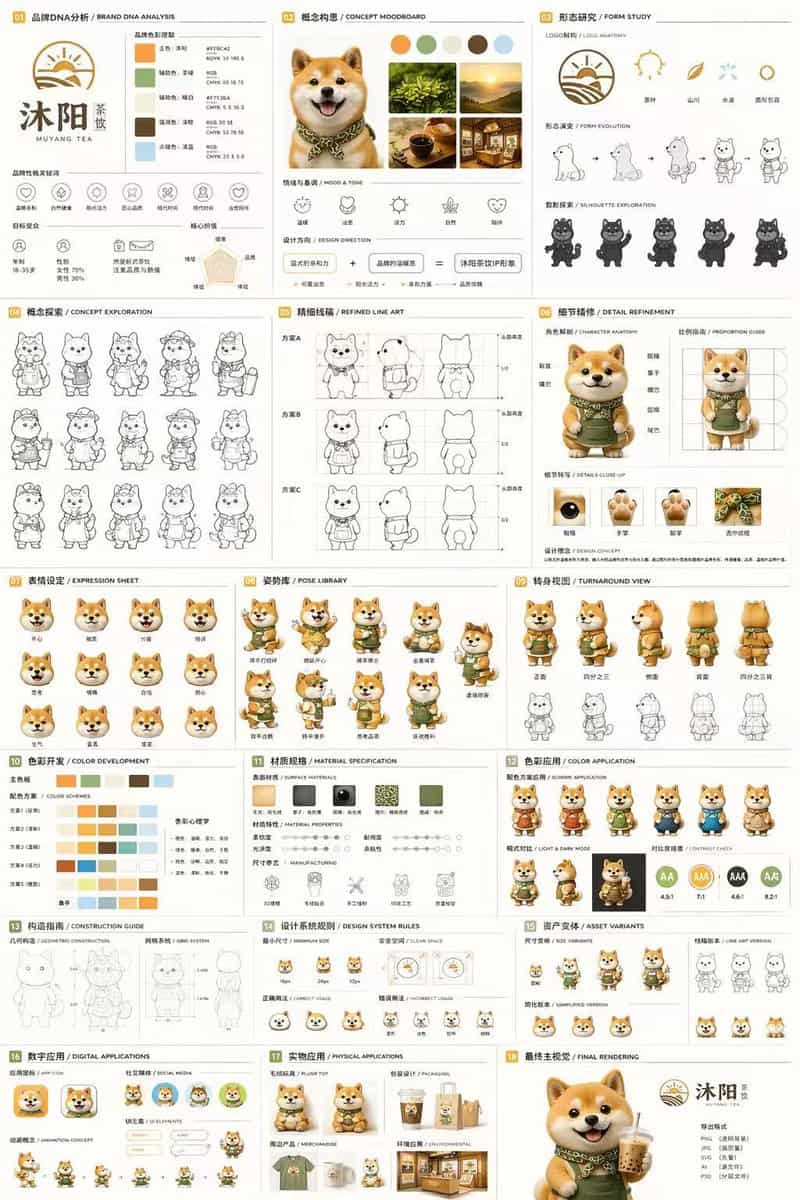
18-teiliges Maskottchen-Markenidentitätsdokument
{ „type“: „Dokument zur Markenidentität und zum Charakterdesign mit 18 Feldern“, „Marke“: { „name“: „{argument name=\"brand name\" default=\"沐阳 MUYANG TEA\"}“, „Industrie“: „{argument name=\"industry\" default=\"tea sho…
Prompt
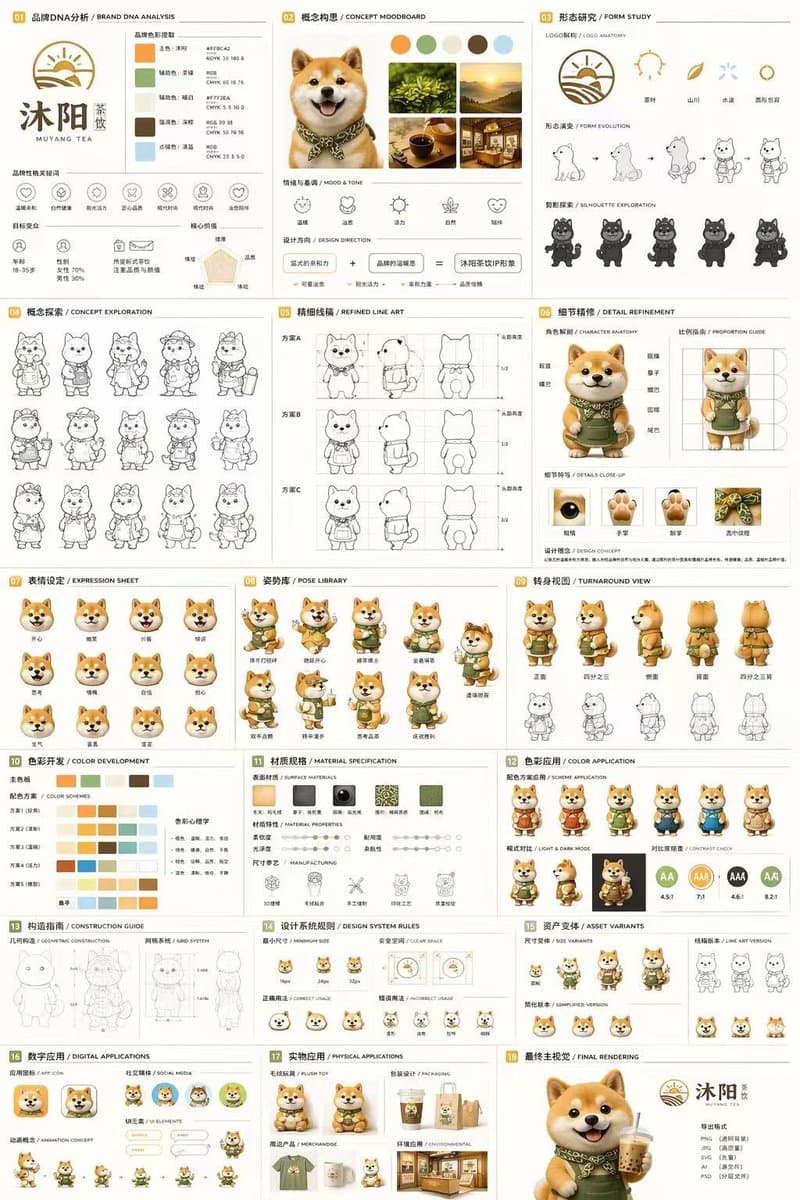
{ „type“: „Dokument zur Markenidentität und zum Charakterdesign mit 18 Feldern“, „Marke“: { „name“: „{argument name=\"brand name\" default=\"沐阳 MUYANG TEA\"}“, „Industrie“: „{argument name=\"industry\" default=\"tea shop\"}“, „Farben“: [„{argument name=\"primary color\" default=\"yellow\"}“, „{argument name=\"secondary color\" default=\"green\"}“, „weiß“, „braun“, „dunkelgrün“] }, „Betreff“: „{argument name=\"character description\" default=\"3D rendered cute Shiba Inu mascot wearing a green apron\"}“, „Layout“: { „grid“: „3 Spalten mal 6 Zeilen“, "Abschnitte": [ { „title“: „01 品牌DNA分析 / BRAND DNA ANALYSIS“, „elements“: [„logo“, „5 Farbfelder“, „6 Symbole“, „Zielgruppendiagramme“] }, { „title“: „02 概念构思 / CONCEPT MOODBOARD“, „elements“: [„5 Fotoreferenzen“, „4 Stimmungssymbole“, „Designgleichung“] }, { „title“: „03 形态研究 / FORM STUDY“, „elements“: [„4 Logo-Anatomie-Symbole“, „4 Evolutionsschritte“, „4 Silhouetten“] }, { „title“: „04 概念探索 / CONCEPT EXPLORATION“, „elements“: [„12 Strichzeichnungen von Charakteren“] }, { „title“: „05 精细线稿 / REFINED LINE ART“, „elements“: [„3 Reihen vorderer und seitlicher Strichzeichnungen mit Proportionshilfslinien“] }, { „title“: „06 细节精修 / DETAILVERFEINUNG“, „elements“: [„2 Ganzkörper-Renderings mit Beschriftungen“, „4 kreisförmige Nahaufnahmen“] }, { „title“: „07 表情设定 / EXPRESSION SHEET“, „elements“: [„11 3D-gerenderte Kopfausdrücke“] }, { „title“: „08 姿势库 / POSE LIBRARY“, „elements“: [„9 3D-gerenderte Ganzkörperposen“] }, { „title“: „09 转身视图 / TURNAROUND VIEW“, „elements“: [„5 Ganzkörper-3D-Renderings“, „5 passende Strichzeichnungen“] }, { „title“: „10 色彩开发 / FARBENTWICKLUNG“, „elements“: [„5 Reihen mit 5-Farben-Paletten“, „Farbpsychologie-Text“] }, { „title“: „11 材质规格 / MATERIALSPEZIFIKATION“, „elements“: [„5 Texturmuster“, „Eigenschaftsregler“, „4 Fertigungssymbole“] }, { „title“: „12 色彩应用 / FARBANWENDUNG“, „elements“: [„4 Farbvarianten-Renderings“, „2 helle/dunkle Renderings“, „4 Kontrastbewertungskreise“] }, { „title“: „13 构造指南 / BAUANLEITUNG“, „elements“: [„2 Strichdiagramme für Geometrie und Gitter“] }, { „title“: „14 设计系统规则 / DESIGN SYSTEM RULES“, „Elemente“: [„Mindestgrößensymbole“, „Freiraumdiagramm“, „4 Verwendungsbeispiele“] }, { „title“: „15 Monate / ASSET-VARIANTEN“, „elements“: [„3 Größenvarianten“, „3 Strichzeichnungsvarianten“, „3 vereinfachte flache Köpfe“] }, { „title“: „16 Monate / DIGITALE ANWENDUNGEN“, „elements“: [„1 App-Symbol“, „2 soziale Avatare“, „UI-Elemente“, „3-stufiger Animationszyklus“] }, { „title“: „17 实物应用 / PHYSIKALISCHE ANWENDUNGEN“, „elements“: [„Plüschtier-Mockup“, „Verpackungs-Mockup“, „Merchandise-Mockup“, „Storefront-Mockup“] }, { „title“: „18 最终主视觉 / FINAL RENDERING“, „elements“: [„großes hochauflösendes 3D-Rendering des Maskottchens mit Tee“, „Logo“, „Dateiformatliste“] } ] } }
So verwenden Sie diese Eingabeaufforderung
Lesen Sie die vollständige 18-teiliges Maskottchen-Markenidentitätsdokument-Eingabeaufforderung und ermitteln Sie die Anforderungen an Thema, Stil, Kamera, Beleuchtung und Komposition, bevor Sie sie erstellen.
Ersetzen Sie Platzhalter in Klammern oder im Argumentstil durch Ihre Anforderungen an Produkt, Charakter, Marke, Szene, Farbpalette oder Seitenverhältnis.
Öffnen Sie https://www.gptimagehub.com/de/generate?promptId=cmogx4juy00elzpdy2kv4z2z2, generieren Sie das Bild und verfeinern Sie die Eingabeaufforderung bei Bedarf mit spezifischeren Betreff-, Text-, Layout- oder negativen Einschränkungen.
Schnelle FAQ
Wofür eignet sich die Eingabeaufforderung 18-teiliges Maskottchen-Markenidentitätsdokument am besten?
Diese Eingabeaufforderung eignet sich am besten für logo und branding-Bilder, bei denen Sie eine wiederverwendbare Struktur, eine detaillierte visuelle Ausrichtung und eine konsistente Ausgabequalität wünschen.
Kann ich die Eingabeaufforderung vor dem Generieren bearbeiten?
Ja. Der vollständige Aufforderungstext ist auf dieser Seite sichtbar, sodass Sie Betreff, Produktnamen, Farben, Komposition, Kamerabegriffe, Seitenverhältnis und Stilhinweise vor der Generierung ändern können.
Welches Modell soll ich mit dieser Aufforderung verwenden?
Verwenden Sie das in den Metadaten der Eingabeaufforderung angezeigte Modell als Standardstartpunkt. Wenn ein anderes Bildmodell dasselbe Seitenverhältnis und denselben Anweisungsstil unterstützt, können Sie die Eingabeaufforderung anpassen und die Ergebnisse vergleichen.