
Hintergrundkonvertierung im Anime-Museum
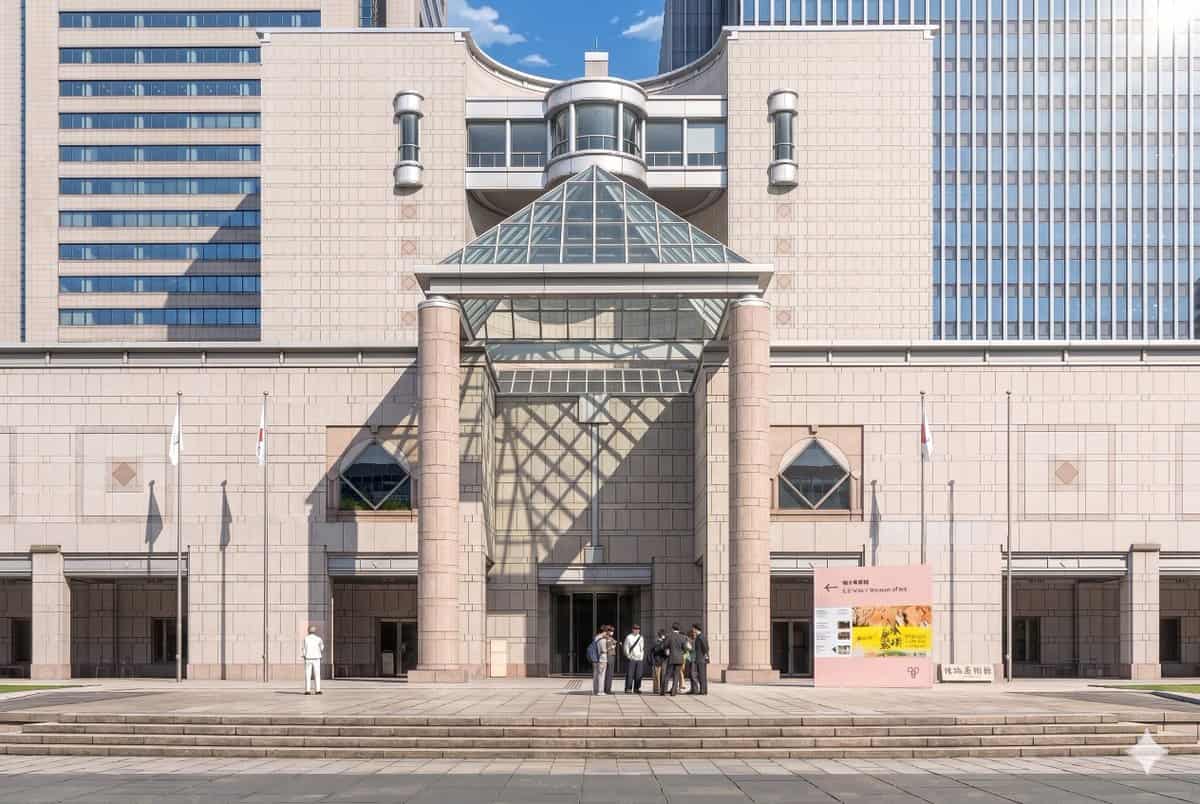
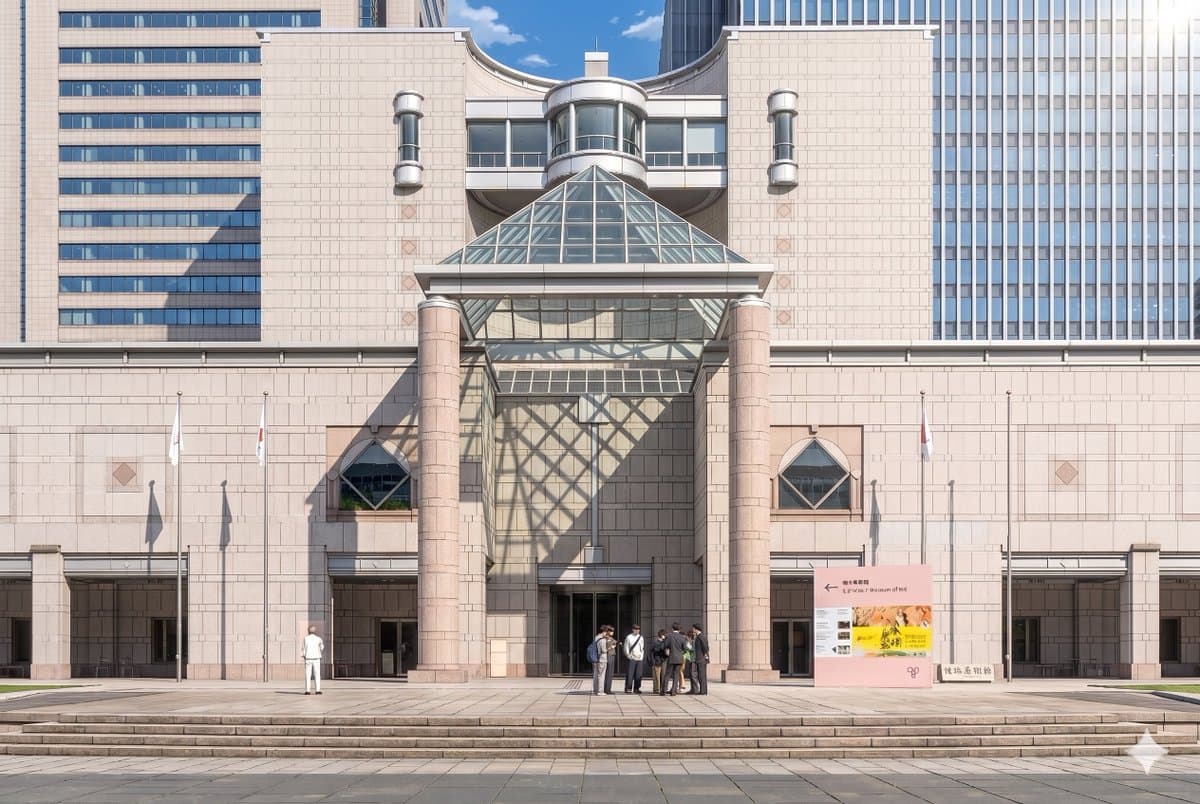
Erstellen Sie mithilfe des bereitgestellten Referenzfotos dieselbe Museumsfassade und Frontalkomposition wie eine ausgefeilte theatralische Anime-Hintergrundillustration. Behalten Sie die Architektur, die Beschilderung,…
Prompt
Erstellen Sie mithilfe des bereitgestellten Referenzfotos dieselbe Museumsfassade und Frontalkomposition wie eine ausgefeilte theatralische Anime-Hintergrundillustration. Behalten Sie die Architektur, die Beschilderung, die drei Fahnenmasten, die breiten Stufen und das Gesamtlayout bei, aber wandeln Sie das Bild von einer realistischen Fotografie in einen sehr detaillierten, handgemalten Anime-Filmstil mit klaren Linien, sanften Cel-Schattierungen, sanften Pastellsteinfarben und klarer, atmosphärischer Beleuchtung um. Fügen Sie dramatisches Sonnenlicht von oben rechts hinzu, sodass die Glaspyramide einen großen geometrischen Gitterschatten über die Mittelwand und die linke Seite des Eingangs wirft. Vereinfachen und stilisieren Sie die Personen in Anime-Hintergrundfiguren und behalten Sie dabei die beiden sichtbaren Gruppen bei: 1 einzelne Figur links und 1 kleine Gruppe von 7 Personen in der Nähe des Eingangs in der Mitte rechts. Behalten Sie die klare Tagesstimmung des blauen Himmels bei und sorgen Sie gleichzeitig dafür, dass die Szene elegant, raffiniert und filmisch wirkt.
So verwenden Sie diese Eingabeaufforderung
Lesen Sie die vollständige Hintergrundkonvertierung im Anime-Museum-Eingabeaufforderung und ermitteln Sie die Anforderungen an Thema, Stil, Kamera, Beleuchtung und Komposition, bevor Sie sie erstellen.
Ersetzen Sie Platzhalter in Klammern oder im Argumentstil durch Ihre Anforderungen an Produkt, Charakter, Marke, Szene, Farbpalette oder Seitenverhältnis.
Öffnen Sie https://www.gptimagehub.com/de/generate?promptId=cmogx3mgt00dvzpdy0t3buci9, generieren Sie das Bild und verfeinern Sie die Eingabeaufforderung bei Bedarf mit spezifischeren Betreff-, Text-, Layout- oder negativen Einschränkungen.
Schnelle FAQ
Wofür eignet sich die Eingabeaufforderung Hintergrundkonvertierung im Anime-Museum am besten?
Diese Eingabeaufforderung eignet sich am besten für anime / manga-Bilder, bei denen Sie eine wiederverwendbare Struktur, eine detaillierte visuelle Ausrichtung und eine konsistente Ausgabequalität wünschen.
Kann ich die Eingabeaufforderung vor dem Generieren bearbeiten?
Ja. Der vollständige Aufforderungstext ist auf dieser Seite sichtbar, sodass Sie Betreff, Produktnamen, Farben, Komposition, Kamerabegriffe, Seitenverhältnis und Stilhinweise vor der Generierung ändern können.
Welches Modell soll ich mit dieser Aufforderung verwenden?
Verwenden Sie das in den Metadaten der Eingabeaufforderung angezeigte Modell als Standardstartpunkt. Wenn ein anderes Bildmodell dasselbe Seitenverhältnis und denselben Anweisungsstil unterstützt, können Sie die Eingabeaufforderung anpassen und die Ergebnisse vergleichen.