
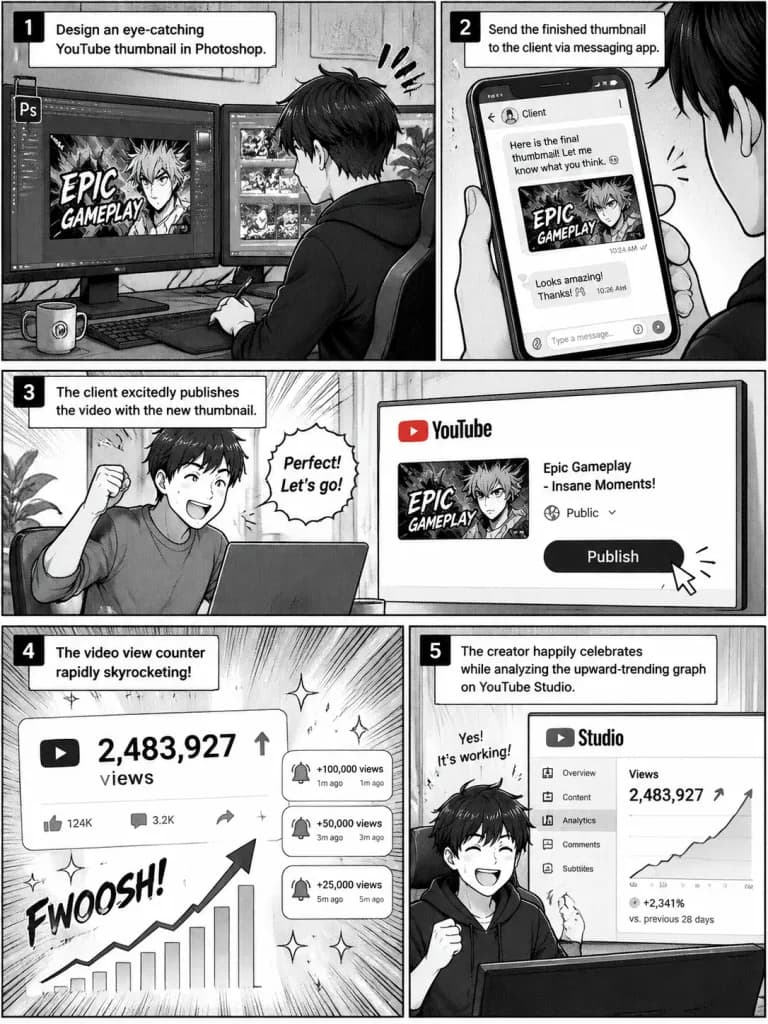
Manga Quy Trình Làm Thumbnail YouTube
Tạo trang truyện tranh manga 5 khung hình minh họa quá trình thiết kế và bàn giao thumbnail video thành công. Tùy chỉnh phần mềm hoặc nền tảng theo ý bạn.
Prompt
A 5-panel manga comic page illustrating the workflow of a [YouTube thumbnail creator]: Panel 1: The creator sitting at a desk, focused on designing an eye-catching video thumbnail in [Photoshop] on a dual monitor setup. Panel 2: Sending the finished thumbnail graphic to a client via a messaging app. Panel 3: The client excitedly publishing the video with the newly delivered thumbnail. Panel 4: The video view counter rapidly skyrocketing with notification sparkles. Panel 5: The creator happily celebrating while analyzing the upward-trending graph on the YouTube Studio analytics dashboard. Style: Clean black-and-white Japanese manga style, dynamic panel layout, screentone shading, expressive character art.
Những phần bạn có thể tùy chỉnh
Trước khi tạo ảnh, hãy thay các phần này của prompt bằng chủ đề hoặc nội dung của bạn.
[YouTube thumbnail creator]chỗ giữ chỗ[Photoshop]chỗ giữ chỗ
Chi tiết prompt
- Danh mục
- Anime / Manga
- Mô hình
- GPT IMAGE 2.5 Sunburst
- Chi phí mỗi ảnh
- 1K: 11 tín dụng · 2K: 22 tín dụng · 4K: 36 tín dụng
- Tỷ lệ khung hình
- 3:4
- Ngày thêm