
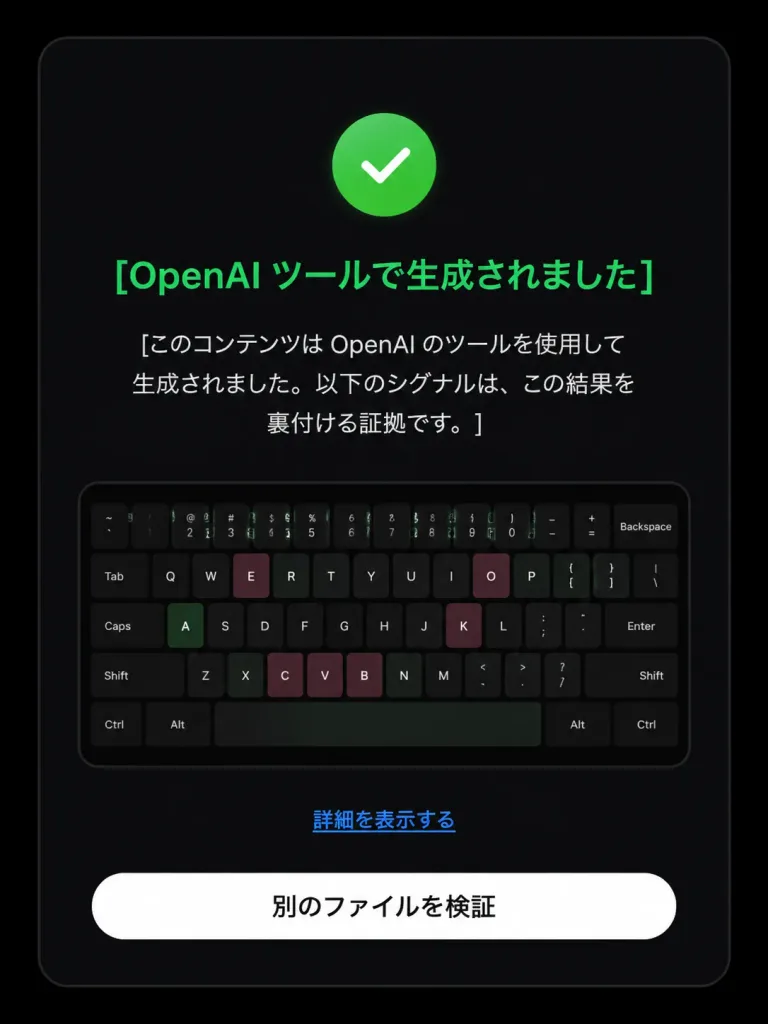
Chỉnh Sửa Màn Hình Xác Minh OpenAI
Chuyển màn hình kiểm tra nguồn gốc AI từ tiêu cực sang tích cực với biểu tượng và văn bản UI tiếng Nhật mới. Tùy chỉnh nội dung và màu sắc tùy ý.
Prompt
Based on the reference image, edit the dark verification-result screen to display a positive detection result. Maintain the original dark rounded card layout, centered composition, embedded keyboard thumbnail, bottom text link, and white rounded button. Modify exactly three status elements: 1. Replace the pink circular 'X' icon with a green circular checkmark icon. 2. Change the headline color to green with text: 「[OpenAI ツールで生成されました]」. 3. Update the body text below the headline to: 「[このコンテンツは OpenAI のツールを使用して生成されました。以下のシグナルは、この結果を裏付ける証拠です。]」. Preserve the remaining UI elements exactly as shown: - Link text: 「[詳細を表示する]」 - Button text: 「[別のファイルを検証]」 Style: Clean modern Japanese UI screenshot, authentic web app interface, high-contrast dark mode, rounded card borders.
Những phần bạn có thể tùy chỉnh
Trước khi tạo ảnh, hãy thay các phần này của prompt bằng chủ đề hoặc nội dung của bạn.
[OpenAI ツールで生成されました]chỗ giữ chỗ[このコンテンツは OpenAI のツールを使用して生成されました。以下のシグナルは、この結果を裏付ける証拠です。]chỗ giữ chỗ[詳細を表示する]chỗ giữ chỗ[別のファイルを検証]chỗ giữ chỗ
Chi tiết prompt
- Danh mục
- Thiết kế UI / UX
- Mô hình
- GPT IMAGE 2
- Chi phí mỗi ảnh
- 1K: 43 tín dụng · 2K: 86 tín dụng · 4K: 143 tín dụng
- Tỷ lệ khung hình
- 3:4
- Ngày thêm