
Quy Trình Onboarding Ứng Dụng Xác Thực
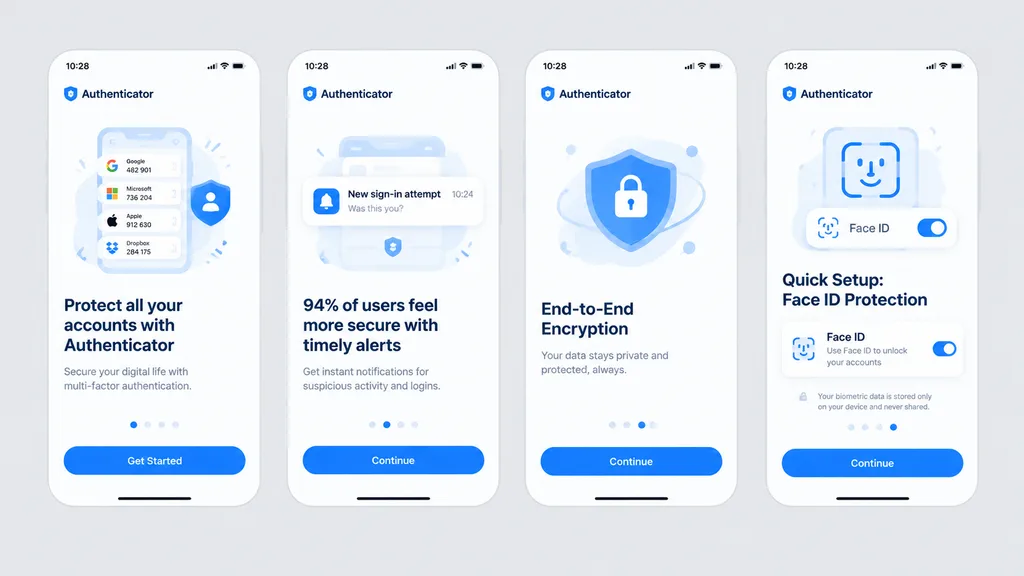
Tạo bản mockup gồm bốn màn hình onboarding ứng dụng bảo mật trên nền xám nhạt. Tùy chỉnh màu chủ đạo và nội dung văn bản theo thương hiệu.
Prompt
Clean front-facing design mockup of a mobile onboarding flow, recreating the UI from the reference photo. Display exactly four iPhone-style screens arranged horizontally and evenly spaced across a solid light gray background, completely flat with no perspective distortion, glare, browser chrome, or laptop borders, appearing as a crisp Figma export. Consistent white light theme with [bright blue] as the primary accent color, rounded card frames, modern typography hierarchy, vector icons, and clean UI illustrations. App name is [Authenticator], status bar time displays [10:28]. Four screens from left to right: 1) Authenticator accounts list with headline “Protect all your accounts with Authenticator” and CTA button “Get Started”. 2) Security alert notifications with headline “94% of users feel more secure with timely alerts” and CTA button “Continue”. 3) Shield and lock illustration with headline “End-to-End Encryption” and CTA button “Continue”. 4) Face ID setup with biometric scanning graphic, headline “Quick Setup: Face ID Protection”, Face ID toggle card, privacy note, and CTA button “Continue”.
Những phần bạn có thể tùy chỉnh
Trước khi tạo ảnh, hãy thay các phần này của prompt bằng chủ đề hoặc nội dung của bạn.
[bright blue]chỗ giữ chỗ[Authenticator]chỗ giữ chỗ“Protect all your accounts with Authenticator”văn bản trong ngoặc kép“Get Started”văn bản trong ngoặc kép“94% of users feel more secure with timely alerts”văn bản trong ngoặc kép“Continue”văn bản trong ngoặc kép“End-to-End Encryption”văn bản trong ngoặc kép“Quick Setup: Face ID Protection”văn bản trong ngoặc kép
Chi tiết prompt
- Danh mục
- Thiết kế UI / UX
- Mô hình
- GPT IMAGE 2
- Chi phí mỗi ảnh
- 1K: 43 tín dụng · 2K: 86 tín dụng · 4K: 143 tín dụng
- Tỷ lệ khung hình
- 16:9
- Ngày thêm