
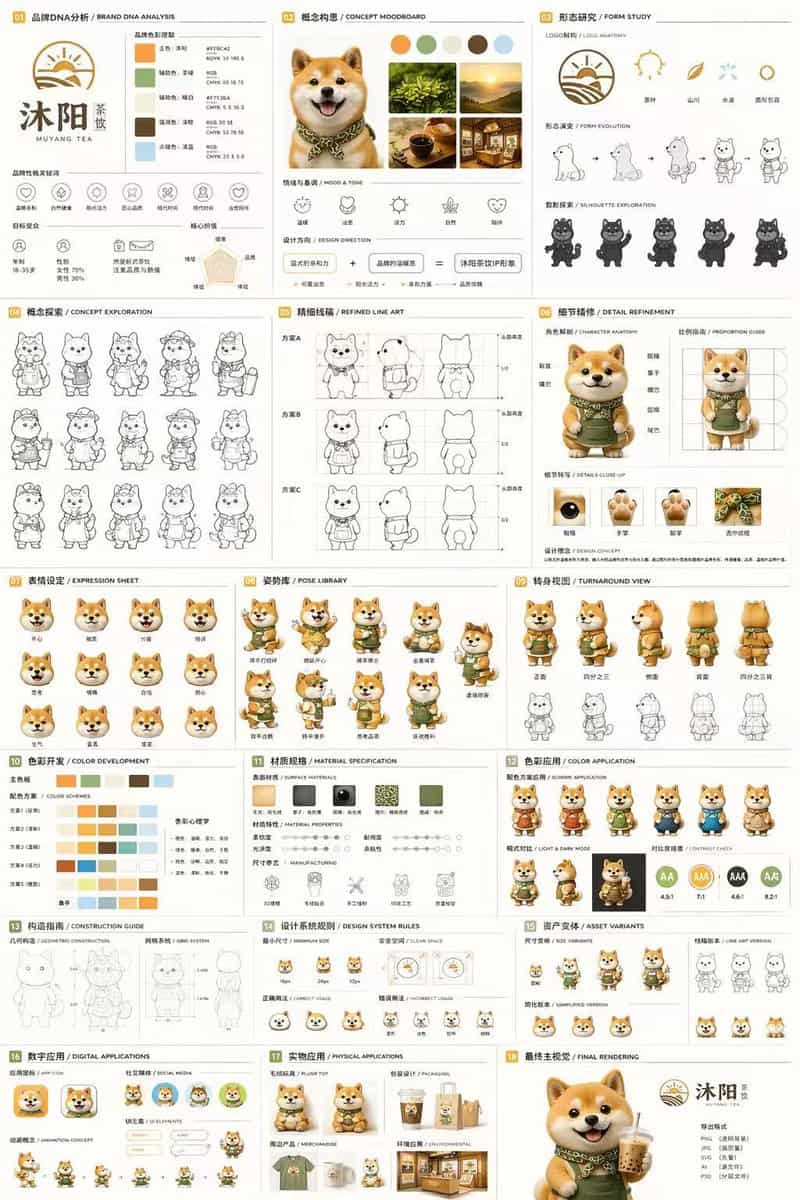
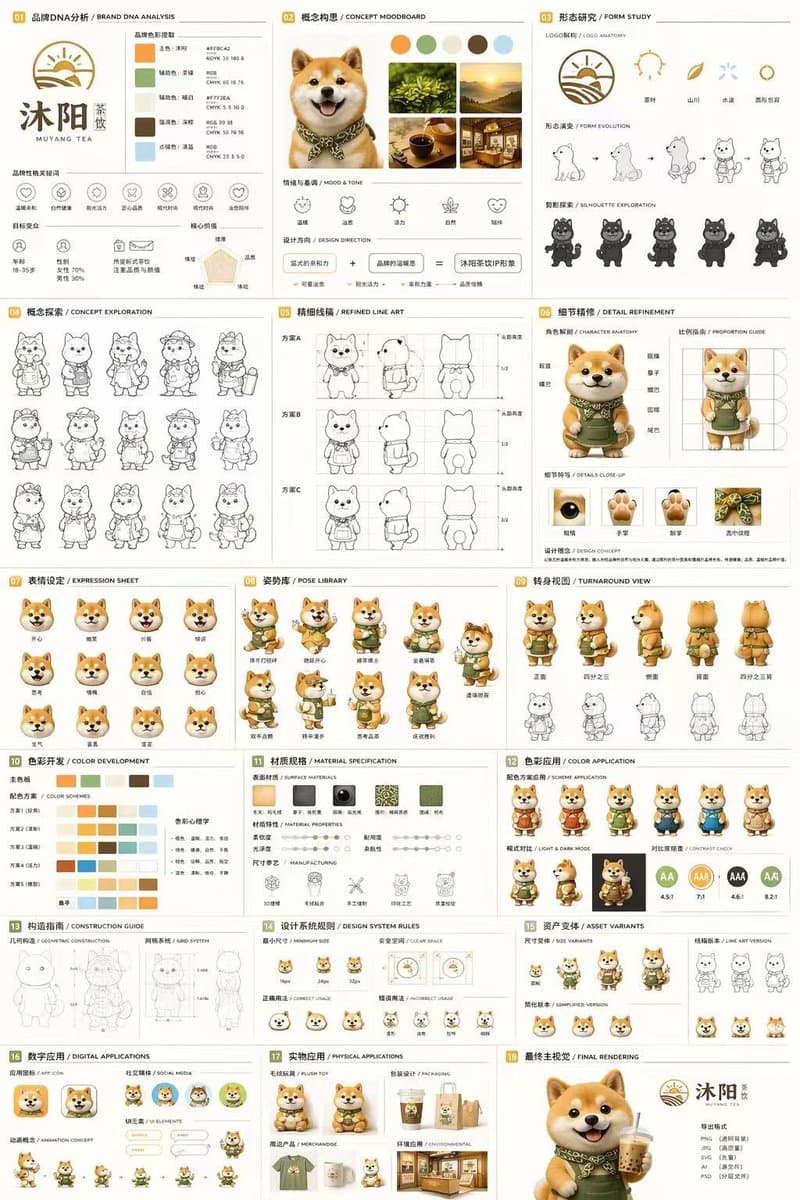
Tài liệu nhận diện thương hiệu linh vật 18 bảng
{ "type": "Tài liệu thiết kế ký tự và nhận diện thương hiệu 18 ô", "thương hiệu": { "tên": "{argument name=\"brand name\" default=\"沐阳 MUYANG TEA\"}", "ngành": "{argument name=\"industry\" default=\"tea shop\"}", "màu s…
Lời nhắc
{ "type": "Tài liệu thiết kế ký tự và nhận diện thương hiệu 18 ô", "thương hiệu": { "tên": "{argument name=\"brand name\" default=\"沐阳 MUYANG TEA\"}", "ngành": "{argument name=\"industry\" default=\"tea shop\"}", "màu sắc": ["{argument name=\"primary color\" default=\"yellow\"}", "{argument name=\"secondary color\" default=\"green\"}", "trắng", "nâu", "xanh đậm"] }, "chủ đề": "{argument name=\"character description\" default=\"3D rendered cute Shiba Inu mascot wearing a green apron\"}", "bố cục": { "lưới": "3 cột x 6 hàng", "phần": [ { "title": "01 品牌DNA分析 / PHÂN TÍCH DNA THƯƠNG HIỆU", "elements": ["logo", "5 mẫu màu", "6 biểu tượng", "biểu đồ đối tượng mục tiêu"] }, { "title": "02 概念构思 / CONCEPT MOODBOARD", "elements": ["5 ảnh tham khảo", "4 biểu tượng tâm trạng", "phương trình thiết kế"] }, { "title": "03 形态研究 / HÌNH THỨC NGHIÊN CỨU", "elements": ["4 biểu tượng giải phẫu logo", "4 bước tiến hóa", "4 hình bóng"] }, { "title": "04 概念探索 / KHÁM PHÁ KHÁI NIỆM", "elements": ["12 bản phác thảo nhân vật nghệ thuật đường nét"] }, { "title": "05 精细线稿 / NGHỆ THUẬT ĐƯỜNG TUYỆT VỜI", "elements": ["3 hàng nét vẽ phía trước và bên cạnh có hướng dẫn về tỷ lệ"] }, { "title": "06 细节精修 / CHI TIẾT CHI TIẾT", "elements": ["2 ảnh toàn thân có nhãn", "4 ảnh cận cảnh hình tròn"] }, { "title": "07 表情设定 / BẢNG BIỂU TƯỢNG", "elements": ["11 biểu thức đầu được hiển thị 3D"] }, { "title": "08 姿势库 / THƯ VIỆN POSE", "elements": ["9 tư thế tạo hình 3D toàn thân"] }, { "title": "09 转身视图 / XEM QUAY VÒNG", "elements": ["5 kết xuất 3D toàn thân", "5 chế độ xem nghệ thuật đường nét phù hợp"] }, { "title": "10 色彩开发 / PHÁT TRIỂN MÀU SẮC", "elements": ["5 hàng bảng màu 5 màu", "văn bản tâm lý màu sắc"] }, { "title": "11 材质规格 / THÔNG SỐ VẬT LIỆU", "elements": ["5 mẫu kết cấu", "thanh trượt thuộc tính", "4 biểu tượng sản xuất"] }, { "title": "12 色彩应用 / ỨNG DỤNG MÀU SẮC", "elements": ["4 kết xuất biến thể màu", "2 kết xuất sáng/tối", "4 vòng tròn đánh giá độ tương phản"] }, { "title": "13 构造指南 / HƯỚNG DẪN XÂY DỰNG", "elements": ["2 sơ đồ đường nét cho hình học và lưới"] }, { "title": "14 设计系统规则 / QUY TẮC HỆ THỐNG THIẾT KẾ", "elements": ["biểu tượng kích thước tối thiểu", "sơ đồ không gian trống", "4 ví dụ sử dụng"] }, { "title": "15 资产变体 / BIẾN THỂ TÀI SẢN", "elements": ["3 biến thể kích thước", "3 biến thể nghệ thuật đường nét", "3 đầu phẳng đơn giản hóa"] }, { "title": "16 数字应用 / ỨNG DỤNG KỸ THUẬT SỐ", "elements": ["1 biểu tượng ứng dụng", "2 avatar xã hội", "Thành phần giao diện người dùng", "chu trình hoạt ảnh 3 bước"] }, { "title": "17 实物应用 / ỨNG DỤNG VẬT LÝ", "elements": ["mô hình đồ chơi sang trọng", "mô hình bao bì", "mô hình hàng hóa", "mô hình mặt tiền cửa hàng"] }, { "title": "18 最终主视觉 / KẾT NỐI CUỐI CÙNG", "elements": ["kết xuất 3D lớn có độ phân giải cao của linh vật đang cầm trà", "logo", "danh sách định dạng tệp"] } ] } }
Cách sử dụng lời nhắc này
Đọc lời nhắc Tài liệu nhận diện thương hiệu linh vật 18 bảng hoàn chỉnh và xác định các yêu cầu về chủ đề, phong cách, máy ảnh, ánh sáng và bố cục trước khi tạo.
Thay thế phần giữ chỗ trong ngoặc hoặc kiểu đối số bằng các yêu cầu về sản phẩm, nhân vật, thương hiệu, cảnh, bảng màu hoặc tỷ lệ khung hình của bạn.
Mở https://www.gptimagehub.com/vi/generate?promptId=cmogx4juy00elzpdy2kv4z2z2, tạo hình ảnh, sau đó tinh chỉnh lời nhắc với chủ đề, văn bản, bố cục hoặc ràng buộc phủ định cụ thể hơn nếu cần.
Câu hỏi thường gặp
Lời nhắc Tài liệu nhận diện thương hiệu linh vật 18 bảng được sử dụng tốt nhất để làm gì?
Lời nhắc này được sử dụng tốt nhất cho các hình ảnh logo và thương hiệu mà bạn muốn có cấu trúc có thể sử dụng lại, hướng trực quan chi tiết và chất lượng đầu ra nhất quán.
Tôi có thể chỉnh sửa lời nhắc trước khi tạo không?
Vâng. Văn bản nhắc nhở đầy đủ hiển thị trên trang này để bạn có thể thay đổi chủ đề, tên sản phẩm, màu sắc, bố cục, thuật ngữ máy ảnh, tỷ lệ khung hình và ghi chú kiểu dáng trước khi tạo.
Tôi nên sử dụng mô hình nào với lời nhắc này?
Sử dụng mô hình hiển thị trong siêu dữ liệu lời nhắc làm điểm bắt đầu mặc định. Nếu một mô hình hình ảnh khác hỗ trợ cùng tỷ lệ khung hình và kiểu hướng dẫn, bạn có thể điều chỉnh lời nhắc và so sánh kết quả.