
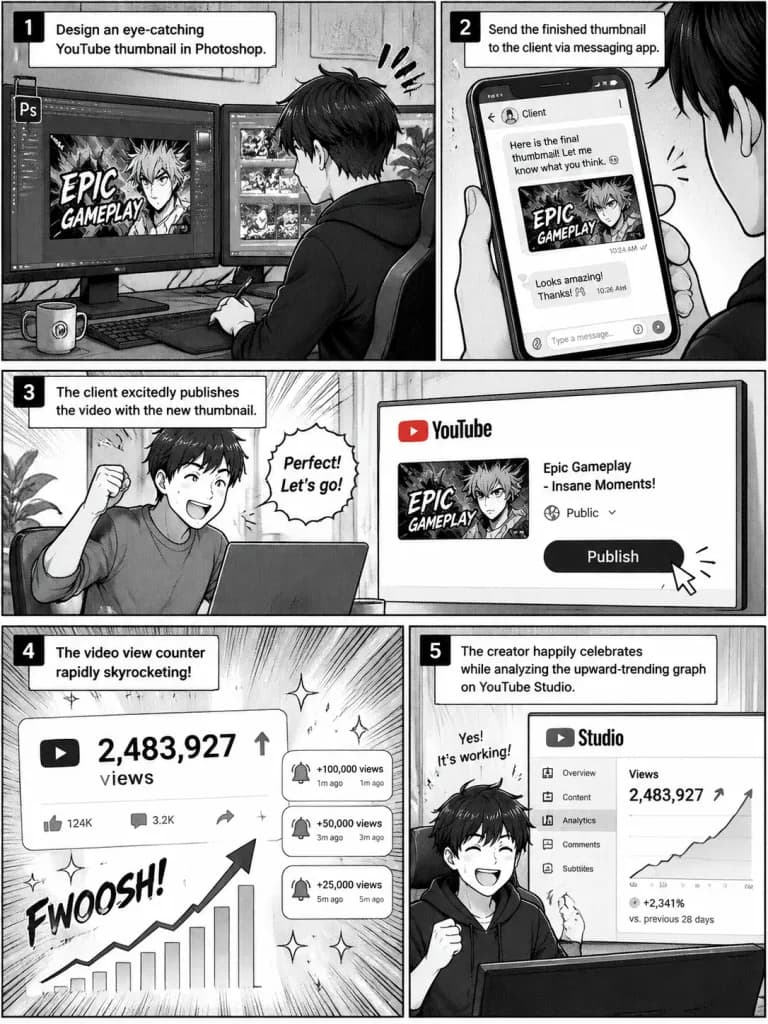
มังงะขั้นตอนการทำงานของคนทำภาพหน้าปก YouTube
สร้างมังงะ 5 ช่องแสดงขั้นตอนการออกแบบและส่งมอบภาพหน้าปกวิดีโอที่ประสบความสำเร็จ ปรับเปลี่ยนโปรแกรมหรือแพลตฟอร์มตามขั้นตอนการทำงานที่ต้องการได้
พรอมป์
A 5-panel manga comic page illustrating the workflow of a [YouTube thumbnail creator]: Panel 1: The creator sitting at a desk, focused on designing an eye-catching video thumbnail in [Photoshop] on a dual monitor setup. Panel 2: Sending the finished thumbnail graphic to a client via a messaging app. Panel 3: The client excitedly publishing the video with the newly delivered thumbnail. Panel 4: The video view counter rapidly skyrocketing with notification sparkles. Panel 5: The creator happily celebrating while analyzing the upward-trending graph on the YouTube Studio analytics dashboard. Style: Clean black-and-white Japanese manga style, dynamic panel layout, screentone shading, expressive character art.
ส่วนที่ปรับแต่งได้
ก่อนสร้างภาพ ให้แทนที่ส่วนเหล่านี้ของพรอมป์ด้วยหัวข้อหรือข้อความของคุณเอง
[YouTube thumbnail creator]ตัวแทนข้อความ[Photoshop]ตัวแทนข้อความ
รายละเอียดพรอมป์
- หมวดหมู่
- อนิเมะ / มังงะ
- โมเดล
- GPT IMAGE 2.5 Sunburst
- ค่าใช้จ่ายต่อภาพ
- 1K: 11 เครดิต · 2K: 22 เครดิต · 4K: 36 เครดิต
- อัตราส่วนภาพ
- 3:4
- วันที่เพิ่ม