
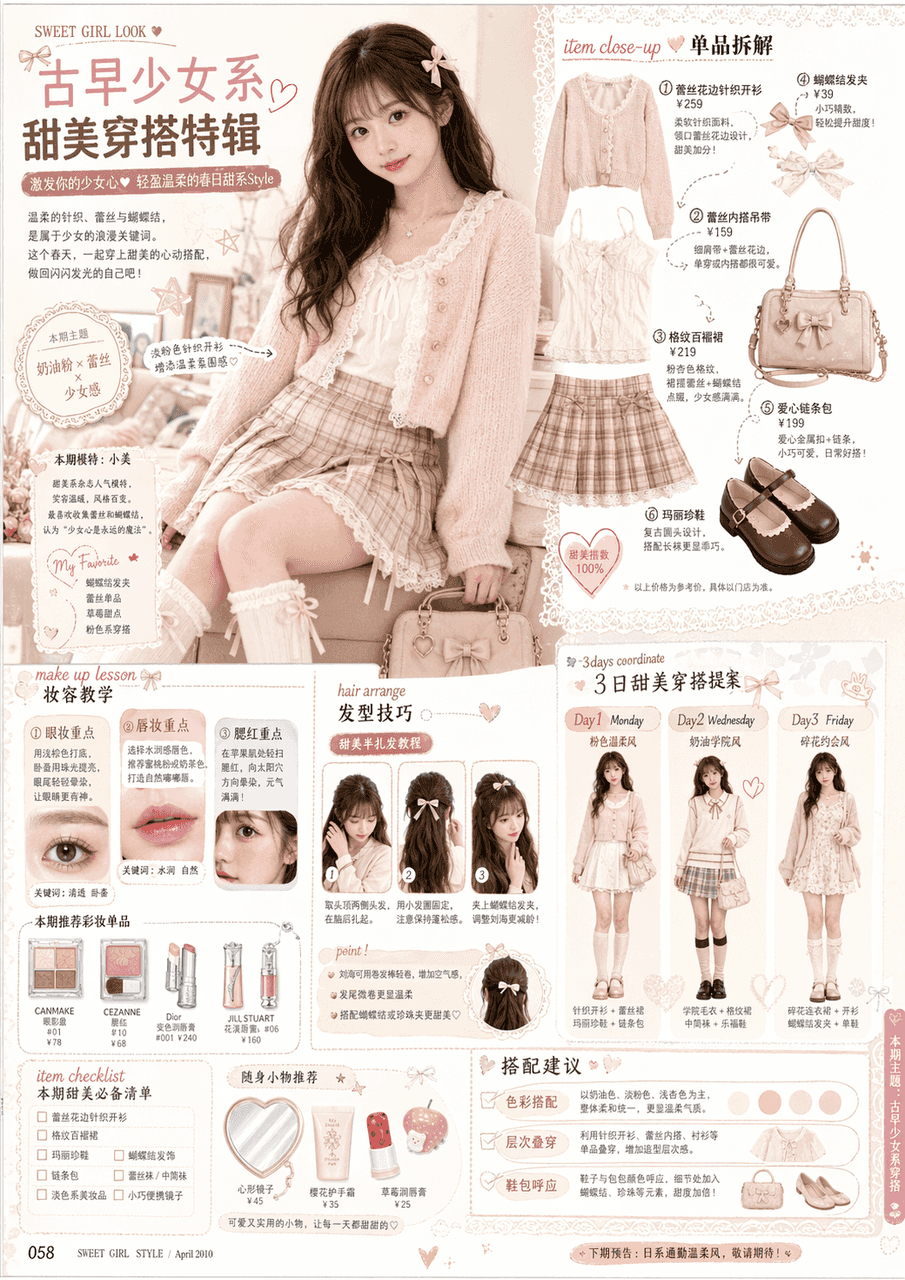
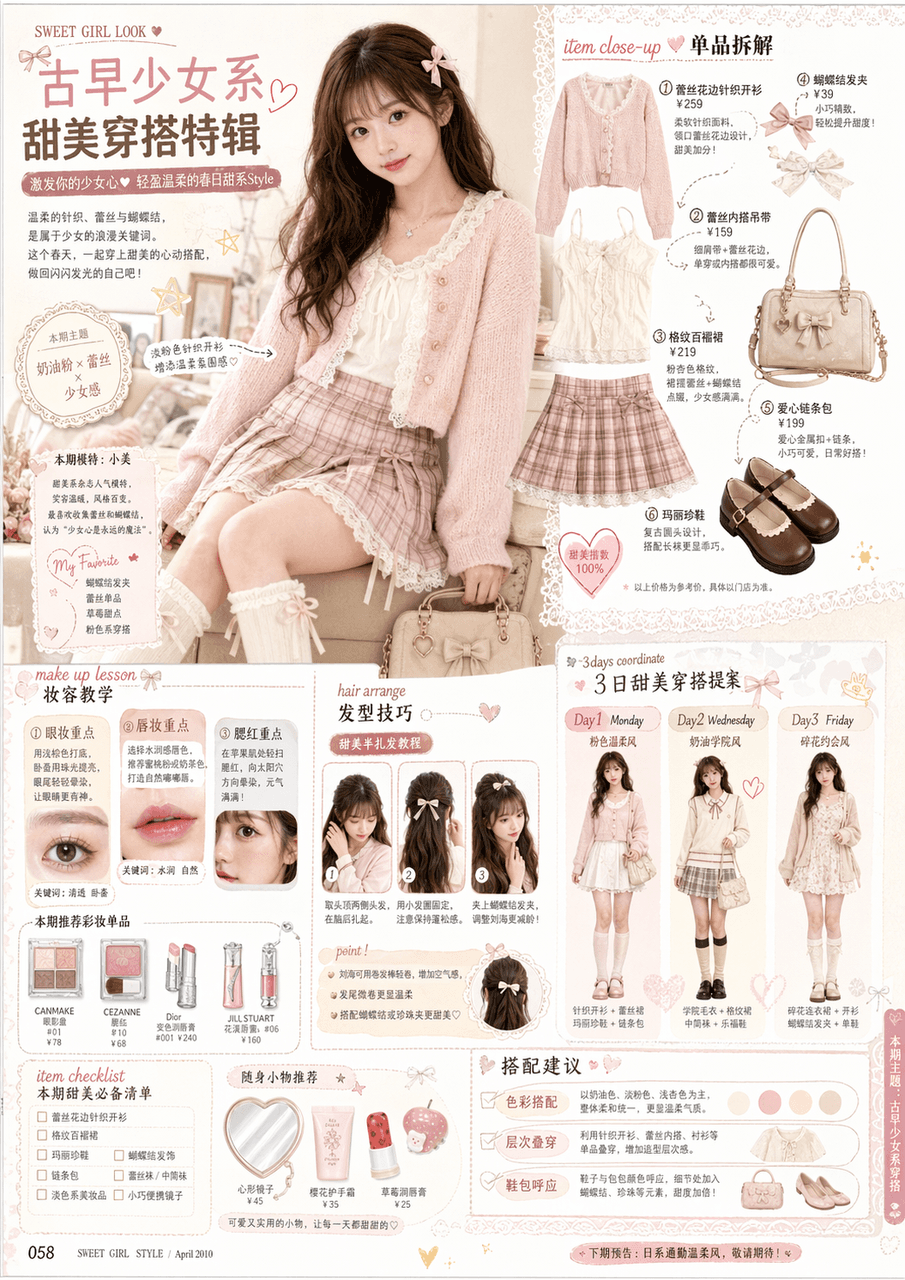
หน้าในนิตยสารแฟชั่นสาวโบราณ
ดูลักษณะใบหน้าและทรงผมในตัวอย่างเพื่อสร้างหน้าภายในของนิตยสารแฟชั่นสาวโบราณ คล้ายกับสไตล์ของนิตยสารรายเดือนเครื่องแต่งกายหวานของญี่ปุ่นในยุคแรกๆ ตั้งแต่ปี 2000 ถึง 2010 และหน้าเนื้อหานิตยสารจริง การออกแบบโดยรวมเป็นการออ…
พรอมต์
ดูลักษณะใบหน้าและทรงผมในตัวอย่างเพื่อสร้างหน้าภายในของนิตยสารแฟชั่นสาวโบราณ คล้ายกับสไตล์ของนิตยสารรายเดือนเครื่องแต่งกายหวานของญี่ปุ่นในยุคแรกๆ ตั้งแต่ปี 2000 ถึง 2010 และหน้าเนื้อหานิตยสารจริง การออกแบบโดยรวมเป็นการออกแบบเค้าโครงนิตยสารระดับสูง รูปภาพควรประกอบด้วย: ·รูปภาพขนาดใหญ่ของนางแบบหลัก (ครอบครองส่วนหลักของหน้า) ·โมดูลถอดแยกชิ้นส่วนสวมใส่หลายรายการ ·กรอบสอนแต่งหน้า (แต่งตา แต่งหน้าทาปาก ทักษะการปัดแก้ม) ·กรอบทักษะทรงผม/จัดเรียงทรงผม คำแนะนำที่ตรงกัน/ประสานงาน 3 วัน/รายการตรวจสอบรายการ ·รูปภาพผลิตภัณฑ์หลายรายการ (เสื้อผ้า กระเป๋า รองเท้า เครื่องสำอาง) ·ชื่อนิตยสาร คำบรรยาย บันทึกย่อ ป้ายราคา ข้อความอธิบาย ·เค้าโครงที่หลากหลายและจำนวนมาก ข้อมูลแต่การจัดวางชัดเจนเหมือนนิตยสารจริงไม่รู้สึกเหมือนโปสเตอร์ไม่มีภาพใหญ่ของตัวละครเพียงภาพเดียว
วิธีการใช้งานพร้อมท์นี้
อ่านข้อความแจ้ง หน้าในนิตยสารแฟชั่นสาวโบราณ ฉบับสมบูรณ์ และระบุวัตถุ สไตล์ กล้อง แสง และข้อกำหนดองค์ประกอบก่อนสร้าง
แทนที่ตัวยึดตำแหน่งแบบวงเล็บเหลี่ยมหรือแบบอาร์กิวเมนต์ด้วยข้อกำหนดเกี่ยวกับผลิตภัณฑ์ ตัวละคร แบรนด์ ฉาก ชุดสี หรืออัตราส่วนภาพ
เปิด https://www.gptimagehub.com/th/generate?promptId=cmogxsbxy00rlxt5gchm2pspg สร้างรูปภาพ จากนั้นปรับแต่งข้อความแจ้งด้วยหัวข้อ ข้อความ เค้าโครง หรือข้อจำกัดเชิงลบที่เฉพาะเจาะจงมากขึ้น หากจำเป็น
คำถามที่พบบ่อยพร้อมท์
พรอมต์ หน้าในนิตยสารแฟชั่นสาวโบราณ ใช้ทำอะไรได้ดีที่สุด
ข้อความแจ้งนี้เหมาะที่สุดสำหรับอิมเมจ โปสเตอร์และภาพประกอบ ที่คุณต้องการโครงสร้างที่นำมาใช้ซ้ำได้ ทิศทางของภาพโดยละเอียด และคุณภาพเอาต์พุตที่สม่ำเสมอ
ฉันสามารถแก้ไขพรอมต์ก่อนสร้างได้หรือไม่
ใช่ ข้อความแจ้งแบบเต็มจะปรากฏบนหน้านี้ เพื่อให้คุณสามารถเปลี่ยนชื่อเรื่อง ชื่อผลิตภัณฑ์ สี องค์ประกอบ ข้อกำหนดของกล้อง อัตราส่วนภาพ และหมายเหตุสไตล์ก่อนการสร้าง
ฉันควรใช้รุ่นใดกับข้อความแจ้งนี้
ใช้โมเดลที่แสดงในข้อมูลเมตาของพรอมต์เป็นจุดเริ่มต้นเริ่มต้น หากรูปภาพรุ่นอื่นรองรับอัตราส่วนภาพและรูปแบบคำสั่งเดียวกัน คุณสามารถปรับข้อความแจ้งและเปรียบเทียบผลลัพธ์ได้