
แผนภูมิขนาดยาวสรุปข้อมูล
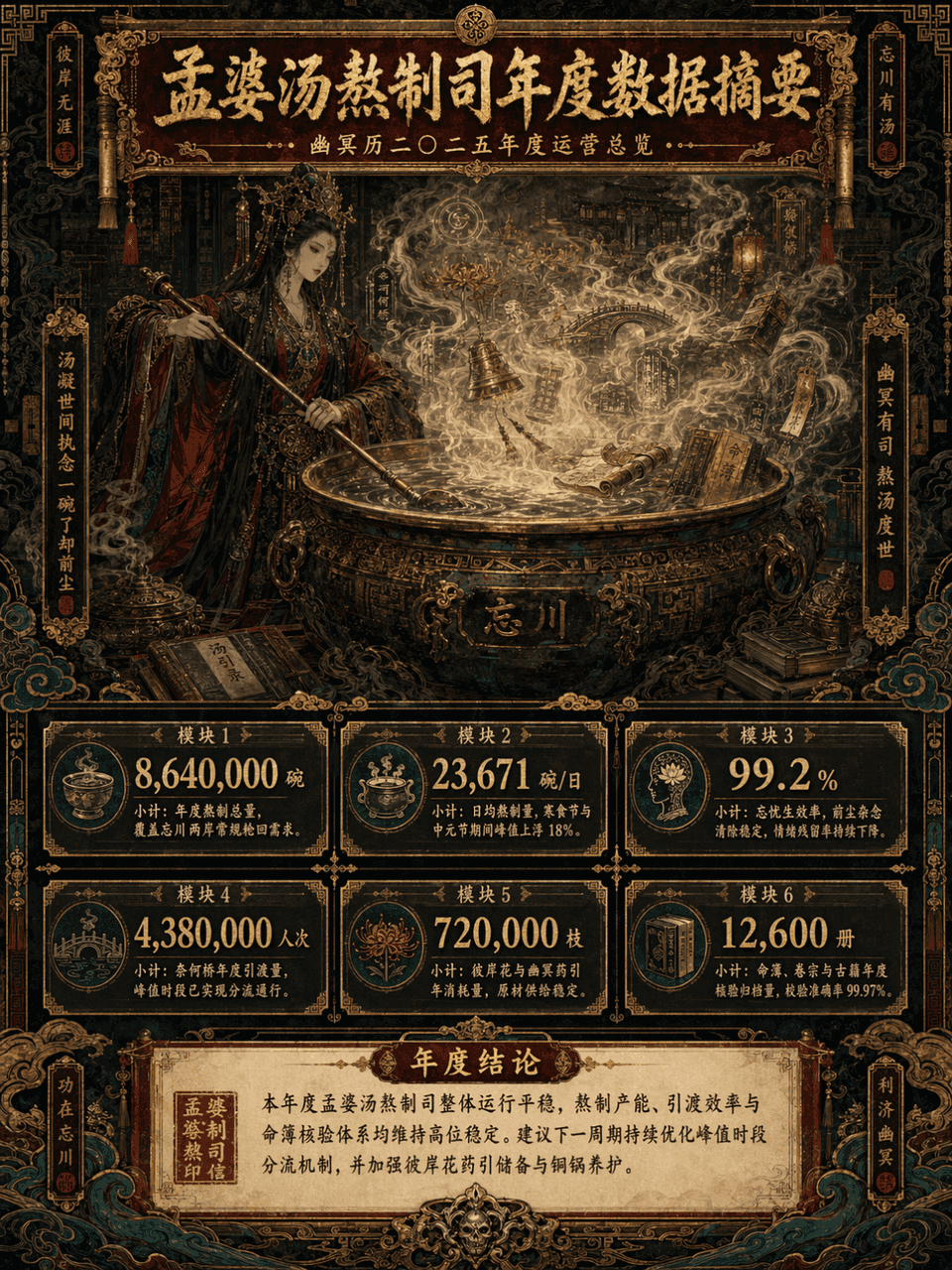
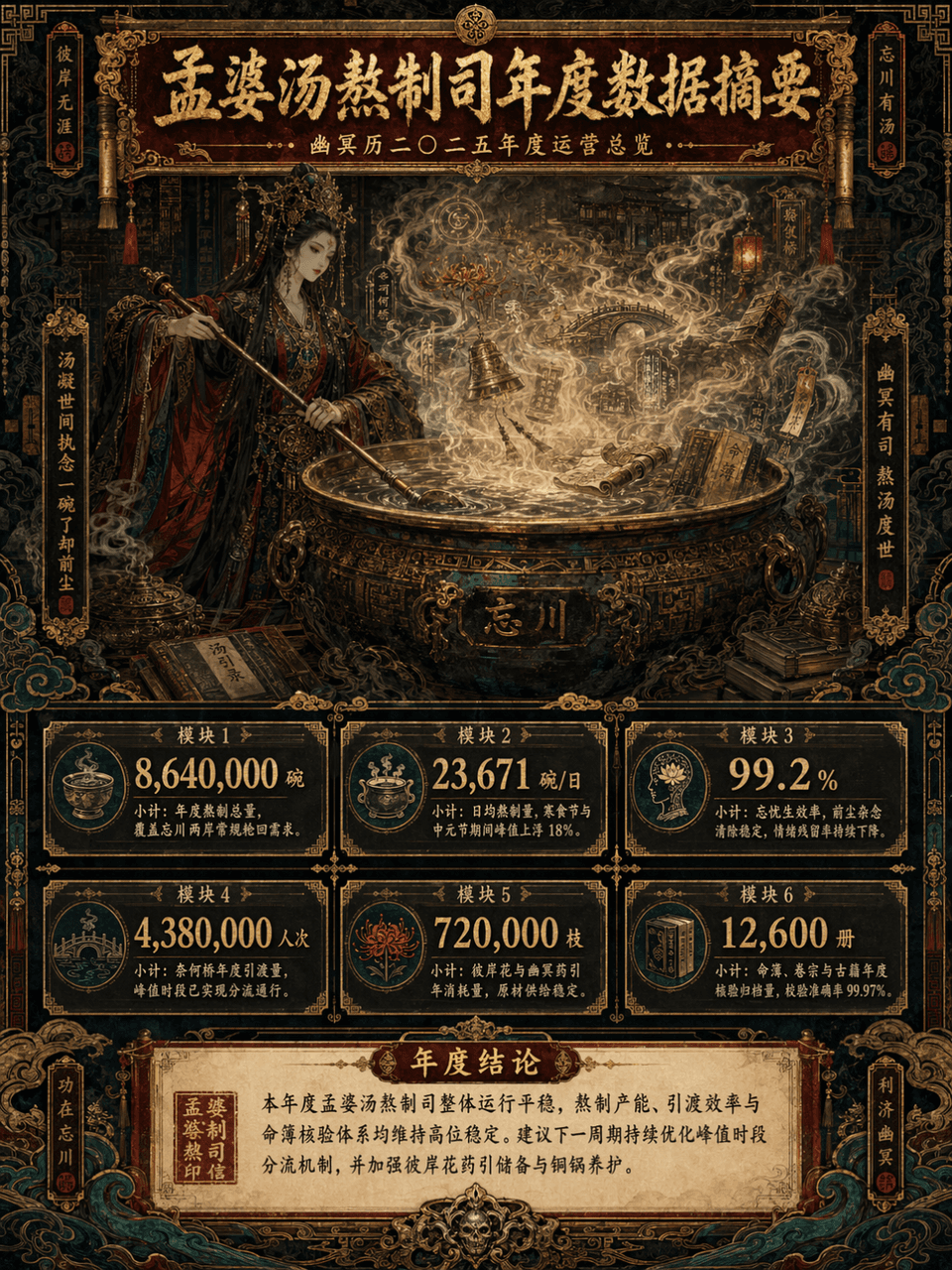
กรอบรูป 3:4 สร้างภาพสรุปข้อมูลแนวตั้งแบบยาว ในหัวข้อ "สรุปข้อมูลประจำปีแผนกทำซุปเม้งปอ" หัวข้อหลักคือการปรุงซุปเม็งโปหน้าหม้อทองแดงใบใหญ่ ไอน้ำกำลังพลุ่งพล่าน ในหมอกของน้ำซุปมีดอกบานา สะพานไนเหอ โคม อักษรรูน ม้วนคัมภีร์…
พรอมต์
กรอบรูป 3:4 สร้างภาพสรุปข้อมูลแนวตั้งแบบยาว ในหัวข้อ "สรุปข้อมูลประจำปีแผนกทำซุปเม้งปอ" หัวข้อหลักคือการปรุงซุปเม็งโปหน้าหม้อทองแดงใบใหญ่ ไอน้ำกำลังพลุ่งพล่าน ในหมอกของน้ำซุปมีดอกบานา สะพานไนเหอ โคม อักษรรูน ม้วนคัมภีร์ ระฆังทองแดง หนังสือโบราณ หนังสือทำนายดวง เมฆ และลายผีๆ มองเห็นได้จางๆ การออกแบบโดยรวมใช้สไตล์สูงสุด แต่ระดับข้อมูลต้องมีความชัดเจน เช่น การผสมผสานระหว่างการแสดงภาพรายงานให้คำปรึกษา + ชุดการตั้งค่า Oriental Monster + ภาพยาวนิทรรศการขั้นสูง รูปภาพนี้เป็นอินโฟกราฟิกเวอร์ชันแนวตั้งขนาดยาว โดยมีพื้นที่ชื่อเรื่องที่ด้านบน พื้นที่ภาพหลักตรงกลาง พื้นที่โมดูลข้อมูลที่ด้านล่าง และพื้นที่สรุปที่ด้านล่างกางออกทีละชั้น โทนสีถูกควบคุมเป็นสี่สีหลัก ได้แก่ สีแดงชาดเข้ม สีทอง สีดำเจ็ทแบล็ก และสีเขียวนกยูง พร้อมการตกแต่งบางส่วนด้วยกระดาษเก่าสีขาวนวลและสีเขียวพาทิน่า ภาพนี้งดงาม ซับซ้อน ลึกลับ และเคร่งขรึม แต่ก็ไม่สามารถวุ่นวายและควบคุมไม่ได้ จะต้องมีความหรูหรา เป็นระเบียบ และมีความสวยงามในการตกแต่งที่แข็งแกร่ง
วิธีการใช้งานพร้อมท์นี้
อ่านข้อความแจ้ง แผนภูมิขนาดยาวสรุปข้อมูล ฉบับสมบูรณ์ และระบุวัตถุ สไตล์ กล้อง แสง และข้อกำหนดองค์ประกอบก่อนสร้าง
แทนที่ตัวยึดตำแหน่งแบบวงเล็บเหลี่ยมหรือแบบอาร์กิวเมนต์ด้วยข้อกำหนดเกี่ยวกับผลิตภัณฑ์ ตัวละคร แบรนด์ ฉาก ชุดสี หรืออัตราส่วนภาพ
เปิด https://www.gptimagehub.com/th/generate?promptId=cmogxlus100mlxt5g0glpq2r7 สร้างรูปภาพ จากนั้นปรับแต่งข้อความแจ้งด้วยหัวข้อ ข้อความ เค้าโครง หรือข้อจำกัดเชิงลบที่เฉพาะเจาะจงมากขึ้น หากจำเป็น
คำถามที่พบบ่อยพร้อมท์
พรอมต์ แผนภูมิขนาดยาวสรุปข้อมูล ใช้ทำอะไรได้ดีที่สุด
ข้อความแจ้งนี้เหมาะที่สุดสำหรับอิมเมจ อื่น ๆ ที่คุณต้องการโครงสร้างที่นำมาใช้ซ้ำได้ ทิศทางของภาพโดยละเอียด และคุณภาพเอาต์พุตที่สม่ำเสมอ
ฉันสามารถแก้ไขพรอมต์ก่อนสร้างได้หรือไม่
ใช่ ข้อความแจ้งแบบเต็มจะปรากฏบนหน้านี้ เพื่อให้คุณสามารถเปลี่ยนชื่อเรื่อง ชื่อผลิตภัณฑ์ สี องค์ประกอบ ข้อกำหนดของกล้อง อัตราส่วนภาพ และหมายเหตุสไตล์ก่อนการสร้าง
ฉันควรใช้รุ่นใดกับข้อความแจ้งนี้
ใช้โมเดลที่แสดงในข้อมูลเมตาของพรอมต์เป็นจุดเริ่มต้นเริ่มต้น หากรูปภาพรุ่นอื่นรองรับอัตราส่วนภาพและรูปแบบคำสั่งเดียวกัน คุณสามารถปรับข้อความแจ้งและเปรียบเทียบผลลัพธ์ได้