
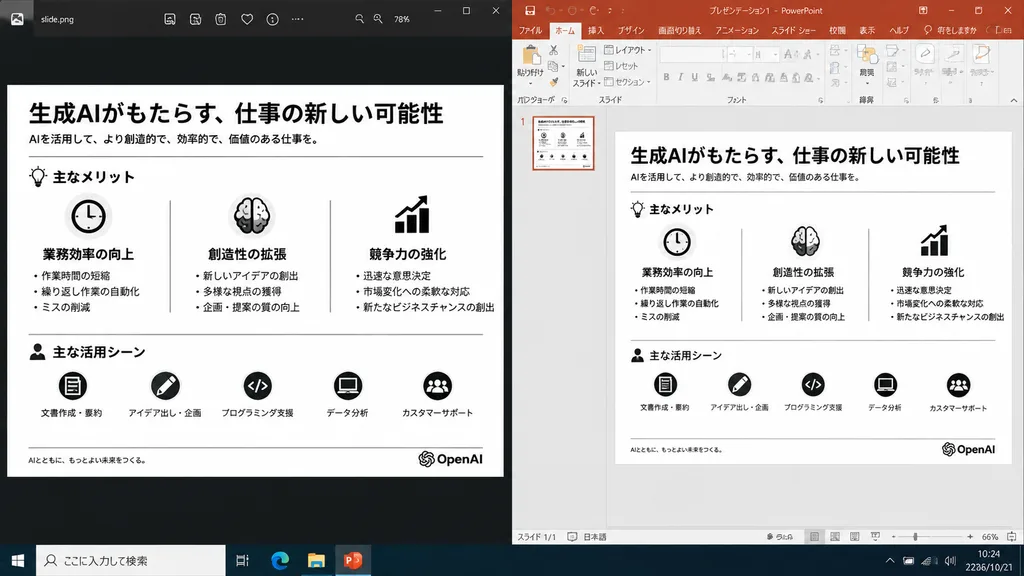
การเปรียบเทียบสไลด์นำเสนอแบบเคียงข้าง
สร้างภาพหน้าจอเปรียบเทียบสไลด์ที่ส่งออกแล้วกับมุมมองแก้ไขใน PowerPoint ปรับเปลี่ยนโลโก้หรือหัวข้อในวงเล็บตามต้องการ
พรอมป์
A realistic side-by-side Windows desktop screenshot showing a polished presentation slide reconstruction based on the reference image. The left panel shows a dark image viewer window displaying the clean exported slide. The right panel shows Microsoft PowerPoint in editing view containing the exact same editable slide. The slide retains the original Japanese monochrome infographic layout: 1 top title and header row, 3 mid-page comparison columns, and 1 bottom use-case row with 5 icon-labeled items, a footer line, and the [OpenAI] logo at the bottom right. Clean, legible Japanese typography, properly aligned dividers, crisp monochrome icons, and no clutter, selection handles, or malformed vector artifacts. Crisp UI detailing, native desktop app appearance, high readability.
ส่วนที่ปรับแต่งได้
ก่อนสร้างภาพ ให้แทนที่ส่วนเหล่านี้ของพรอมป์ด้วยหัวข้อหรือข้อความของคุณเอง
[OpenAI]ตัวแทนข้อความ
รายละเอียดพรอมป์
- หมวดหมู่
- ออกแบบ UI / UX
- โมเดล
- GPT IMAGE 2
- ค่าใช้จ่ายต่อภาพ
- 1K: 43 เครดิต · 2K: 86 เครดิต · 4K: 143 เครดิต
- อัตราส่วนภาพ
- 16:9
- วันที่เพิ่ม