
การออกแบบอินเทอร์เฟซอัลบั้มภาพครอบครัวสไตล์ Showa
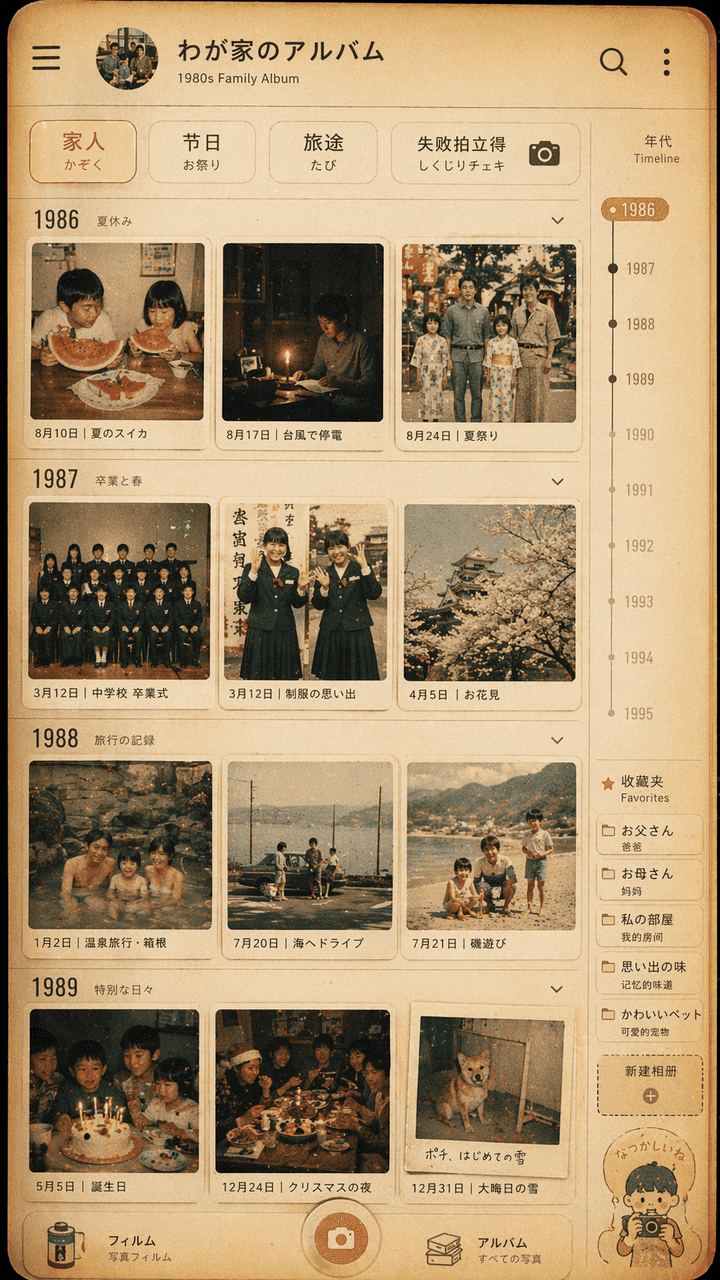
"การออกแบบอินเทอร์เฟซอัลบั้มภาพครอบครัวสไตล์ Showa" ผนังภาพย้อนยุคถูกรวมเข้ากับ UI ของแอปอัลบั้มภาพที่ทันสมัย หน้าจอจำลองหน้าไทม์ไลน์ของแอปพลิเคชันจัดการรูปภาพ แต่ภาพขนาดย่อแต่ละภาพมาจากช่วงปี 1980 ชีวิตประจำวันของครอบค…
พรอมต์
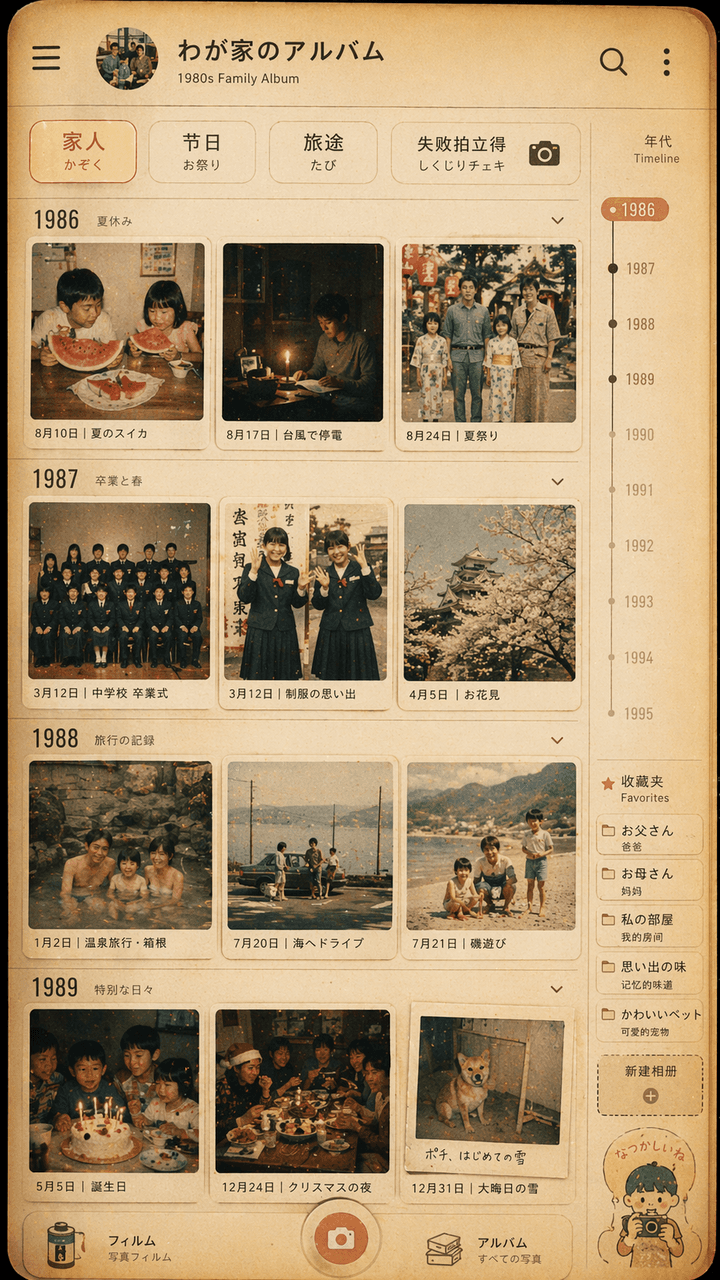
"การออกแบบอินเทอร์เฟซอัลบั้มภาพครอบครัวสไตล์ Showa" ผนังภาพย้อนยุคถูกรวมเข้ากับ UI ของแอปอัลบั้มภาพที่ทันสมัย หน้าจอจำลองหน้าไทม์ไลน์ของแอปพลิเคชันจัดการรูปภาพ แต่ภาพขนาดย่อแต่ละภาพมาจากช่วงปี 1980 ชีวิตประจำวันของครอบครัวชาวญี่ปุ่นในทศวรรษ 1970: แตงโมฤดูร้อน ไฟฟ้าดับพายุไต้ฝุ่น ภาพถ่ายรับปริญญาชุดนักเรียน เที่ยวบ่อน้ำพุร้อน โต๊ะอาหารค่ำวันคริสต์มาส ตัวกรองด้านบนอ่านว่า "โพลารอยด์ครอบครัว/เทศกาล/การเดินทาง/ความล้มเหลว" มีระดับปีและป้ายกำกับรายการโปรดทางด้านขวา สีโดยรวมจะคล้ายฟิล์ม สีเหลืองอบอุ่น และจางลงเล็กน้อย รูปภาพนี้เหมือนกับอินเทอร์เฟซโทรศัพท์มือถือจริงและการแสดงความทรงจำของครอบครัวอย่างอ่อนโยน อัตราส่วนคือ 9:16
วิธีการใช้งานพร้อมท์นี้
อ่านข้อความแจ้ง การออกแบบอินเทอร์เฟซอัลบั้มภาพครอบครัวสไตล์ Showa ฉบับสมบูรณ์ และระบุวัตถุ สไตล์ กล้อง แสง และข้อกำหนดองค์ประกอบก่อนสร้าง
แทนที่ตัวยึดตำแหน่งแบบวงเล็บเหลี่ยมหรือแบบอาร์กิวเมนต์ด้วยข้อกำหนดเกี่ยวกับผลิตภัณฑ์ ตัวละคร แบรนด์ ฉาก ชุดสี หรืออัตราส่วนภาพ
เปิด https://www.gptimagehub.com/th/generate?promptId=cmogxipx300gzxt5gbicukrta สร้างรูปภาพ จากนั้นปรับแต่งข้อความแจ้งด้วยหัวข้อ ข้อความ เค้าโครง หรือข้อจำกัดเชิงลบที่เฉพาะเจาะจงมากขึ้น หากจำเป็น
คำถามที่พบบ่อยพร้อมท์
พรอมต์ การออกแบบอินเทอร์เฟซอัลบั้มภาพครอบครัวสไตล์ Showa ใช้ทำอะไรได้ดีที่สุด
ข้อความแจ้งนี้เหมาะที่สุดสำหรับอิมเมจ ออกแบบ ui / ux ที่คุณต้องการโครงสร้างที่นำมาใช้ซ้ำได้ ทิศทางของภาพโดยละเอียด และคุณภาพเอาต์พุตที่สม่ำเสมอ
ฉันสามารถแก้ไขพรอมต์ก่อนสร้างได้หรือไม่
ใช่ ข้อความแจ้งแบบเต็มจะปรากฏบนหน้านี้ เพื่อให้คุณสามารถเปลี่ยนชื่อเรื่อง ชื่อผลิตภัณฑ์ สี องค์ประกอบ ข้อกำหนดของกล้อง อัตราส่วนภาพ และหมายเหตุสไตล์ก่อนการสร้าง
ฉันควรใช้รุ่นใดกับข้อความแจ้งนี้
ใช้โมเดลที่แสดงในข้อมูลเมตาของพรอมต์เป็นจุดเริ่มต้นเริ่มต้น หากรูปภาพรุ่นอื่นรองรับอัตราส่วนภาพและรูปแบบคำสั่งเดียวกัน คุณสามารถปรับข้อความแจ้งและเปรียบเทียบผลลัพธ์ได้