
ชุดรับสมัครน้องใหม่ School of Magic
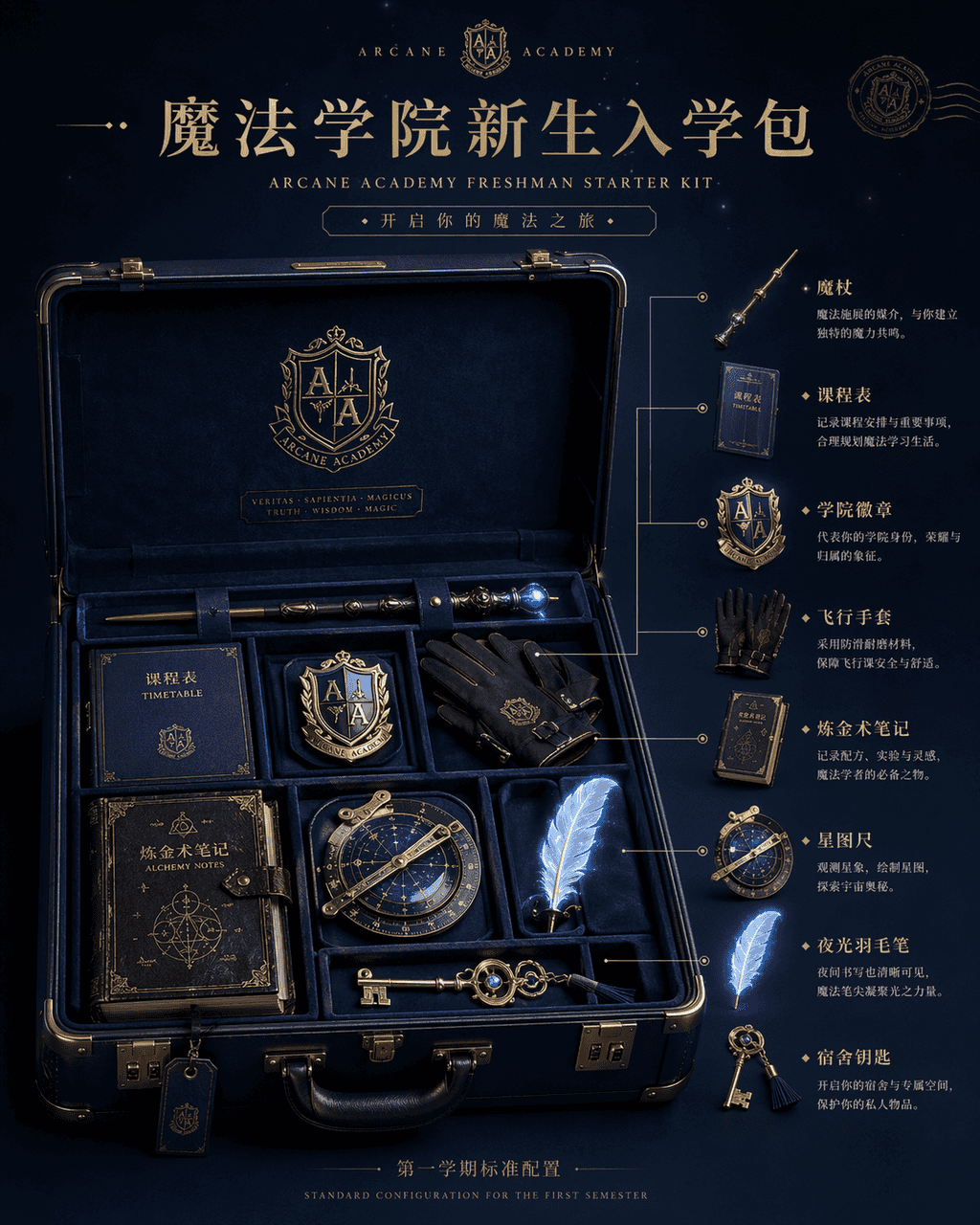
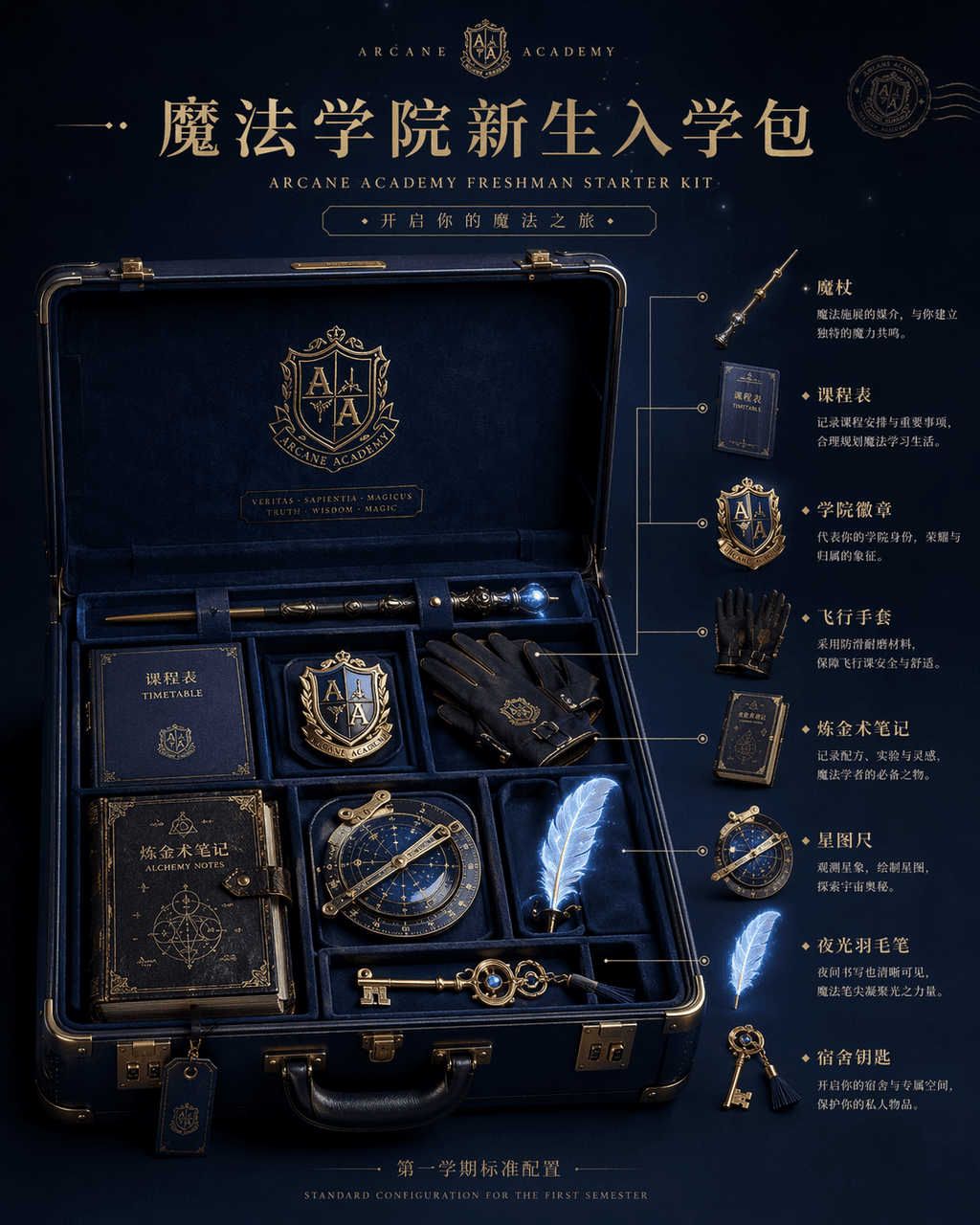
รูปภาพแสดงผลิตภัณฑ์ "Magic Academy Freshman Admission Pack" ซึ่งเป็นรูปภาพหลักของอีคอมเมิร์ซถูกรวมเข้ากับการตั้งค่ามุมมองโลกแฟนตาซี ตรงกลางของภาพคือกระเป๋าเดินทางเปลือกแข็งสีน้ำเงินเข้มที่เปิดอยู่ ภายในมีไม้กายสิทธิ์ หล…
พรอมต์
รูปภาพแสดงผลิตภัณฑ์ "Magic Academy Freshman Admission Pack" ซึ่งเป็นรูปภาพหลักของอีคอมเมิร์ซถูกรวมเข้ากับการตั้งค่ามุมมองโลกแฟนตาซี ตรงกลางของภาพคือกระเป๋าเดินทางเปลือกแข็งสีน้ำเงินเข้มที่เปิดอยู่ ภายในมีไม้กายสิทธิ์ หลักสูตร ตราสถาบันการศึกษา ถุงมือบิน บันทึกการเล่นแร่แปรธาตุ ไม้บรรทัดดาว ปากกาขนนกเรืองแสง และกุญแจบ้าน ทางด้านขวามือคือคำอธิบายประกอบแผนภาพแบบระเบิดและคำอธิบายการใช้งานของแต่ละรายการ ชื่อที่ด้านบนเหมือนกับหน้าเปิดตัวผลิตภัณฑ์ใหม่ล่าสุดระดับไฮเอนด์ และตัวอักษรเล็กๆ ที่ด้านล่างอ่านว่า "การกำหนดค่ามาตรฐานสำหรับภาคการศึกษาแรก" แสงเป็นแสงนุ่มนวลระดับสตูดิโอ แต่วัตถุมีแสงวิเศษจางๆ วัสดุมีรายละเอียดมากมาย เช่น แบรนด์การท่องเที่ยวสุดหรูและความมหัศจรรย์ วัสดุที่มีตราสินค้าร่วม IP อัตราส่วน 4:5
วิธีการใช้งานพร้อมท์นี้
อ่านข้อความแจ้ง ชุดรับสมัครน้องใหม่ School of Magic ฉบับสมบูรณ์ และระบุวัตถุ สไตล์ กล้อง แสง และข้อกำหนดองค์ประกอบก่อนสร้าง
แทนที่ตัวยึดตำแหน่งแบบวงเล็บเหลี่ยมหรือแบบอาร์กิวเมนต์ด้วยข้อกำหนดเกี่ยวกับผลิตภัณฑ์ ตัวละคร แบรนด์ ฉาก ชุดสี หรืออัตราส่วนภาพ
เปิด https://www.gptimagehub.com/th/generate?promptId=cmogxi9wd00gpxt5gxj310gqt สร้างรูปภาพ จากนั้นปรับแต่งข้อความแจ้งด้วยหัวข้อ ข้อความ เค้าโครง หรือข้อจำกัดเชิงลบที่เฉพาะเจาะจงมากขึ้น หากจำเป็น
คำถามที่พบบ่อยพร้อมท์
พรอมต์ ชุดรับสมัครน้องใหม่ School of Magic ใช้ทำอะไรได้ดีที่สุด
ข้อความแจ้งนี้เหมาะที่สุดสำหรับอิมเมจ อื่น ๆ ที่คุณต้องการโครงสร้างที่นำมาใช้ซ้ำได้ ทิศทางของภาพโดยละเอียด และคุณภาพเอาต์พุตที่สม่ำเสมอ
ฉันสามารถแก้ไขพรอมต์ก่อนสร้างได้หรือไม่
ใช่ ข้อความแจ้งแบบเต็มจะปรากฏบนหน้านี้ เพื่อให้คุณสามารถเปลี่ยนชื่อเรื่อง ชื่อผลิตภัณฑ์ สี องค์ประกอบ ข้อกำหนดของกล้อง อัตราส่วนภาพ และหมายเหตุสไตล์ก่อนการสร้าง
ฉันควรใช้รุ่นใดกับข้อความแจ้งนี้
ใช้โมเดลที่แสดงในข้อมูลเมตาของพรอมต์เป็นจุดเริ่มต้นเริ่มต้น หากรูปภาพรุ่นอื่นรองรับอัตราส่วนภาพและรูปแบบคำสั่งเดียวกัน คุณสามารถปรับข้อความแจ้งและเปรียบเทียบผลลัพธ์ได้