
โปสเตอร์วางจำหน่าย #23
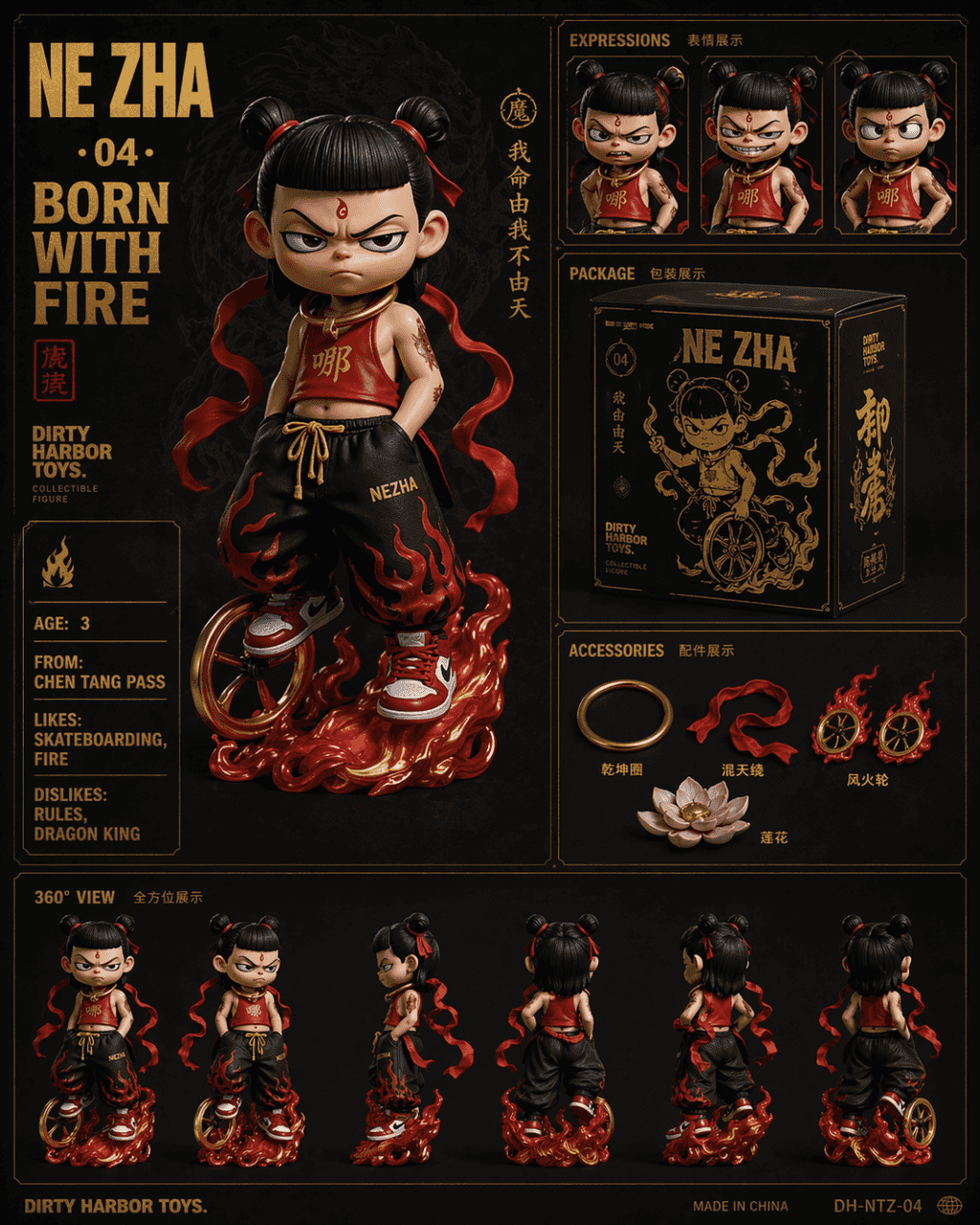
สิ่งที่ควรทำคือการวาดตารางตารางหกเหลี่ยมสไตล์ Dirty Harbor Toys ของสะสมยอดนิยมระดับประเทศ โดยมีข้อความประทับร้อนสีทองบนพื้นหลังสีเข้ม ภาพหลักแสดงของเล่นตุ๊กตาอินเทรนด์เวอร์ชัน Nezha Q ที่มีสีหน้าไม่เกะกะ เขาสวมชุดรัดหน้…
พรอมต์
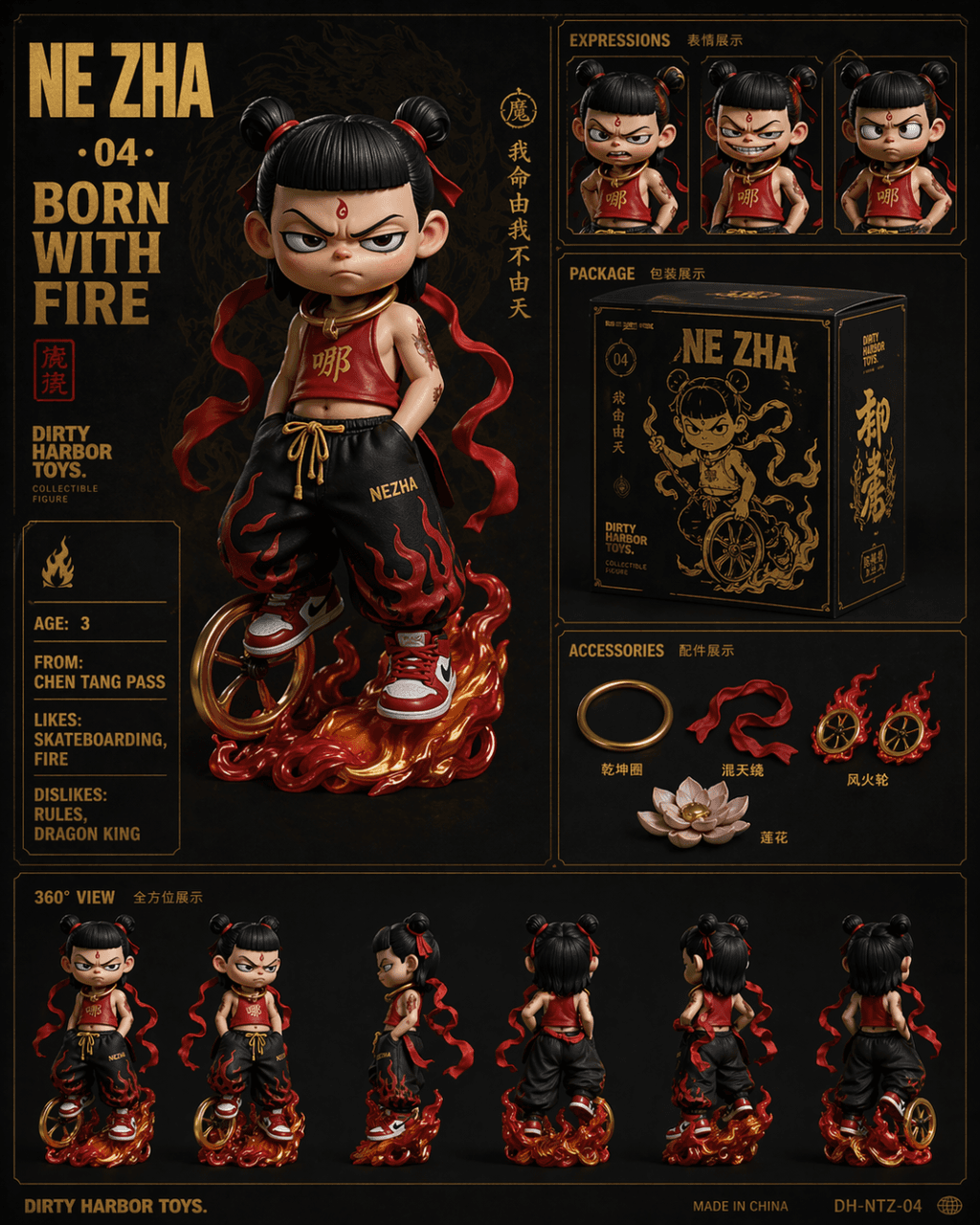
สิ่งที่ควรทำคือการวาดตารางตารางหกเหลี่ยมสไตล์ Dirty Harbor Toys ของสะสมยอดนิยมระดับประเทศ โดยมีข้อความประทับร้อนสีทองบนพื้นหลังสีเข้ม ภาพหลักแสดงของเล่นตุ๊กตาอินเทรนด์เวอร์ชัน Nezha Q ที่มีสีหน้าไม่เกะกะ เขาสวมชุดรัดหน้าท้องสีแดงแบบดัดแปลง กางเกงทรงหลวมสไตล์ฮิปฮอป และรองเท้าผ้าใบสีแดงและสีขาว เขามีล้อร้อนอยู่ที่เท้าและมีห่วงเฉียนคุนห้อยอยู่รอบคอ ภาพระยะใกล้ของการแสดงออกสามส่วนที่มุมขวาบน (โกรธ หัวเราะ และอาคิมโบ) ตรงกลางเป็นดีไซน์กล่องบรรจุภัณฑ์ผลิตภัณฑ์สีดำทอง ด้านล่างขวาเป็นการจัดแสดงอุปกรณ์เสริมต่างๆ ได้แก่ Qiankun Circle, Huntian Ling, Hot Wheels และ Lotus แถวล่างมองไปรอบๆ 360 องศา ตัวอักษรขนาดใหญ่ทางด้านซ้ายบนคือ "NE ZHA · 04 · BORN WITH FIRE" และการ์ดแอตทริบิวต์ภาษาอังกฤษทางด้านซ้ายคือ "AGE: 3 / FROM: CHEN TANG PASS / LIKES: SKATEBOARDING, FIRE / DISLIKES: RULES, DRAGON KING"
วิธีการใช้งานพร้อมท์นี้
อ่านข้อความแจ้ง โปสเตอร์วางจำหน่าย #23 ฉบับสมบูรณ์ และระบุวัตถุ สไตล์ กล้อง แสง และข้อกำหนดองค์ประกอบก่อนสร้าง
แทนที่ตัวยึดตำแหน่งแบบวงเล็บเหลี่ยมหรือแบบอาร์กิวเมนต์ด้วยข้อกำหนดเกี่ยวกับผลิตภัณฑ์ ตัวละคร แบรนด์ ฉาก ชุดสี หรืออัตราส่วนภาพ
เปิด https://www.gptimagehub.com/th/generate?promptId=cmogxoye900p1xt5g2ahck373 สร้างรูปภาพ จากนั้นปรับแต่งข้อความแจ้งด้วยหัวข้อ ข้อความ เค้าโครง หรือข้อจำกัดเชิงลบที่เฉพาะเจาะจงมากขึ้น หากจำเป็น
คำถามที่พบบ่อยพร้อมท์
พรอมต์ โปสเตอร์วางจำหน่าย #23 ใช้ทำอะไรได้ดีที่สุด
ข้อความแจ้งนี้เหมาะที่สุดสำหรับอิมเมจ สินค้าและอีคอมเมิร์ซ ที่คุณต้องการโครงสร้างที่นำมาใช้ซ้ำได้ ทิศทางของภาพโดยละเอียด และคุณภาพเอาต์พุตที่สม่ำเสมอ
ฉันสามารถแก้ไขพรอมต์ก่อนสร้างได้หรือไม่
ใช่ ข้อความแจ้งแบบเต็มจะปรากฏบนหน้านี้ เพื่อให้คุณสามารถเปลี่ยนชื่อเรื่อง ชื่อผลิตภัณฑ์ สี องค์ประกอบ ข้อกำหนดของกล้อง อัตราส่วนภาพ และหมายเหตุสไตล์ก่อนการสร้าง
ฉันควรใช้รุ่นใดกับข้อความแจ้งนี้
ใช้โมเดลที่แสดงในข้อมูลเมตาของพรอมต์เป็นจุดเริ่มต้นเริ่มต้น หากรูปภาพรุ่นอื่นรองรับอัตราส่วนภาพและรูปแบบคำสั่งเดียวกัน คุณสามารถปรับข้อความแจ้งและเปรียบเทียบผลลัพธ์ได้