
โปสเตอร์วางจำหน่าย #22
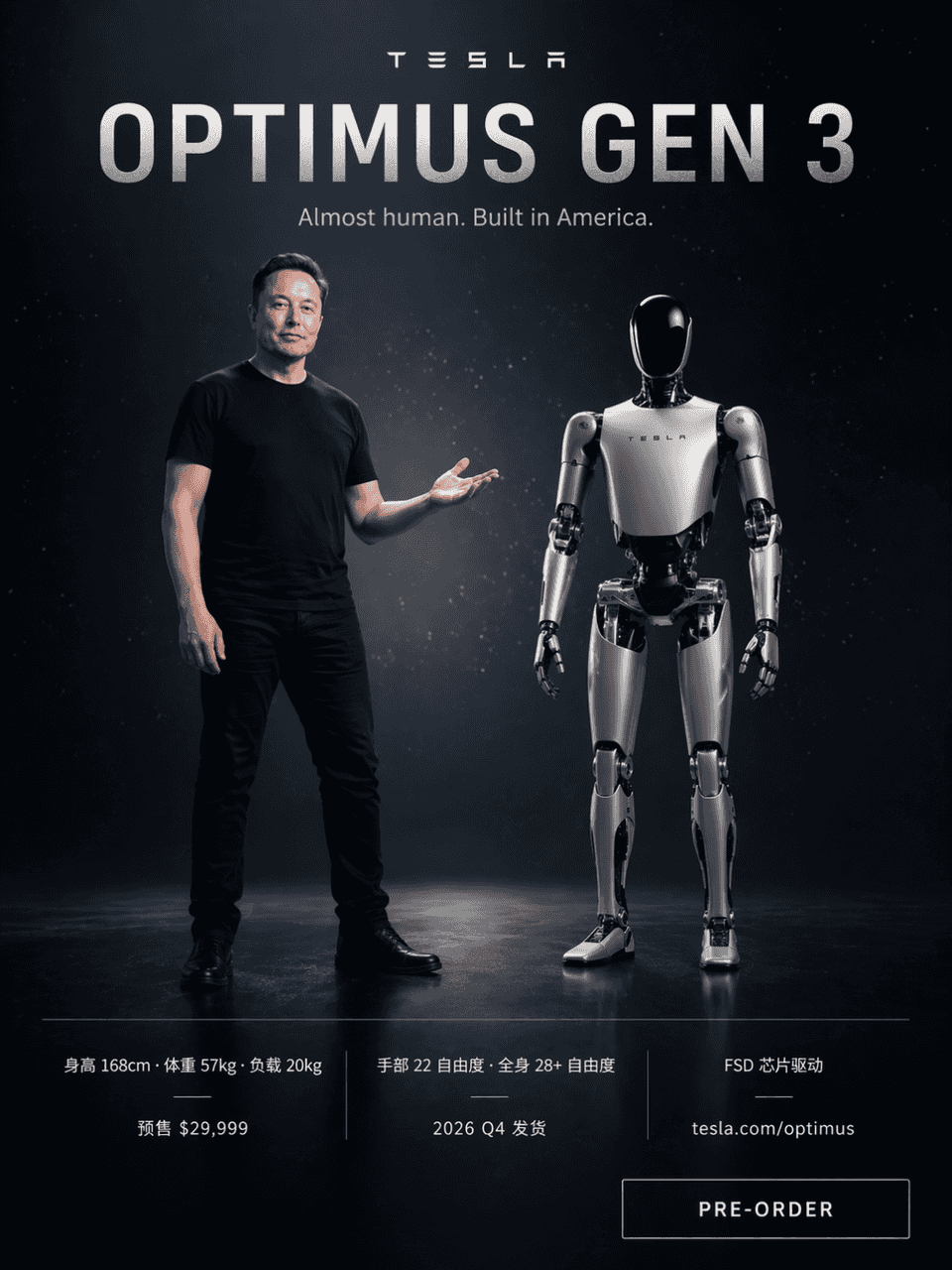
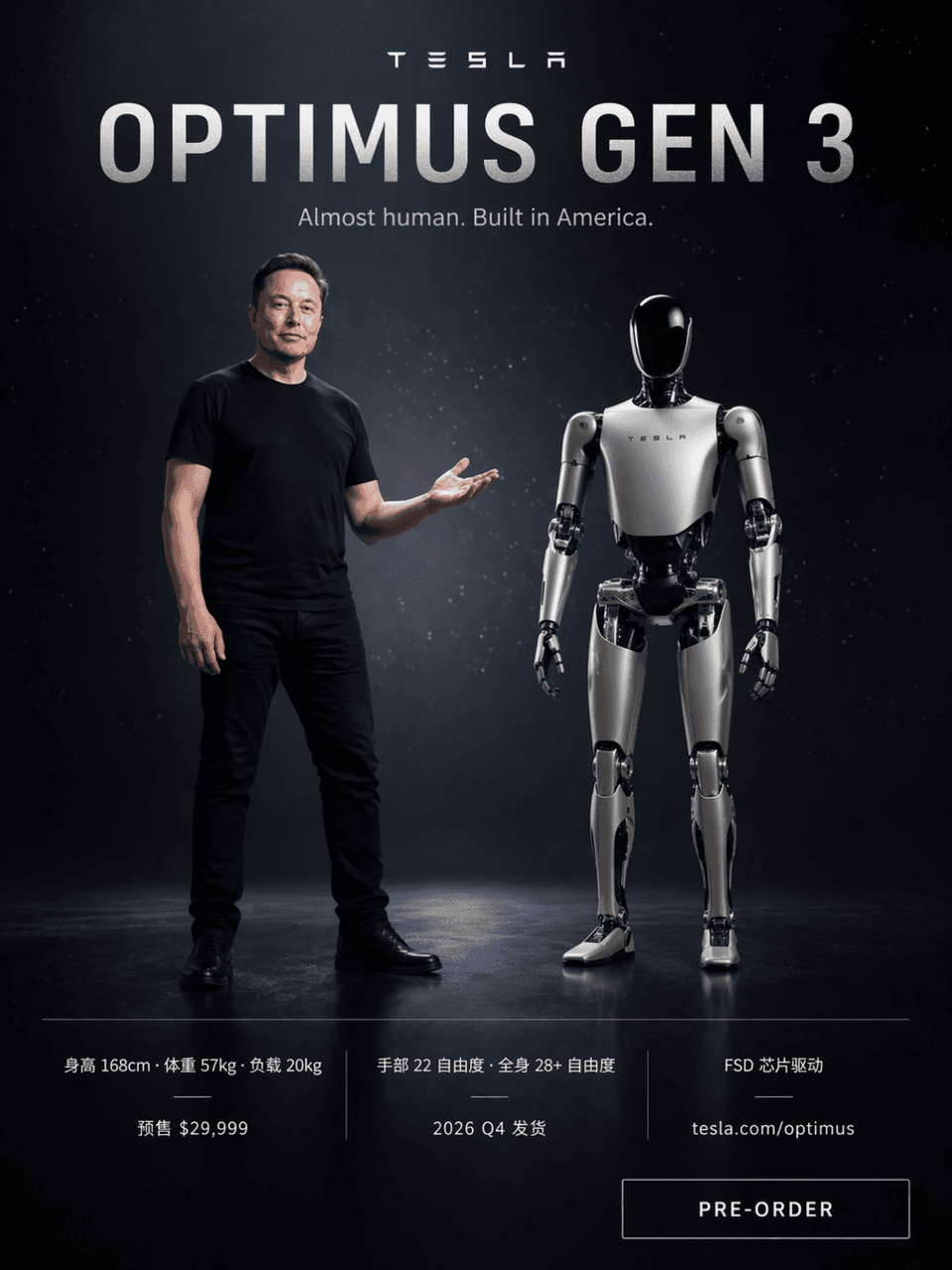
สิ่งที่ต้องทำคือวาดโปสเตอร์เปิดตัวผลิตภัณฑ์สไตล์ Tesla โดยมีพื้นหลังเทคโนโลยีสีเข้มพร้อมอนุภาคแสงดาว Elon Musk สวมเสื้อยืดสีดำและยืนทางด้านซ้ายของหน้าจอโดยกางมือขวาออกเพื่อบ่งบอก ทางด้านขวามือ หุ่นยนต์ฮิวแมนนอยด์ Optimu…
พรอมต์
สิ่งที่ต้องทำคือวาดโปสเตอร์เปิดตัวผลิตภัณฑ์สไตล์ Tesla โดยมีพื้นหลังเทคโนโลยีสีเข้มพร้อมอนุภาคแสงดาว Elon Musk สวมเสื้อยืดสีดำและยืนทางด้านซ้ายของหน้าจอโดยกางมือขวาออกเพื่อบ่งบอก ทางด้านขวามือ หุ่นยนต์ฮิวแมนนอยด์ Optimus Gen 3 สีขาวเงินยืนเคียงข้างกัน โดยมีอัตราส่วนความสูงเกือบ 168 ซม. คำใหญ่ด้านบนคือ "OPTIMUS GEN 3" และคำบรรยาย "เกือบเป็นมนุษย์ สร้างขึ้นในอเมริกา" พารามิเตอร์สามคอลัมน์ต่อไปนี้เปรียบเทียบ "ความสูง 168 ซม. · น้ำหนัก 57 กก. · น้ำหนักบรรทุก 20 กก." "องศาอิสระ 22 องศาของมือ · องศาอิสระ 28+ ทั้งตัว · ไดรเวอร์ชิป FSD" "จำหน่ายล่วงหน้า 29,999 ดอลลาร์ · การจัดส่งในไตรมาสที่ 4 ปี 2026 · tesla.com/optimus" มีปุ่ม "PRE-ORDER" อยู่ที่มุมขวาล่าง
วิธีการใช้งานพร้อมท์นี้
อ่านข้อความแจ้ง โปสเตอร์วางจำหน่าย #22 ฉบับสมบูรณ์ และระบุวัตถุ สไตล์ กล้อง แสง และข้อกำหนดองค์ประกอบก่อนสร้าง
แทนที่ตัวยึดตำแหน่งแบบวงเล็บเหลี่ยมหรือแบบอาร์กิวเมนต์ด้วยข้อกำหนดเกี่ยวกับผลิตภัณฑ์ ตัวละคร แบรนด์ ฉาก ชุดสี หรืออัตราส่วนภาพ
เปิด https://www.gptimagehub.com/th/generate?promptId=cmogxow2g00ozxt5gruedqbvs สร้างรูปภาพ จากนั้นปรับแต่งข้อความแจ้งด้วยหัวข้อ ข้อความ เค้าโครง หรือข้อจำกัดเชิงลบที่เฉพาะเจาะจงมากขึ้น หากจำเป็น
คำถามที่พบบ่อยพร้อมท์
พรอมต์ โปสเตอร์วางจำหน่าย #22 ใช้ทำอะไรได้ดีที่สุด
ข้อความแจ้งนี้เหมาะที่สุดสำหรับอิมเมจ โปสเตอร์และภาพประกอบ ที่คุณต้องการโครงสร้างที่นำมาใช้ซ้ำได้ ทิศทางของภาพโดยละเอียด และคุณภาพเอาต์พุตที่สม่ำเสมอ
ฉันสามารถแก้ไขพรอมต์ก่อนสร้างได้หรือไม่
ใช่ ข้อความแจ้งแบบเต็มจะปรากฏบนหน้านี้ เพื่อให้คุณสามารถเปลี่ยนชื่อเรื่อง ชื่อผลิตภัณฑ์ สี องค์ประกอบ ข้อกำหนดของกล้อง อัตราส่วนภาพ และหมายเหตุสไตล์ก่อนการสร้าง
ฉันควรใช้รุ่นใดกับข้อความแจ้งนี้
ใช้โมเดลที่แสดงในข้อมูลเมตาของพรอมต์เป็นจุดเริ่มต้นเริ่มต้น หากรูปภาพรุ่นอื่นรองรับอัตราส่วนภาพและรูปแบบคำสั่งเดียวกัน คุณสามารถปรับข้อความแจ้งและเปรียบเทียบผลลัพธ์ได้