
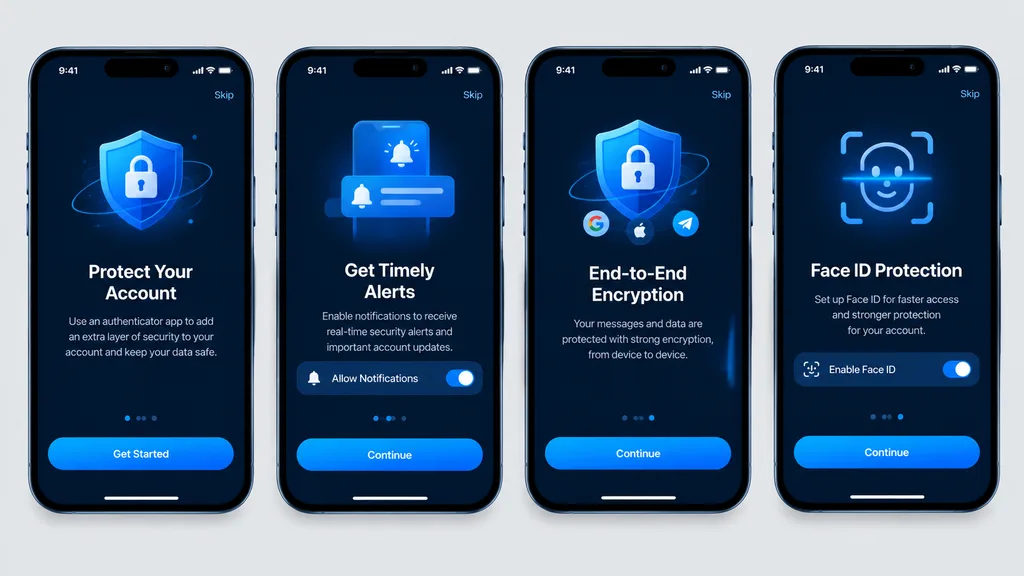
ม็อกอัปหน้าเริ่มต้นใช้งานแอปยืนยันตัวตนในโหมดมืด
ขั้นตอนการแนะนำการใช้งานมือถือ 4 หน้าจอที่แสดง UI แอปความปลอดภัยในโหมดมืด เปลี่ยนสีไฮไลต์ ข้อความปุ่ม หรือไอคอนเพื่อปรับใช้กับแอปอื่นได้
พรอมป์
Clean, high-fidelity UI mockups recreating 4 mobile onboarding screens based on the reference design, rendered as direct digital graphic mockups without perspective distortion, glare, or device surroundings. The four [iPhone-style] smartphone frames are aligned front-facing and evenly spaced in a single horizontal row on a [light gray] background canvas. Dark mode theme featuring a [blue security visual style], rounded phone bezels, top status bars, top skip links, and bottom home indicators. From left to right, exactly 4 screens: 1. Authenticator account protection screen with main call-to-action button labeled "[Get Started]". 2. Timely alerts screen featuring a notification permission toggle switch and a button labeled "[Continue]". 3. End-to-end encryption screen featuring a shield and lock graphic, social icons, and a button labeled "[Continue]". 4. Face ID protection quick setup screen featuring a biometric scan overlay graphic, activation toggle, and a button labeled "[Continue]". Crisp vector typography, consistent spacing, sharp readable text, and polished app store presentation quality.
ส่วนที่ปรับแต่งได้
ก่อนสร้างภาพ ให้แทนที่ส่วนเหล่านี้ของพรอมป์ด้วยหัวข้อหรือข้อความของคุณเอง
[iPhone-style]ตัวแทนข้อความ[light gray]ตัวแทนข้อความ[blue security visual style]ตัวแทนข้อความ[Get Started]ตัวแทนข้อความ[Continue]ตัวแทนข้อความ
รายละเอียดพรอมป์
- หมวดหมู่
- ออกแบบ UI / UX
- โมเดล
- GPT IMAGE 2
- ค่าใช้จ่ายต่อภาพ
- 1K: 43 เครดิต · 2K: 86 เครดิต · 4K: 143 เครดิต
- อัตราส่วนภาพ
- 16:9
- วันที่เพิ่ม