
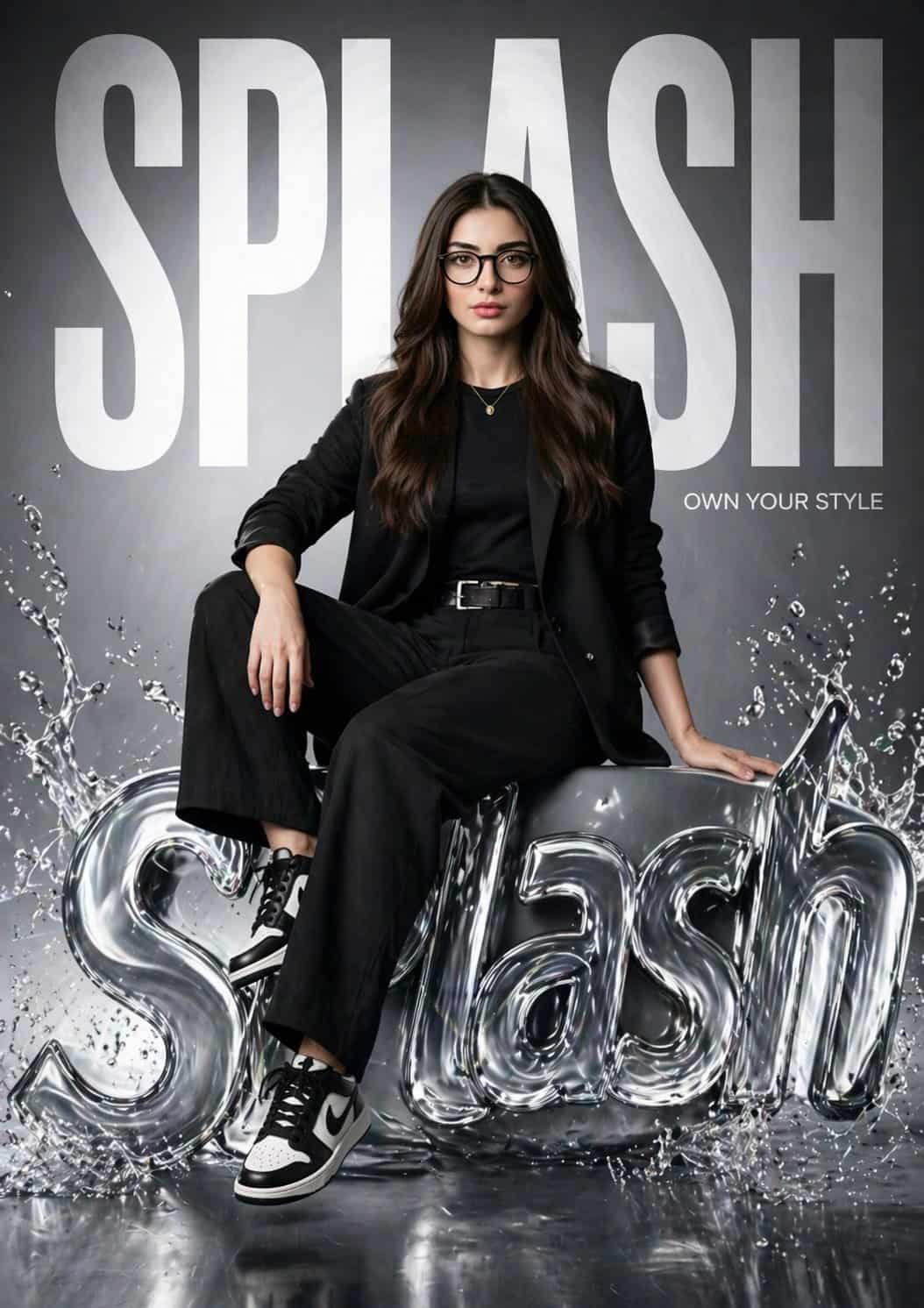
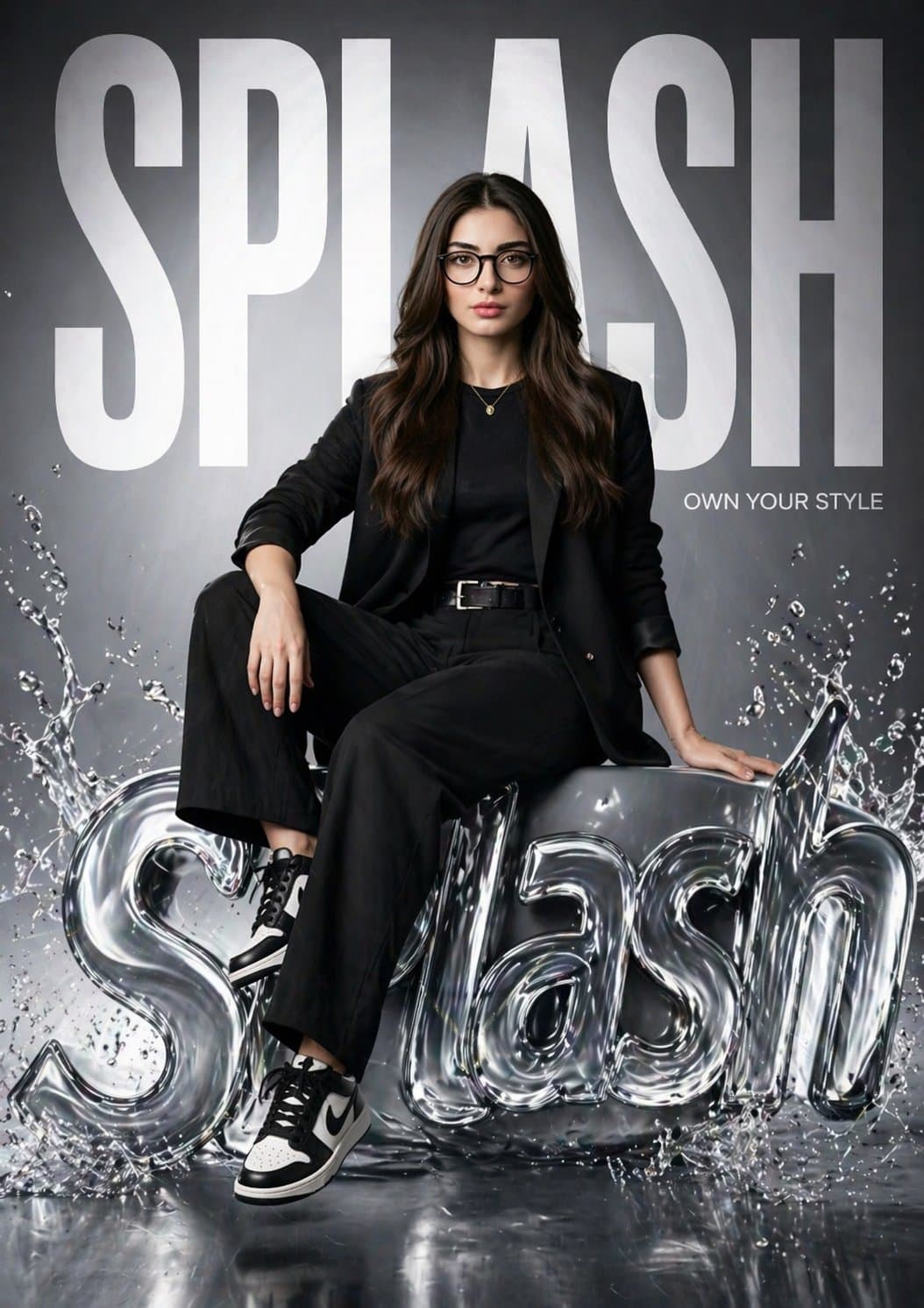
โปสเตอร์แคมเปญที่สมจริงเกินจริงของแบรนด์แฟชั่น SPLASH
สร้างโปสเตอร์แฟชั่นที่สมจริงเกินจริงสำหรับ “SPLASH” ที่มีผู้หญิงคนเดียวกันจากรูปภาพอ้างอิง (ทำให้ใบหน้าของเธอเหมือนกัน 100%) เธอนั่งอย่างมั่นใจบนโลโก้ 3D SPLASH สไตล์ของเหลวมันวาวพร้อมเอฟเฟกต์น้ำกระเซ็น ขาข้างหนึ่งผ่อนค…
พรอมต์
สร้างโปสเตอร์แฟชั่นที่สมจริงเกินจริงสำหรับ “SPLASH” ที่มีผู้หญิงคนเดียวกันจากรูปภาพอ้างอิง (ทำให้ใบหน้าของเธอเหมือนกัน 100%) เธอนั่งอย่างมั่นใจบนโลโก้ 3D SPLASH สไตล์ของเหลวมันวาวพร้อมเอฟเฟกต์น้ำกระเซ็น ขาข้างหนึ่งผ่อนคลาย งอข้างหนึ่ง ท่าทางบรรณาธิการที่แข็งแกร่ง พื้นหลังมีข้อความ "SPLASH" ตัวหนาขนาดใหญ่เต็มกรอบ โดยบางส่วนอยู่ด้านหลังเธอ เพิ่มสโลแกนเล็กๆ: “เป็นเจ้าของสไตล์ของคุณ” การแต่งกาย: สตรีทแฟชั่นสีดำสมัยใหม่ (เบลเซอร์ เสื้อเข้ารูป กางเกงขายาว รองเท้าผ้าใบ) ระบบไฟ: สตูดิโอภาพยนตร์, ไฟซอฟต์คีย์ + ไฟขอบ, ไฮไลท์สะท้อนแสงบนโลโก้ของเหลว สไตล์: แคมเปญแบรนด์หรู (Zara / H&M) สภาพแวดล้อมมันวาวสะอาดตา กล้อง: เลนส์ 85 มม., ระยะชัดตื้น, 8K, รายละเอียดพิเศษ, เหมือนจริง
วิธีการใช้งานพร้อมท์นี้
อ่านข้อความแจ้ง โปสเตอร์แคมเปญที่สมจริงเกินจริงของแบรนด์แฟชั่น SPLASH ฉบับสมบูรณ์ และระบุวัตถุ สไตล์ กล้อง แสง และข้อกำหนดองค์ประกอบก่อนสร้าง
แทนที่ตัวยึดตำแหน่งแบบวงเล็บเหลี่ยมหรือแบบอาร์กิวเมนต์ด้วยข้อกำหนดเกี่ยวกับผลิตภัณฑ์ ตัวละคร แบรนด์ ฉาก ชุดสี หรืออัตราส่วนภาพ
เปิด https://www.gptimagehub.com/th/generate?promptId=cmogwv7v9005hzpdyaswm36y4 สร้างรูปภาพ จากนั้นปรับแต่งข้อความแจ้งด้วยหัวข้อ ข้อความ เค้าโครง หรือข้อจำกัดเชิงลบที่เฉพาะเจาะจงมากขึ้น หากจำเป็น
คำถามที่พบบ่อยพร้อมท์
พรอมต์ โปสเตอร์แคมเปญที่สมจริงเกินจริงของแบรนด์แฟชั่น SPLASH ใช้ทำอะไรได้ดีที่สุด
ข้อความแจ้งนี้เหมาะที่สุดสำหรับอิมเมจ โลโก้และแบรนด์ดิ้ง ที่คุณต้องการโครงสร้างที่นำมาใช้ซ้ำได้ ทิศทางของภาพโดยละเอียด และคุณภาพเอาต์พุตที่สม่ำเสมอ
ฉันสามารถแก้ไขพรอมต์ก่อนสร้างได้หรือไม่
ใช่ ข้อความแจ้งแบบเต็มจะปรากฏบนหน้านี้ เพื่อให้คุณสามารถเปลี่ยนชื่อเรื่อง ชื่อผลิตภัณฑ์ สี องค์ประกอบ ข้อกำหนดของกล้อง อัตราส่วนภาพ และหมายเหตุสไตล์ก่อนการสร้าง
ฉันควรใช้รุ่นใดกับข้อความแจ้งนี้
ใช้โมเดลที่แสดงในข้อมูลเมตาของพรอมต์เป็นจุดเริ่มต้นเริ่มต้น หากรูปภาพรุ่นอื่นรองรับอัตราส่วนภาพและรูปแบบคำสั่งเดียวกัน คุณสามารถปรับข้อความแจ้งและเปรียบเทียบผลลัพธ์ได้