
ภาพถ่ายการตลาดเชิงพาณิชย์ผลิตภัณฑ์ความงาม
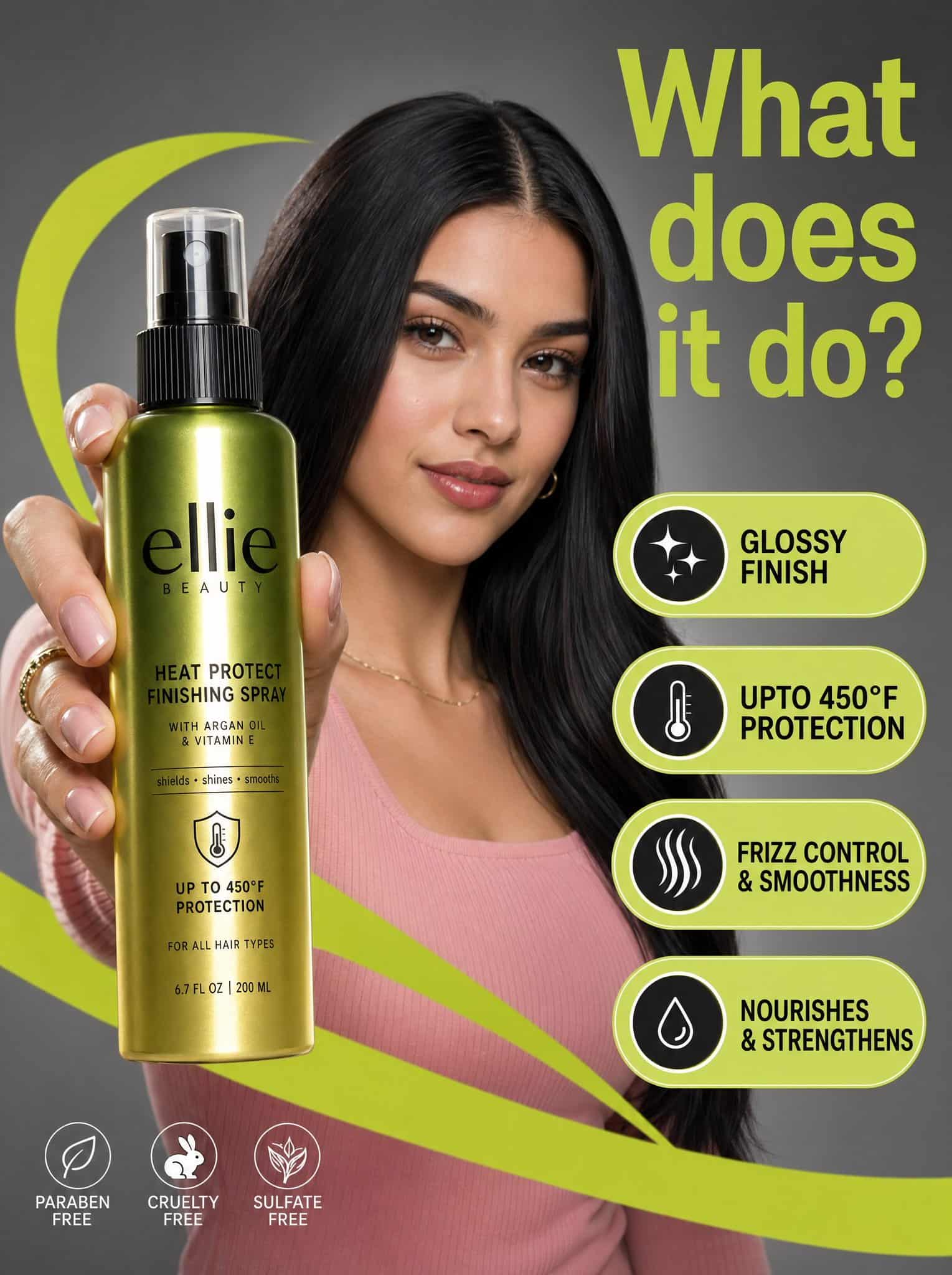
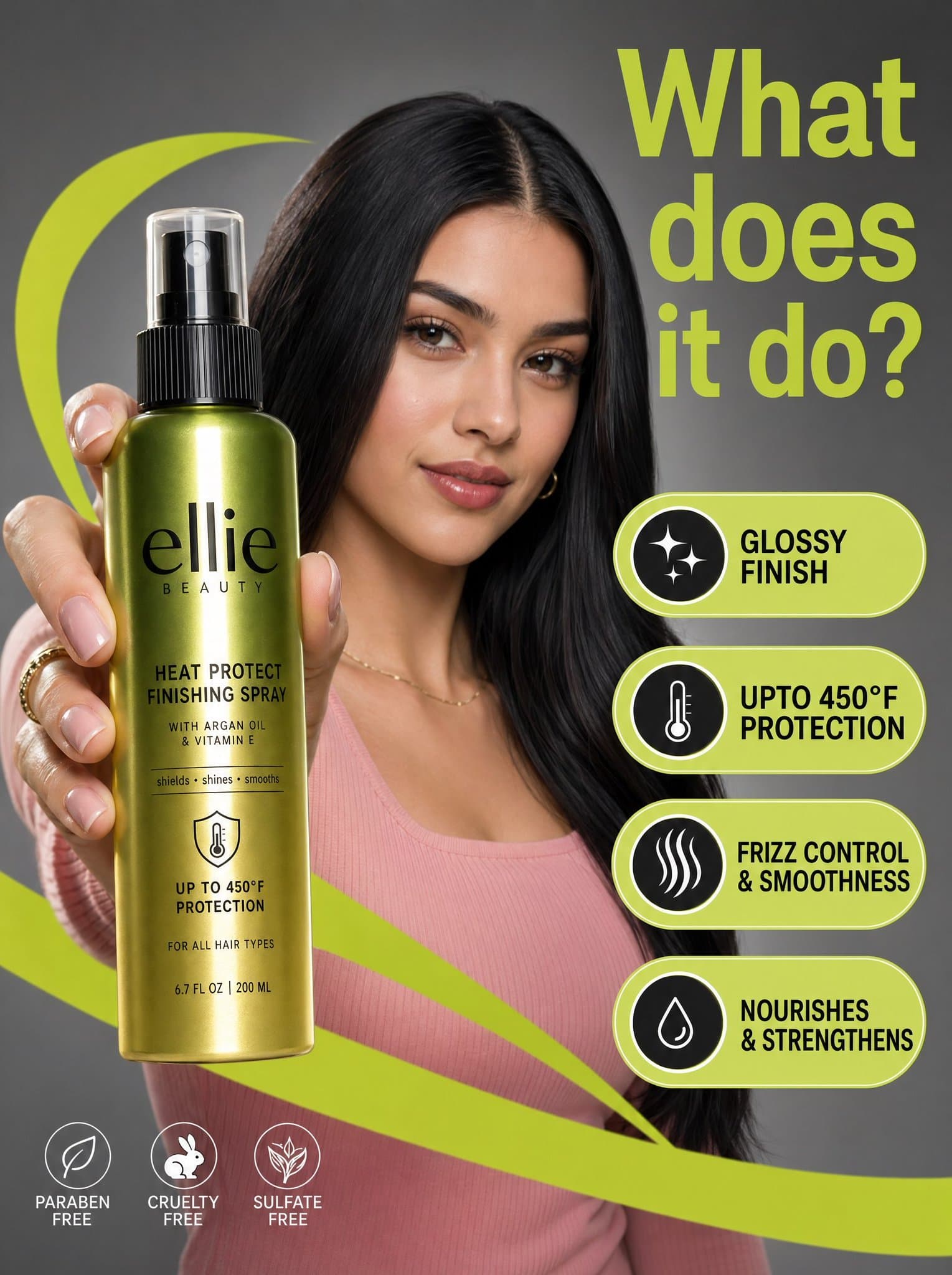
ภาพถ่ายการตลาดเชิงพาณิชย์ที่มีความละเอียดสูงประกอบด้วยหญิงสาวผมสีเข้มเป็นมันเงา และเสื้อลายนูนสีชมพูในฉากสตูดิโอสีเทากลาง โดยมีขวดสเปรย์ Ellie Beauty เคลือบเงาอยู่เบื้องหน้าอย่างโดดเด่น องค์ประกอบดังกล่าวเสริมพลังด้วยกร…
พรอมต์
ภาพถ่ายการตลาดเชิงพาณิชย์ที่มีความละเอียดสูงประกอบด้วยหญิงสาวผมสีเข้มเป็นมันเงา และเสื้อลายนูนสีชมพูในฉากสตูดิโอสีเทากลาง โดยมีขวดสเปรย์ Ellie Beauty เคลือบเงาอยู่เบื้องหน้าอย่างโดดเด่น องค์ประกอบดังกล่าวเสริมพลังด้วยกราฟิกสีเขียวมะนาวที่มีชีวิตชีวา "swooshes" และข้อความเสริมรูปเม็ดยาลอยที่เน้นคุณลักษณะของผลิตภัณฑ์ เช่น "ผิวมันเงา" และ "การปกป้องสูงสุด 450°F" ในข้อความ sans-serif สีดำตัวหนา การจัดแสงกระจายอย่างมืออาชีพ โดยทำให้เกิดไฮไลท์ที่นุ่มนวลบนใบหน้าของนางแบบ ในขณะเดียวกันก็สร้างแสงสะท้อนแนวตั้งที่คมชัดบนฉลากขวดไล่ระดับสีเขียวถึงทองเมทัลลิก ด้านบนของฉากมีพาดหัวสีเขียวมะนาวขนาดใหญ่ที่มุมขวาบนถามว่า "มันทำอะไร" ทั้งหมดนี้สร้างสุนทรียภาพที่สะอาด ทันสมัย และคอนทราสต์สูง พร้อมระยะชัดลึกที่ตื้น ซึ่งทำให้ผลิตภัณฑ์และโมเดลแสดงออกถึงการโฟกัสของตัวแบบได้อย่างโล่งอก
วิธีการใช้งานพร้อมท์นี้
อ่านข้อความแจ้ง ภาพถ่ายการตลาดเชิงพาณิชย์ผลิตภัณฑ์ความงาม ฉบับสมบูรณ์ และระบุวัตถุ สไตล์ กล้อง แสง และข้อกำหนดองค์ประกอบก่อนสร้าง
แทนที่ตัวยึดตำแหน่งแบบวงเล็บเหลี่ยมหรือแบบอาร์กิวเมนต์ด้วยข้อกำหนดเกี่ยวกับผลิตภัณฑ์ ตัวละคร แบรนด์ ฉาก ชุดสี หรืออัตราส่วนภาพ
เปิด https://www.gptimagehub.com/th/generate?promptId=cmogwwell006xzpdywzi7jvuo สร้างรูปภาพ จากนั้นปรับแต่งข้อความแจ้งด้วยหัวข้อ ข้อความ เค้าโครง หรือข้อจำกัดเชิงลบที่เฉพาะเจาะจงมากขึ้น หากจำเป็น
คำถามที่พบบ่อยพร้อมท์
พรอมต์ ภาพถ่ายการตลาดเชิงพาณิชย์ผลิตภัณฑ์ความงาม ใช้ทำอะไรได้ดีที่สุด
ข้อความแจ้งนี้เหมาะที่สุดสำหรับอิมเมจ ออกแบบ ui / ux ที่คุณต้องการโครงสร้างที่นำมาใช้ซ้ำได้ ทิศทางของภาพโดยละเอียด และคุณภาพเอาต์พุตที่สม่ำเสมอ
ฉันสามารถแก้ไขพรอมต์ก่อนสร้างได้หรือไม่
ใช่ ข้อความแจ้งแบบเต็มจะปรากฏบนหน้านี้ เพื่อให้คุณสามารถเปลี่ยนชื่อเรื่อง ชื่อผลิตภัณฑ์ สี องค์ประกอบ ข้อกำหนดของกล้อง อัตราส่วนภาพ และหมายเหตุสไตล์ก่อนการสร้าง
ฉันควรใช้รุ่นใดกับข้อความแจ้งนี้
ใช้โมเดลที่แสดงในข้อมูลเมตาของพรอมต์เป็นจุดเริ่มต้นเริ่มต้น หากรูปภาพรุ่นอื่นรองรับอัตราส่วนภาพและรูปแบบคำสั่งเดียวกัน คุณสามารถปรับข้อความแจ้งและเปรียบเทียบผลลัพธ์ได้