
นักดนตรีออกจาก Bodega Night Cinematic Portrait
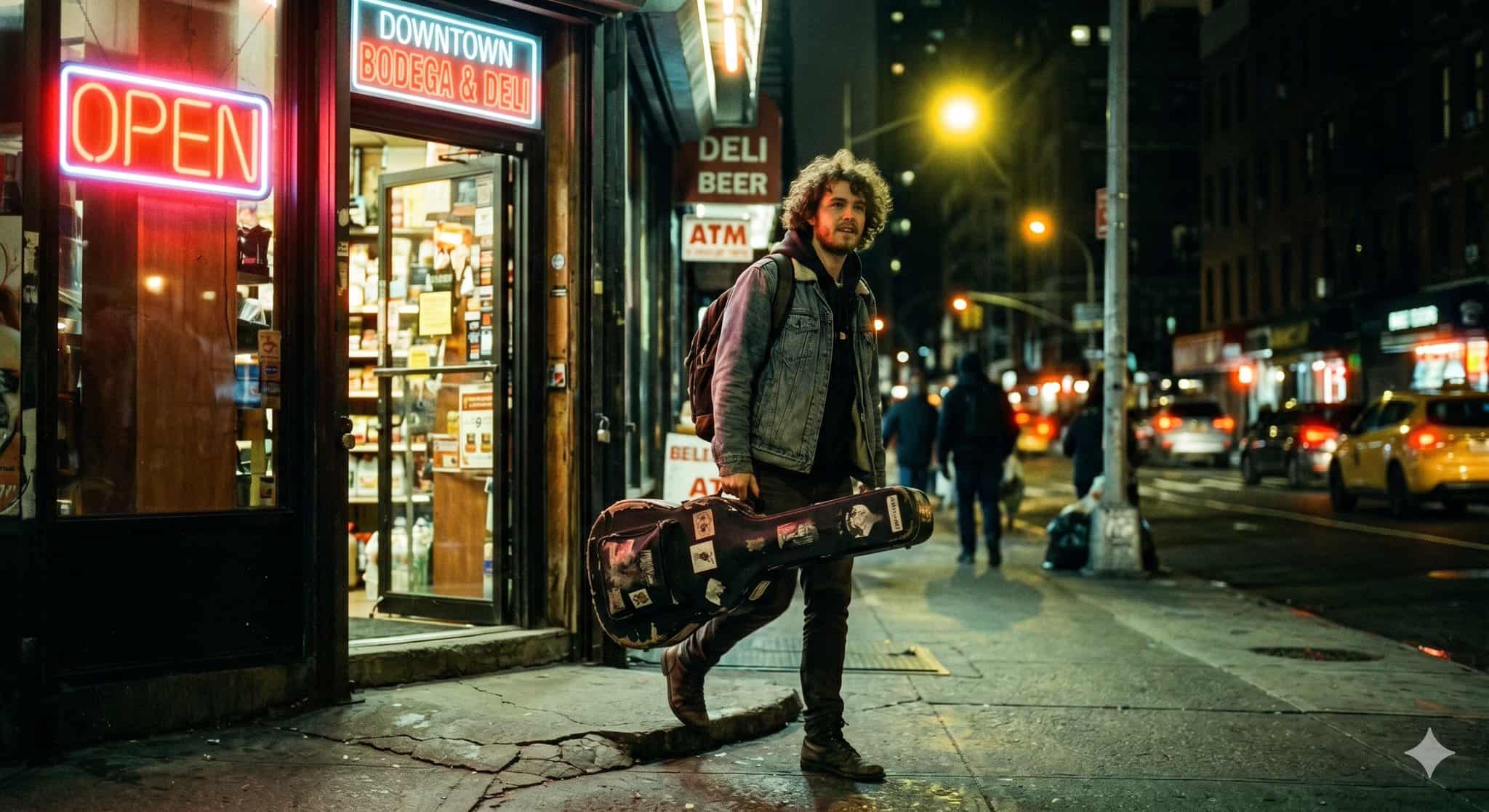
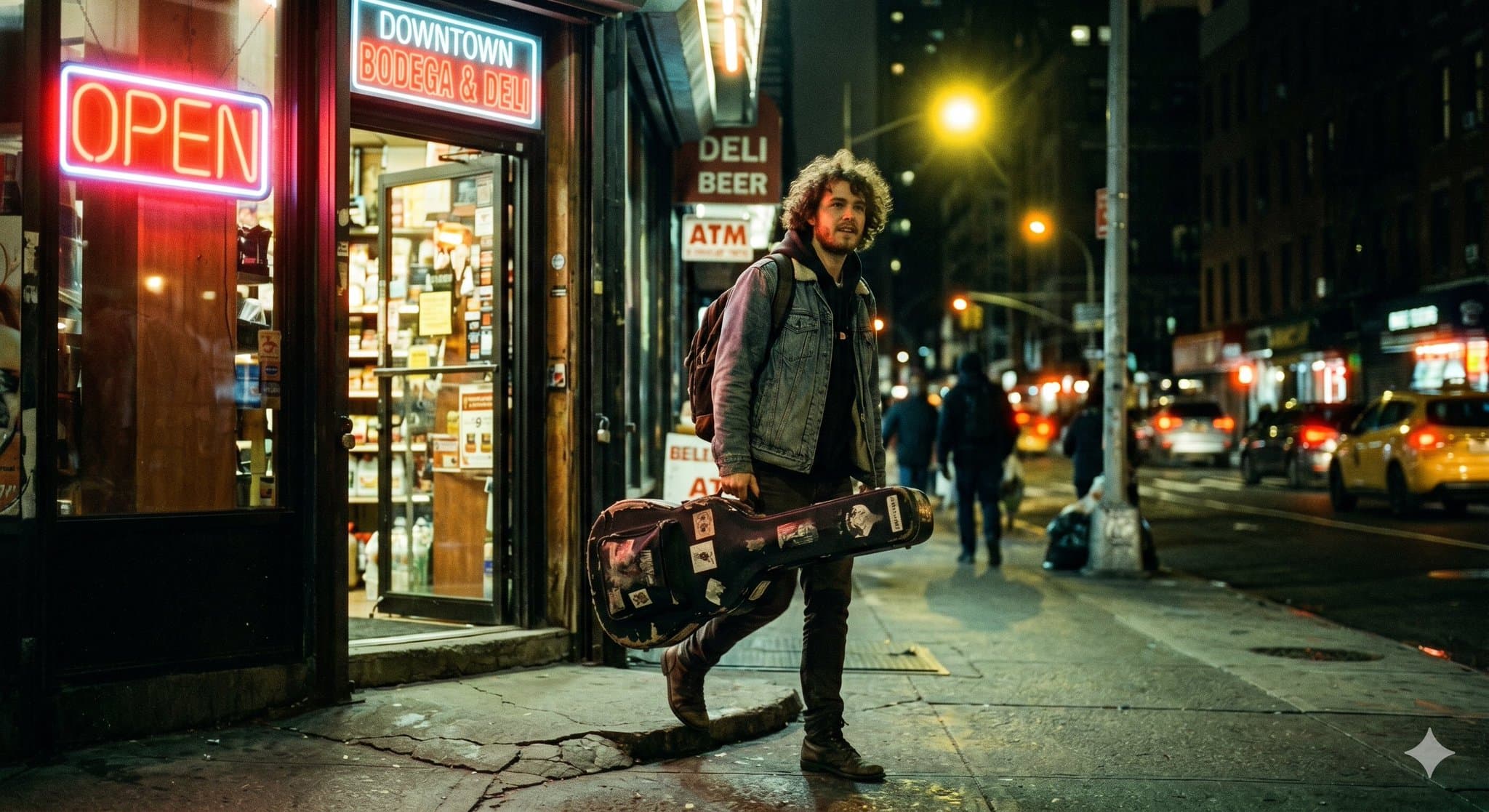
ภาพถ่ายสารคดีคุณภาพปกนิตยสารที่ตรงไปตรงมาของนักดนตรีหนุ่มผมหยิก สะพายกระเป๋ากีตาร์ที่สวมใส่อย่างสบายๆ กำลังก้าวออกจากร้านขายเหล้าสุดคลาสสิกในตัวเมืองเวลา 23.00 น. การจัดแสงมีอุณหภูมิสีผสมที่ซับซ้อน ป้ายไฟนีออน "OPEN" ที…
พรอมต์
ภาพถ่ายสารคดีคุณภาพปกนิตยสารที่ตรงไปตรงมาของนักดนตรีหนุ่มผมหยิก สะพายกระเป๋ากีตาร์ที่สวมใส่อย่างสบายๆ กำลังก้าวออกจากร้านขายเหล้าสุดคลาสสิกในตัวเมืองเวลา 23.00 น. การจัดแสงมีอุณหภูมิสีผสมที่ซับซ้อน ป้ายไฟนีออน "OPEN" ที่สว่างสดใสให้แสงสีแดงอบอุ่นเข้มข้นทั่วใบหน้าของเขา ในขณะที่ไฟถนนสีเหลืองให้แสงย้อนด้านหลังอันโดดเด่น ภาพนี้เลียนแบบฟิล์ม 35 มม. ที่ถ่ายด้วยกล้อง Canon AE-1 ได้อย่างสมบูรณ์แบบด้วยเลนส์ 50 มม. f/1.4 ที่เปิดกว้าง แสดงให้เห็นระยะชัดตื้นโดยที่พื้นหลังเบลออย่างสวยงาม โดยจับภาพความสวยงามที่แท้จริงของฟิล์ม CineStill 800T โดยเฉพาะอย่างยิ่งโดดเด่นด้วยการบานสะพรั่งสีแดงอ่อนอันโดดเด่นที่แผ่ออกมาจากแหล่งกำเนิดแสงนีออน สมดุลสีขาวทังสเตน และเงาสีเขียวเล็กน้อยที่สื่อถึงอารมณ์ในบริเวณที่มืดที่สุด การถ่ายภาพกลางคืนแบบภาพยนตร์ สมจริง รายละเอียดสูง
วิธีการใช้งานพร้อมท์นี้
อ่านข้อความแจ้ง นักดนตรีออกจาก Bodega Night Cinematic Portrait ฉบับสมบูรณ์ และระบุวัตถุ สไตล์ กล้อง แสง และข้อกำหนดองค์ประกอบก่อนสร้าง
แทนที่ตัวยึดตำแหน่งแบบวงเล็บเหลี่ยมหรือแบบอาร์กิวเมนต์ด้วยข้อกำหนดเกี่ยวกับผลิตภัณฑ์ ตัวละคร แบรนด์ ฉาก ชุดสี หรืออัตราส่วนภาพ
เปิด https://www.gptimagehub.com/th/generate?promptId=cmogws4vi001vzpdy5wv8hdhq สร้างรูปภาพ จากนั้นปรับแต่งข้อความแจ้งด้วยหัวข้อ ข้อความ เค้าโครง หรือข้อจำกัดเชิงลบที่เฉพาะเจาะจงมากขึ้น หากจำเป็น
คำถามที่พบบ่อยพร้อมท์
พรอมต์ นักดนตรีออกจาก Bodega Night Cinematic Portrait ใช้ทำอะไรได้ดีที่สุด
ข้อความแจ้งนี้เหมาะที่สุดสำหรับอิมเมจ โลโก้และแบรนด์ดิ้ง ที่คุณต้องการโครงสร้างที่นำมาใช้ซ้ำได้ ทิศทางของภาพโดยละเอียด และคุณภาพเอาต์พุตที่สม่ำเสมอ
ฉันสามารถแก้ไขพรอมต์ก่อนสร้างได้หรือไม่
ใช่ ข้อความแจ้งแบบเต็มจะปรากฏบนหน้านี้ เพื่อให้คุณสามารถเปลี่ยนชื่อเรื่อง ชื่อผลิตภัณฑ์ สี องค์ประกอบ ข้อกำหนดของกล้อง อัตราส่วนภาพ และหมายเหตุสไตล์ก่อนการสร้าง
ฉันควรใช้รุ่นใดกับข้อความแจ้งนี้
ใช้โมเดลที่แสดงในข้อมูลเมตาของพรอมต์เป็นจุดเริ่มต้นเริ่มต้น หากรูปภาพรุ่นอื่นรองรับอัตราส่วนภาพและรูปแบบคำสั่งเดียวกัน คุณสามารถปรับข้อความแจ้งและเปรียบเทียบผลลัพธ์ได้