
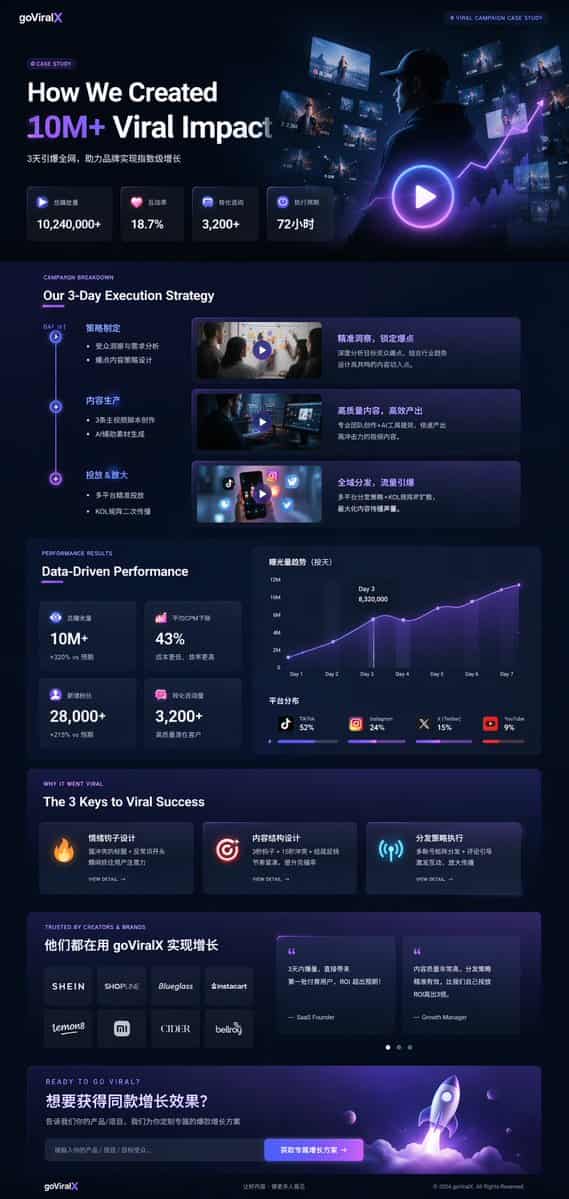
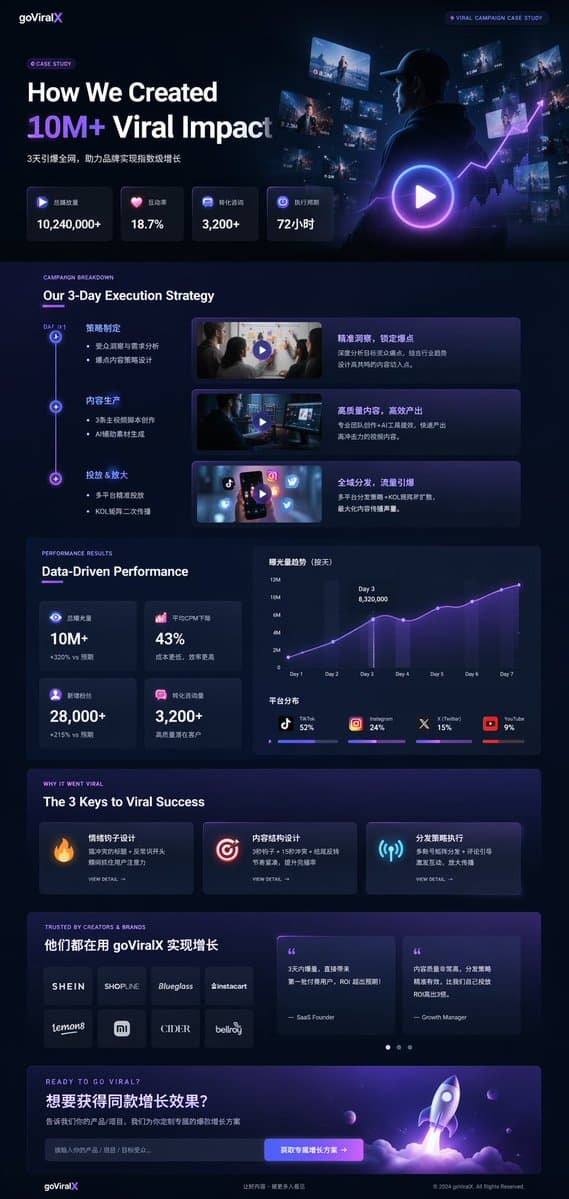
กรณีศึกษาการตลาดในโหมดมืด UI
{ "type": "การจำลองหน้า Landing Page UI/UX", "theme": "โหมดมืด, ความงามทันสมัยทันสมัย, รูปร่างกระจก, {argument name=\"primary accent color\" default=\"neon purple and blue\"} สำเนียงเรืองแสง", "ส่วนหัว": { "logo": "{arg…
พรอมต์
{ "type": "การจำลองหน้า Landing Page UI/UX", "theme": "โหมดมืด, ความงามทันสมัยทันสมัย, รูปร่างกระจก, {argument name=\"primary accent color\" default=\"neon purple and blue\"} สำเนียงเรืองแสง", "ส่วนหัว": { "logo": "{argument name=\"brand name\" default=\"goViralX\"}", "top_right_tag": "กรณีศึกษาแคมเปญไวรัล" }, "เค้าโครง": { "ส่วน": [ { "ชื่อ": "ฮีโร่", "พาดหัว": "{argument name=\"hero headline\" default=\"How We Created 10M+ Viral Impact\"}", "subheadline": "ระเบิดทั้งเครือข่ายใน 3 วัน ช่วยให้แบรนด์ต่างๆ เติบโตแบบก้าวกระโดด", "stats_row": { "นับ": 4, "labels": ["ปริมาณการเล่นทั้งหมด", "อัตราการโต้ตอบ", "การให้คำปรึกษาเกี่ยวกับ Conversion", "รอบการดำเนินการ"], "values": ["{argument name=\"main statistic\" default=\"10,240,000+\"}", "18.7%", "3,200+", "72 ชั่วโมง"] }, "ภาพ": "ภาพภาพยนตร์ของคนในชุดมีฮู้ดมองดูหน้าจอและกราฟดิจิทัลที่เปล่งประกาย มีปุ่มเล่นซ้อนขนาดใหญ่" }, { "ชื่อ": "กลยุทธ์", "title": "กลยุทธ์การดำเนินการ 3 วันของเรา", "layout_type": "ไทม์ไลน์แนวตั้ง", "จำนวนก้าว": 3, "elements_per_step": ["โหนดไทม์ไลน์", "ชื่อ", "หัวข้อย่อย", "ภาพขนาดย่อของวิดีโอพร้อมปุ่มเล่น", "กล่องคำอธิบาย"] }, { "ชื่อ": "ประสิทธิภาพ", "title": "ประสิทธิภาพที่ขับเคลื่อนด้วยข้อมูล", "left_column": { "stat_cards_count": 4, "values": ["10M+", "43%", "28,000+", "3,200+"] }, "right_column": { "charts_count": 2, "chart_1": "กราฟเส้นแสดงการเติบโต 7 วันถึงจุดสูงสุดในวันที่ 3", "chart_2": "แผนภูมิแท่งแนวนอนแสดงการกระจายแพลตฟอร์ม (TikTok 52%, Instagram 24%, X 15%, YouTube 9%)" } }, { "name": "กุญแจสู่ความสำเร็จ", "title": "กุญแจ 3 ประการสู่ความสำเร็จแบบไวรัล", "cards_count": 3, "card_elements": ["ไอคอนเรืองแสง (ไฟ เป้าหมาย เสาอากาศ)", "ชื่อ", "คำอธิบาย", "ดูรายละเอียดลิงก์"] }, { "name": "หลักฐานทางสังคม", "title": "ได้รับความไว้วางใจจากผู้สร้างและแบรนด์", "left_column": { "logos_count": 8, "ตาราง": "2x4", "แบรนด์": ["SHEIN", "SHOPLINE", "Blueglass", "instacart", "lemon8", "mi", "CIDER", "bellroy"] }, "right_column": { "testimonial_cards_count": 2, "elements": ["quote", "ชื่อผู้แต่ง (ผู้ก่อตั้ง SaaS, ผู้จัดการฝ่ายการเติบโต)"] } }, { "name": "คำกระตุ้นการตัดสินใจ", "title": "พร้อมที่จะแพร่ระบาดแล้วหรือยัง?", "interactive_elements": ["ช่องป้อนข้อความ", "ปุ่มเรืองแสงพร้อมข้อความ '{argument name=\"call to action text\" default=\"获取专属增长方案 ->\"}'"], "visual": "การเรนเดอร์ 3 มิติของเรือจรวดที่กำลังบินขึ้นด้วยเปลวไฟสีม่วงและสีน้ำเงิน" } ] } }
วิธีการใช้งานพร้อมท์นี้
อ่านข้อความแจ้ง กรณีศึกษาการตลาดในโหมดมืด UI ฉบับสมบูรณ์ และระบุวัตถุ สไตล์ กล้อง แสง และข้อกำหนดองค์ประกอบก่อนสร้าง
แทนที่ตัวยึดตำแหน่งแบบวงเล็บเหลี่ยมหรือแบบอาร์กิวเมนต์ด้วยข้อกำหนดเกี่ยวกับผลิตภัณฑ์ ตัวละคร แบรนด์ ฉาก ชุดสี หรืออัตราส่วนภาพ
เปิด https://www.gptimagehub.com/th/generate?promptId=cmogx4gaj00ejzpdyjfmpkq4n สร้างรูปภาพ จากนั้นปรับแต่งข้อความแจ้งด้วยหัวข้อ ข้อความ เค้าโครง หรือข้อจำกัดเชิงลบที่เฉพาะเจาะจงมากขึ้น หากจำเป็น
คำถามที่พบบ่อยพร้อมท์
พรอมต์ กรณีศึกษาการตลาดในโหมดมืด UI ใช้ทำอะไรได้ดีที่สุด
ข้อความแจ้งนี้เหมาะที่สุดสำหรับอิมเมจ ออกแบบ ui / ux ที่คุณต้องการโครงสร้างที่นำมาใช้ซ้ำได้ ทิศทางของภาพโดยละเอียด และคุณภาพเอาต์พุตที่สม่ำเสมอ
ฉันสามารถแก้ไขพรอมต์ก่อนสร้างได้หรือไม่
ใช่ ข้อความแจ้งแบบเต็มจะปรากฏบนหน้านี้ เพื่อให้คุณสามารถเปลี่ยนชื่อเรื่อง ชื่อผลิตภัณฑ์ สี องค์ประกอบ ข้อกำหนดของกล้อง อัตราส่วนภาพ และหมายเหตุสไตล์ก่อนการสร้าง
ฉันควรใช้รุ่นใดกับข้อความแจ้งนี้
ใช้โมเดลที่แสดงในข้อมูลเมตาของพรอมต์เป็นจุดเริ่มต้นเริ่มต้น หากรูปภาพรุ่นอื่นรองรับอัตราส่วนภาพและรูปแบบคำสั่งเดียวกัน คุณสามารถปรับข้อความแจ้งและเปรียบเทียบผลลัพธ์ได้