
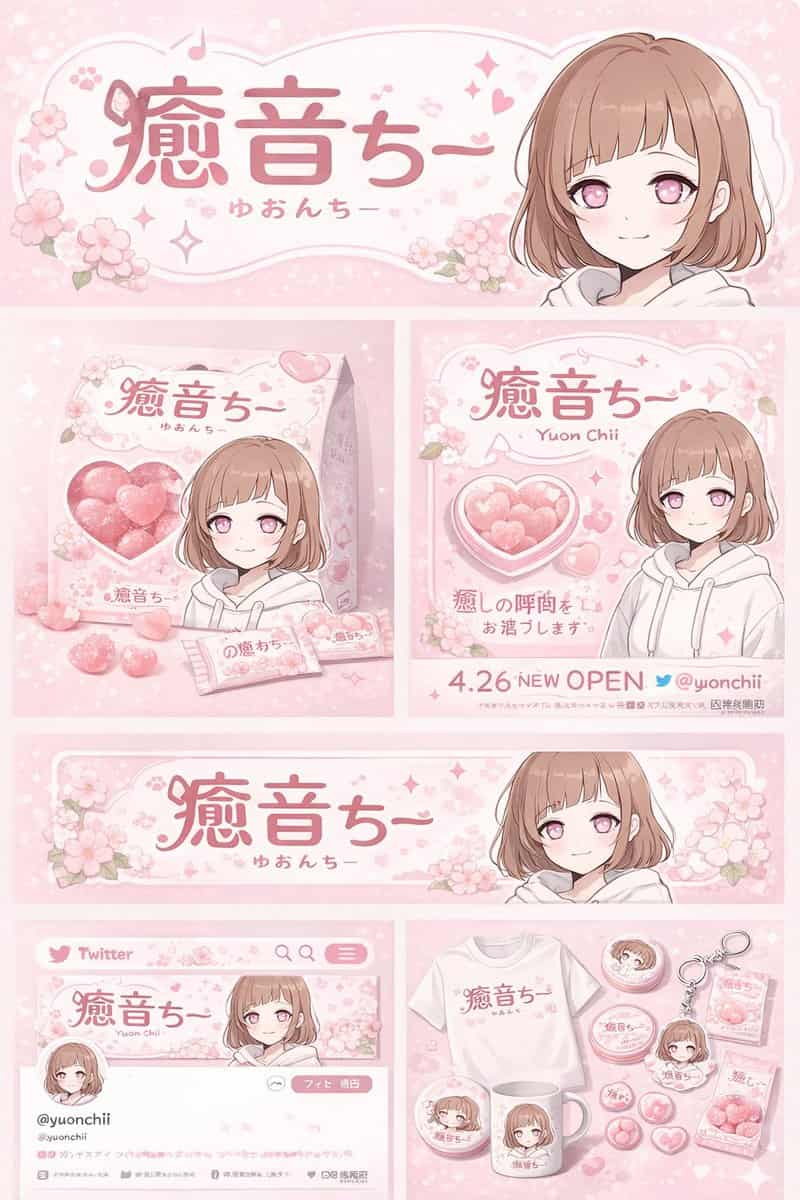
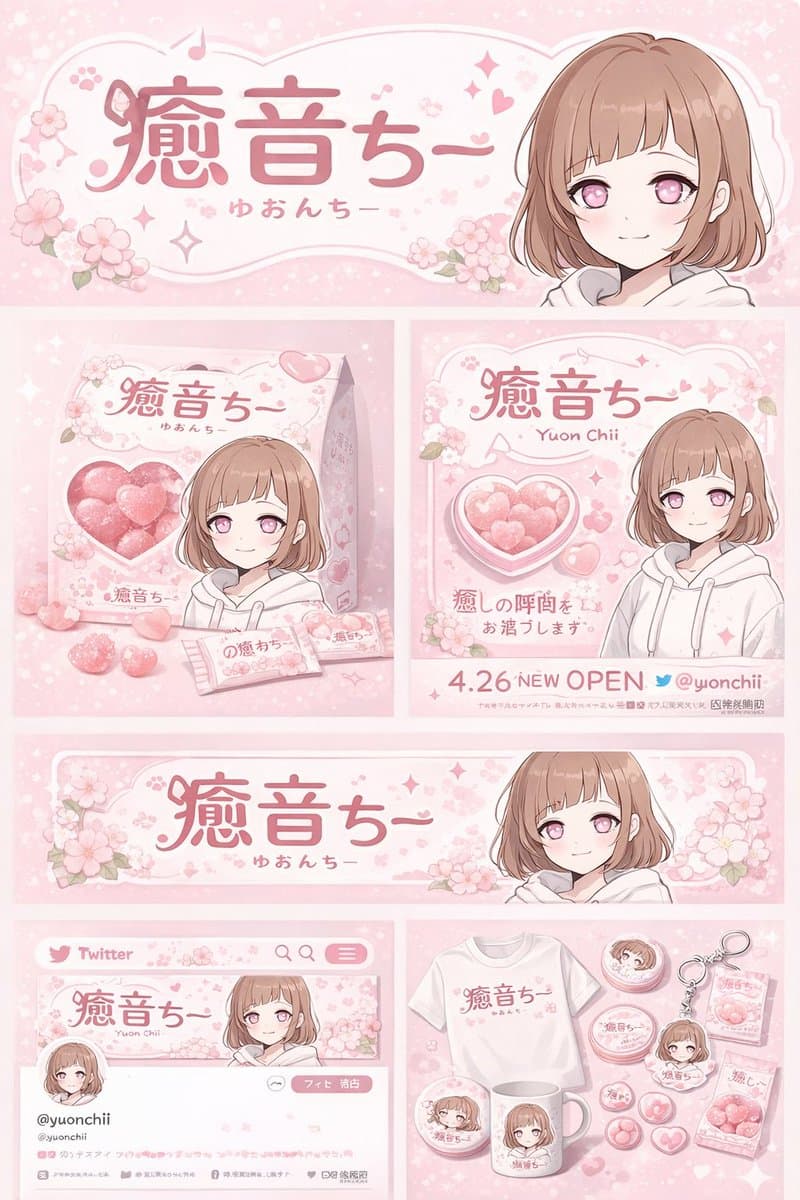
เอกลักษณ์ของแบรนด์ตัวละครอนิเมะและกระดานสินค้า
{ "type": "บอร์ดออกแบบเอกลักษณ์ของแบรนด์และสินค้า", "theme": { "color_palette": "{argument name=\"theme color\" default=\"pastel pink\"} และสีขาว", "motif": "{argument name=\"motif\" default=\"cherry blossoms\"} และหัวใ…
พรอมต์
{ "type": "บอร์ดออกแบบเอกลักษณ์ของแบรนด์และสินค้า", "theme": { "color_palette": "{argument name=\"theme color\" default=\"pastel pink\"} และสีขาว", "motif": "{argument name=\"motif\" default=\"cherry blossoms\"} และหัวใจสีชมพู" }, "character": { "description": "อะนิเมะสาวผมสั้นสีน้ำตาล ตาสีชมพู สวมเสื้อฮู้ดสีขาว ยิ้มอ่อนโยน" }, "branding": { "main_logo": "{argument name=\"character name\" default=\"癒音ちー\"}", "sub_logo": "{argument name=\"character subtext\" default=\"ゆおんちー\"}" }, "layout": { "sections": [ { "type": "แบนเนอร์ส่วนหัว", "position": "ด้านบน", "elements": [ "โลโก้หลักขนาดใหญ่", "โลโก้ย่อย", "กราฟิกดอกซากุระ", "ภาพตัวละครทางด้านขวา" ] }, { "type": "บรรจุภัณฑ์ของผลิตภัณฑ์", "position": "ตรงกลางซ้าย", "elements": [ "กล่องสี่เหลี่ยม 1 ช่อง หน้าต่างใสรูปหัวใจ โชว์ลูกกวาดหัวใจสีชมพู", "ภาพประกอบตัวละครบนกล่อง", "ห่อขนม 2 อัน", "ลูกอมหัวใจ 5 อันที่กระจัดกระจาย" ] }, { "type": "โปสเตอร์ส่งเสริมการขาย", "position": "ตรงกลางขวา", "elements": [ "ภาพตัวละคร", "ชามขนมรูปหัวใจ", "โลโก้หลัก", "ข้อความ '4.26 เปิดใหม่'", "ข้อความ '{argument name=\"social handle\" default=\"@yuonchii\"}'" ] }, { "type": "แบนเนอร์เว็บแนวนอน", "position": "กลางล่าง", "elements": [ "โลโก้หลัก", "ดอกซากุระ", "ภาพตัวละครทางด้านขวา" ] }, { "type": "แบบจำลองโปรไฟล์โซเชียลมีเดีย", "position": "ล่างซ้าย", "elements": [ "รูปภาพส่วนหัวพร้อมโลโก้", "รูปโปรไฟล์วงกลม 1 รูป", "แฮนด์ '{argument name=\"social handle\" default=\"@yuonchii\"}'", "1 ปุ่มติดตาม", "ข้อความชีวภาพจำลอง" ] }, { "type": "การรวบรวมสินค้า", "position": "ล่างขวา", "count": 9, "items": [ "เสื้อยืดสีขาว 1 ตัวพร้อมโลโก้", "แก้วมัคสีขาวพร้อมตัวอักษร 1 ใบ", "เข็มกลัดกลม 4 อัน", "พวงกุญแจอะคริลิค 1 อัน", "ลูกอม 2 ซอง" ] } ] } }
วิธีการใช้งานพร้อมท์นี้
อ่านข้อความแจ้ง เอกลักษณ์ของแบรนด์ตัวละครอนิเมะและกระดานสินค้า ฉบับสมบูรณ์ และระบุวัตถุ สไตล์ กล้อง แสง และข้อกำหนดองค์ประกอบก่อนสร้าง
แทนที่ตัวยึดตำแหน่งแบบวงเล็บเหลี่ยมหรือแบบอาร์กิวเมนต์ด้วยข้อกำหนดเกี่ยวกับผลิตภัณฑ์ ตัวละคร แบรนด์ ฉาก ชุดสี หรืออัตราส่วนภาพ
เปิด https://www.gptimagehub.com/th/generate?promptId=cmogx4ed300ehzpdy31x8cahf สร้างรูปภาพ จากนั้นปรับแต่งข้อความแจ้งด้วยหัวข้อ ข้อความ เค้าโครง หรือข้อจำกัดเชิงลบที่เฉพาะเจาะจงมากขึ้น หากจำเป็น
คำถามที่พบบ่อยพร้อมท์
พรอมต์ เอกลักษณ์ของแบรนด์ตัวละครอนิเมะและกระดานสินค้า ใช้ทำอะไรได้ดีที่สุด
ข้อความแจ้งนี้เหมาะที่สุดสำหรับอิมเมจ โลโก้และแบรนด์ดิ้ง ที่คุณต้องการโครงสร้างที่นำมาใช้ซ้ำได้ ทิศทางของภาพโดยละเอียด และคุณภาพเอาต์พุตที่สม่ำเสมอ
ฉันสามารถแก้ไขพรอมต์ก่อนสร้างได้หรือไม่
ใช่ ข้อความแจ้งแบบเต็มจะปรากฏบนหน้านี้ เพื่อให้คุณสามารถเปลี่ยนชื่อเรื่อง ชื่อผลิตภัณฑ์ สี องค์ประกอบ ข้อกำหนดของกล้อง อัตราส่วนภาพ และหมายเหตุสไตล์ก่อนการสร้าง
ฉันควรใช้รุ่นใดกับข้อความแจ้งนี้
ใช้โมเดลที่แสดงในข้อมูลเมตาของพรอมต์เป็นจุดเริ่มต้นเริ่มต้น หากรูปภาพรุ่นอื่นรองรับอัตราส่วนภาพและรูปแบบคำสั่งเดียวกัน คุณสามารถปรับข้อความแจ้งและเปรียบเทียบผลลัพธ์ได้