
แผนที่ RPG ไปยังฉากกิจกรรมอนิเมะ
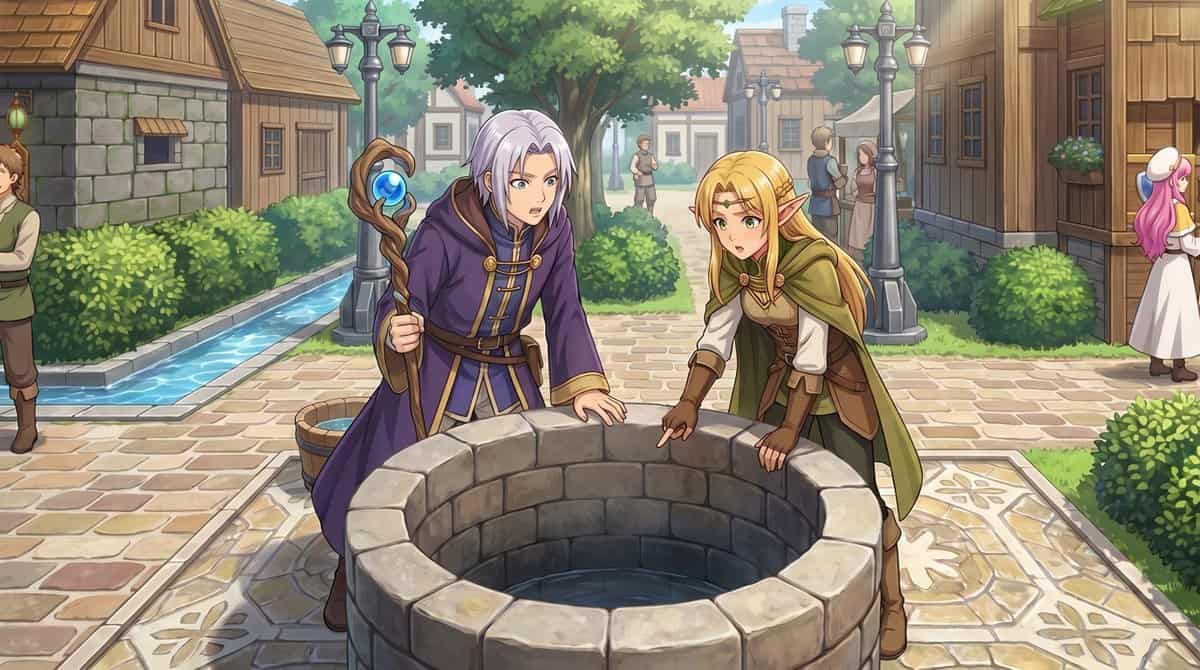
ใช้รูปภาพอ้างอิงที่ให้มา แปลงแผนที่เมือง RPG จากบนลงล่างให้เป็นภาพประกอบเหตุการณ์สไตล์อนิเมะที่สวยงามจากมุมมองระดับสายตาของมนุษย์ รักษาตำแหน่งของหมู่บ้านและรูปแบบผังเมืองให้เหมือนเดิม ได้แก่ บ่อน้ำหินกลาง โครงข่ายเส้นทา…
พรอมต์
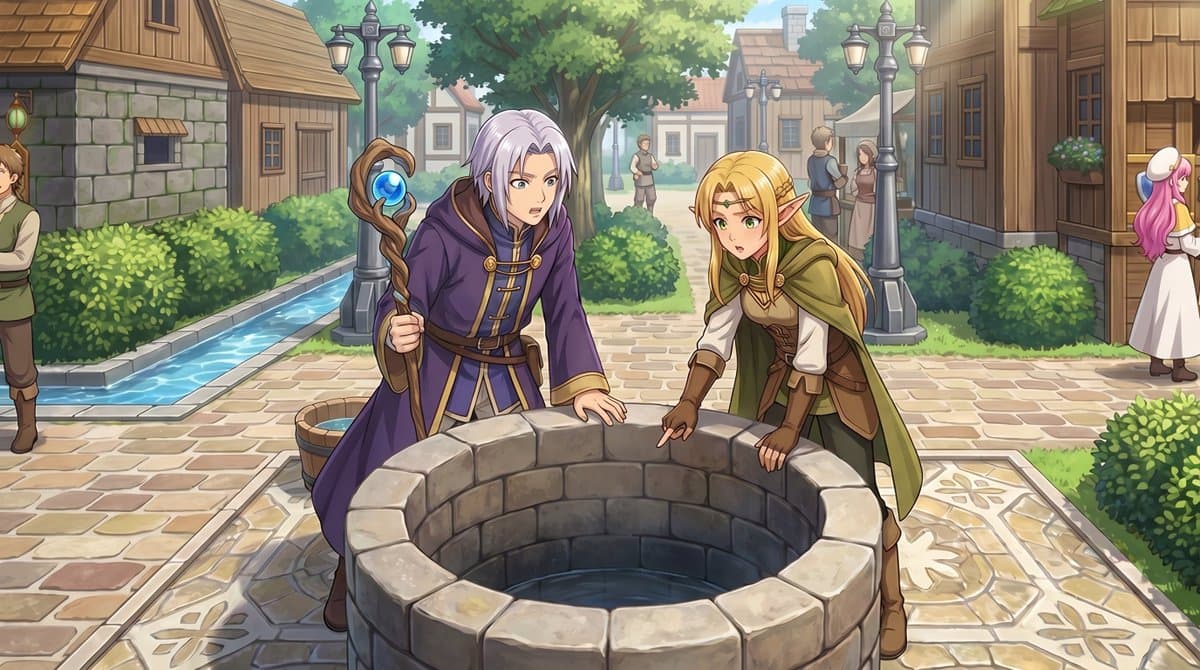
ใช้รูปภาพอ้างอิงที่ให้มา แปลงแผนที่เมือง RPG จากบนลงล่างให้เป็นภาพประกอบเหตุการณ์สไตล์อนิเมะที่สวยงามจากมุมมองระดับสายตาของมนุษย์ รักษาตำแหน่งของหมู่บ้านและรูปแบบผังเมืองให้เหมือนเดิม ได้แก่ บ่อน้ำหินกลาง โครงข่ายเส้นทาง พุ่มไม้ บ้านไม้ และคลองน้ำแคบๆ ทางด้านซ้าย แปลงตัวละครสไปรท์ตัวเล็ก 2 ตัวข้างบ่อน้ำให้เป็นตัวละครแฟนตาซีขนาดเต็ม 2 ตัวในเบื้องหน้า: นักเวทย์ผมสีเงินในชุดคลุมสีม่วงถือไม้เท้า และเอลฟ์ผมบลอนด์ในชุดนักผจญภัยสีเขียวและน้ำตาล ทั้งสองเอนกายและมองเข้าไปในบ่อน้ำ เพิ่มความรู้สึก JRPG แบบภาพยนตร์ด้วยแสงกลางวันที่นุ่มนวล การเรนเดอร์แบบจิตรกรที่มีรายละเอียด ลายเส้นที่สะอาดตา และความชัดลึกที่นุ่มนวล รักษาความรู้สึกว่าฉากนี้เกิดขึ้นในจัตุรัสกลางเมืองเดียวกัน แต่เพิ่มคุณค่าด้วยมุมมองธรรมชาติ รายละเอียดสิ่งแวดล้อมที่มากขึ้น และชาวบ้านเบื้องหลัง 5 คน: ชาย 1 คนครอบตัดที่ขอบด้านซ้ายสุด ร่างเล็ก 2 ตัวยืนอยู่บนเส้นทางตรงกลางในระยะไกล และชาวเมือง 2 คนกำลังพูดใกล้อาคารทางด้านขวา
วิธีการใช้งานพร้อมท์นี้
อ่านข้อความแจ้ง แผนที่ RPG ไปยังฉากกิจกรรมอนิเมะ ฉบับสมบูรณ์ และระบุวัตถุ สไตล์ กล้อง แสง และข้อกำหนดองค์ประกอบก่อนสร้าง
แทนที่ตัวยึดตำแหน่งแบบวงเล็บเหลี่ยมหรือแบบอาร์กิวเมนต์ด้วยข้อกำหนดเกี่ยวกับผลิตภัณฑ์ ตัวละคร แบรนด์ ฉาก ชุดสี หรืออัตราส่วนภาพ
เปิด https://www.gptimagehub.com/th/generate?promptId=cmogx473m00ebzpdyk7jsubiq สร้างรูปภาพ จากนั้นปรับแต่งข้อความแจ้งด้วยหัวข้อ ข้อความ เค้าโครง หรือข้อจำกัดเชิงลบที่เฉพาะเจาะจงมากขึ้น หากจำเป็น
คำถามที่พบบ่อยพร้อมท์
พรอมต์ แผนที่ RPG ไปยังฉากกิจกรรมอนิเมะ ใช้ทำอะไรได้ดีที่สุด
ข้อความแจ้งนี้เหมาะที่สุดสำหรับอิมเมจ แอสเซ็ตเกม ที่คุณต้องการโครงสร้างที่นำมาใช้ซ้ำได้ ทิศทางของภาพโดยละเอียด และคุณภาพเอาต์พุตที่สม่ำเสมอ
ฉันสามารถแก้ไขพรอมต์ก่อนสร้างได้หรือไม่
ใช่ ข้อความแจ้งแบบเต็มจะปรากฏบนหน้านี้ เพื่อให้คุณสามารถเปลี่ยนชื่อเรื่อง ชื่อผลิตภัณฑ์ สี องค์ประกอบ ข้อกำหนดของกล้อง อัตราส่วนภาพ และหมายเหตุสไตล์ก่อนการสร้าง
ฉันควรใช้รุ่นใดกับข้อความแจ้งนี้
ใช้โมเดลที่แสดงในข้อมูลเมตาของพรอมต์เป็นจุดเริ่มต้นเริ่มต้น หากรูปภาพรุ่นอื่นรองรับอัตราส่วนภาพและรูปแบบคำสั่งเดียวกัน คุณสามารถปรับข้อความแจ้งและเปรียบเทียบผลลัพธ์ได้