
การแปลงพื้นหลังพิพิธภัณฑ์อะนิเมะ
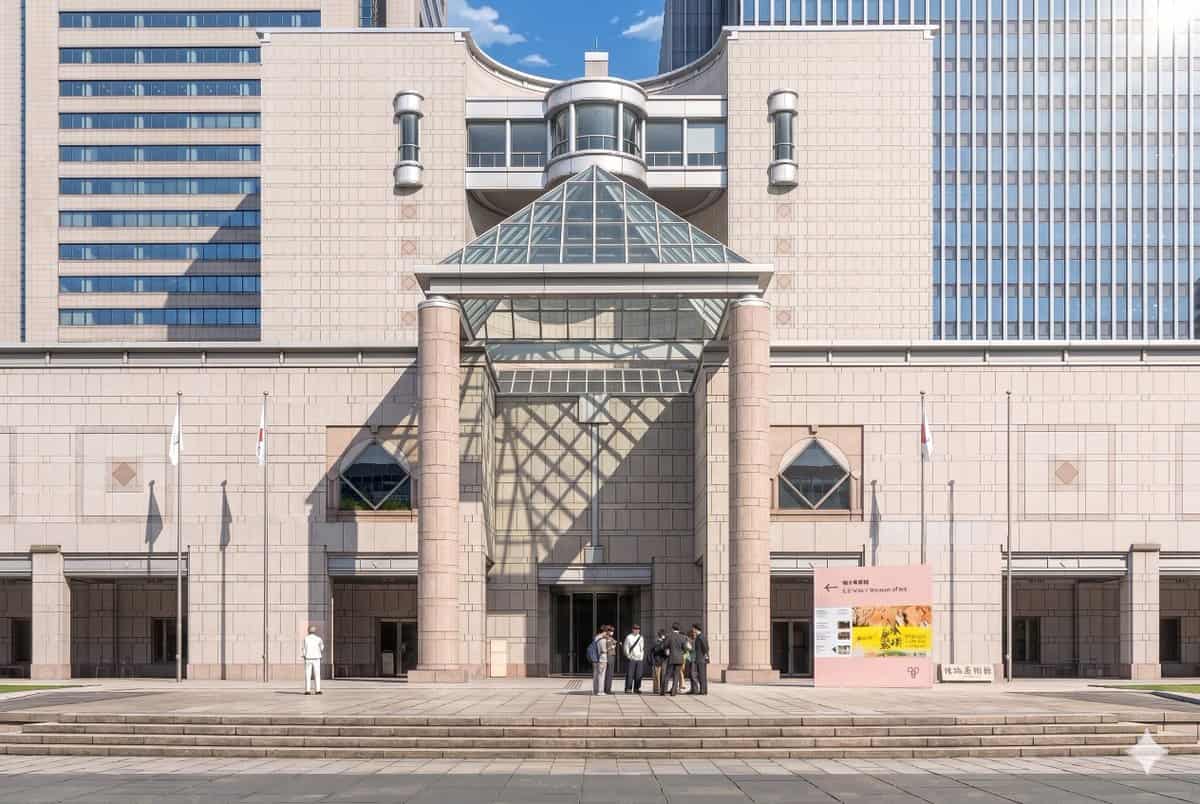
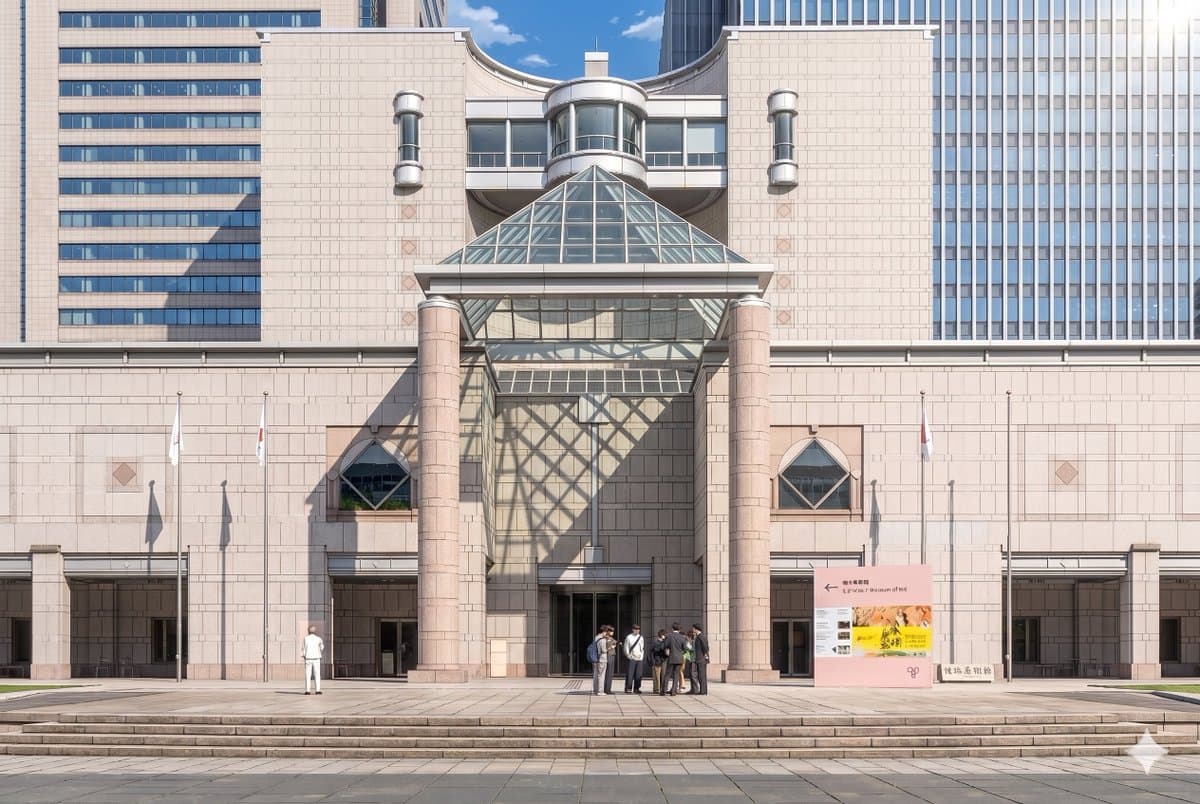
ใช้ภาพถ่ายอ้างอิงที่ให้มา สร้างส่วนหน้าของพิพิธภัณฑ์และองค์ประกอบด้านหน้าขึ้นใหม่เป็นภาพประกอบพื้นหลังอนิเมะละครที่สวยงาม รักษาสถาปัตยกรรม ป้าย เสาธง 3 เสา ขั้นกว้าง และเลย์เอาต์โดยรวมให้สอดคล้องกัน แต่แปลงภาพจากการถ่าย…
พรอมต์
ใช้ภาพถ่ายอ้างอิงที่ให้มา สร้างส่วนหน้าของพิพิธภัณฑ์และองค์ประกอบด้านหน้าขึ้นใหม่เป็นภาพประกอบพื้นหลังอนิเมะละครที่สวยงาม รักษาสถาปัตยกรรม ป้าย เสาธง 3 เสา ขั้นกว้าง และเลย์เอาต์โดยรวมให้สอดคล้องกัน แต่แปลงภาพจากการถ่ายภาพสมจริงให้เป็นสไตล์ภาพยนตร์อนิเมะที่วาดด้วยมือที่มีรายละเอียดสูง ด้วยเส้นสายที่สะอาดตา การแรเงาเซลแบบอ่อน สีหินพาสเทลที่อ่อนโยน และแสงบรรยากาศที่คมชัด เพิ่มแสงแดดอันน่าทึ่งจากมุมบนขวาเพื่อให้ปิรามิดแก้วทอดเงาตาข่ายเรขาคณิตขนาดใหญ่พาดผ่านผนังกลางและด้านซ้ายของทางเข้า ลดความซับซ้อนและจัดรูปแบบผู้คนให้กลายเป็นตัวละครพื้นหลังอนิเมะ โดยเก็บ 2 กลุ่มที่มองเห็นได้: 1 รูปเดี่ยวทางด้านซ้าย และ 1 กลุ่มเล็กๆ จำนวน 7 คน ใกล้กับทางเข้าตรงกลางขวา รักษาอารมณ์ในเวลากลางวันสีฟ้าใส ขณะเดียวกันก็ทำให้ฉากดูหรูหรา ประณีต และเหมือนภาพยนตร์
วิธีการใช้งานพร้อมท์นี้
อ่านข้อความแจ้ง การแปลงพื้นหลังพิพิธภัณฑ์อะนิเมะ ฉบับสมบูรณ์ และระบุวัตถุ สไตล์ กล้อง แสง และข้อกำหนดองค์ประกอบก่อนสร้าง
แทนที่ตัวยึดตำแหน่งแบบวงเล็บเหลี่ยมหรือแบบอาร์กิวเมนต์ด้วยข้อกำหนดเกี่ยวกับผลิตภัณฑ์ ตัวละคร แบรนด์ ฉาก ชุดสี หรืออัตราส่วนภาพ
เปิด https://www.gptimagehub.com/th/generate?promptId=cmogx3mgt00dvzpdy0t3buci9 สร้างรูปภาพ จากนั้นปรับแต่งข้อความแจ้งด้วยหัวข้อ ข้อความ เค้าโครง หรือข้อจำกัดเชิงลบที่เฉพาะเจาะจงมากขึ้น หากจำเป็น
คำถามที่พบบ่อยพร้อมท์
พรอมต์ การแปลงพื้นหลังพิพิธภัณฑ์อะนิเมะ ใช้ทำอะไรได้ดีที่สุด
ข้อความแจ้งนี้เหมาะที่สุดสำหรับอิมเมจ อนิเมะ / มังงะ ที่คุณต้องการโครงสร้างที่นำมาใช้ซ้ำได้ ทิศทางของภาพโดยละเอียด และคุณภาพเอาต์พุตที่สม่ำเสมอ
ฉันสามารถแก้ไขพรอมต์ก่อนสร้างได้หรือไม่
ใช่ ข้อความแจ้งแบบเต็มจะปรากฏบนหน้านี้ เพื่อให้คุณสามารถเปลี่ยนชื่อเรื่อง ชื่อผลิตภัณฑ์ สี องค์ประกอบ ข้อกำหนดของกล้อง อัตราส่วนภาพ และหมายเหตุสไตล์ก่อนการสร้าง
ฉันควรใช้รุ่นใดกับข้อความแจ้งนี้
ใช้โมเดลที่แสดงในข้อมูลเมตาของพรอมต์เป็นจุดเริ่มต้นเริ่มต้น หากรูปภาพรุ่นอื่นรองรับอัตราส่วนภาพและรูปแบบคำสั่งเดียวกัน คุณสามารถปรับข้อความแจ้งและเปรียบเทียบผลลัพธ์ได้