
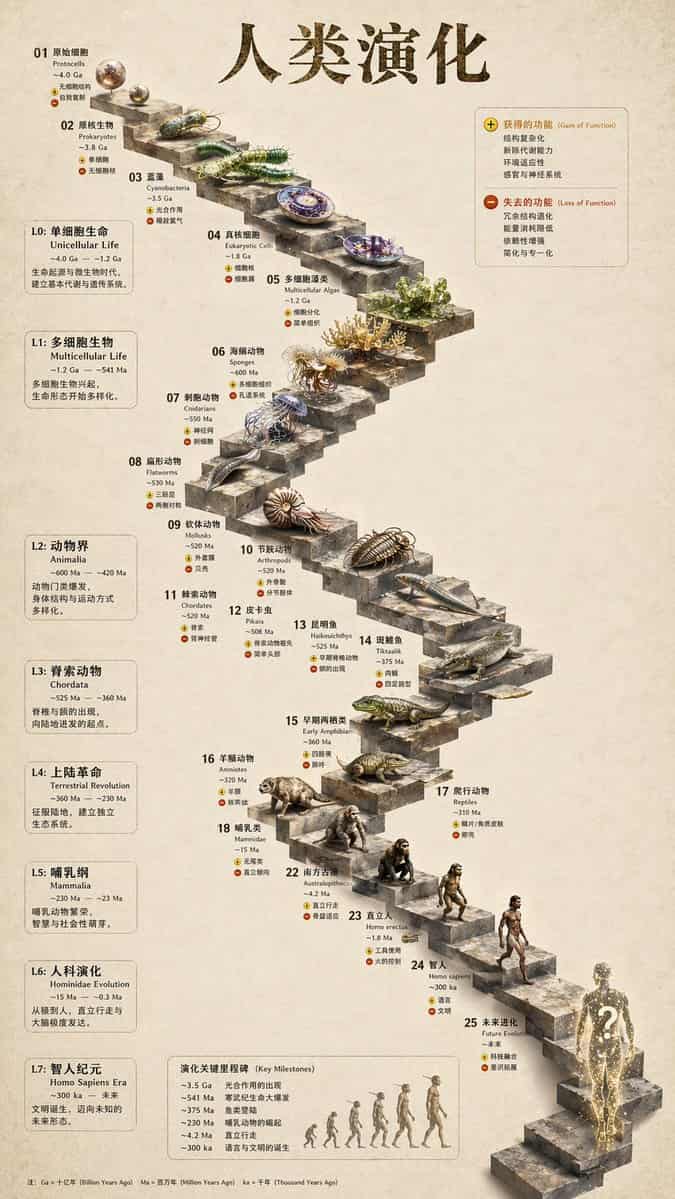
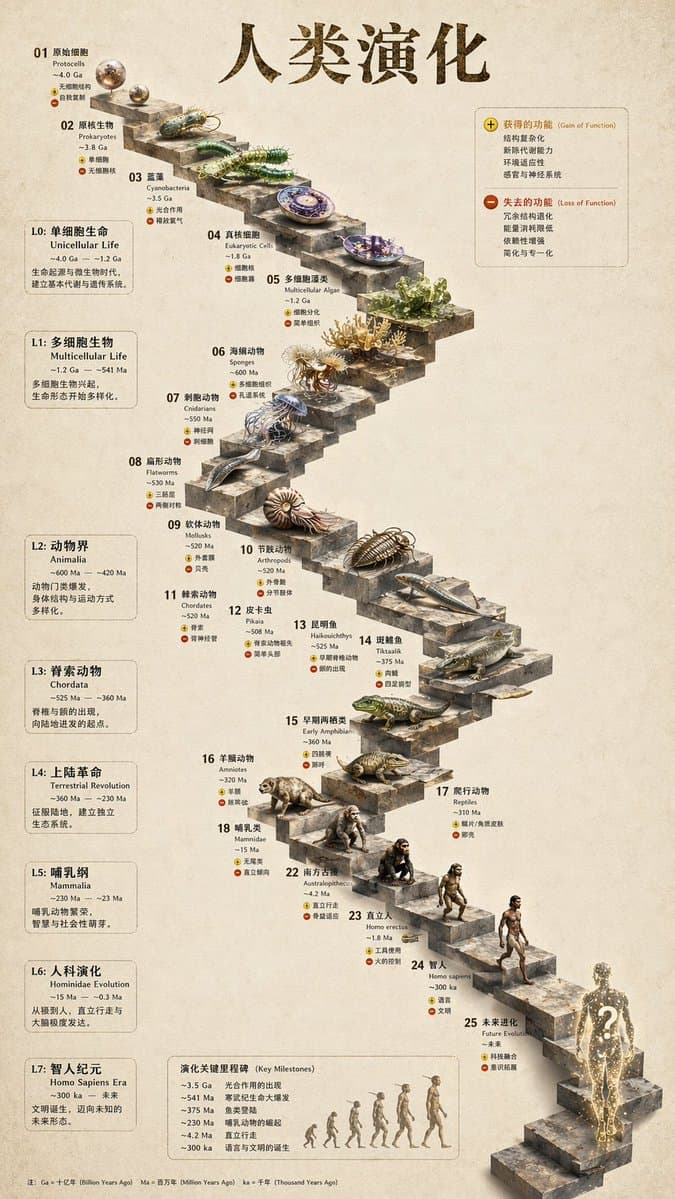
3D อินโฟกราฟิกวิวัฒนาการบันไดหิน
{ "type": "อินโฟกราฟิกไทม์ไลน์วิวัฒนาการ", "instruction": "การใช้ REFERENCE_0 เป็นฐานโครงสร้าง แปลงการออกแบบเวกเตอร์แบบเรียบๆ ให้เป็นอินโฟกราฟิก 3 มิติที่สมจริงอย่างมาก แทนที่ทางลาดเรียบๆ ด้วยขั้นบันไดหินที่แตกต่างกัน แ…
พรอมต์
{ "type": "อินโฟกราฟิกไทม์ไลน์วิวัฒนาการ", "instruction": "การใช้ REFERENCE_0 เป็นฐานโครงสร้าง แปลงการออกแบบเวกเตอร์แบบเรียบๆ ให้เป็นอินโฟกราฟิก 3 มิติที่สมจริงอย่างมาก แทนที่ทางลาดเรียบๆ ด้วยขั้นบันไดหินที่แตกต่างกัน และอัปเกรดสิ่งมีชีวิตทั้งหมดให้เป็นโมเดล 3 มิติที่เหมือนจริง", "สไตล์": { "พื้นหลัง": "{argument name=\"background style\" default=\"vintage textured parchment paper\"}", "บันได": "{argument name=\"staircase material\" default=\"realistic textured stone blocks\"}", "วิชา": "{argument name=\"organism style\" default=\"highly detailed photorealistic 3D renders\"}" }, "เค้าโครง": { "main_title": "{argument name=\"main title\" default=\"人类演化\"}", "ส่วน": [ { "position": "แถบด้านข้างซ้าย", "นับ": 8, "labels": ["L0: ชีวิตเซลล์เดียว", "L1: สิ่งมีชีวิตหลายเซลล์", "L2: Animalia", "L3: Chordata", "L4: การปฏิวัติภาคพื้นดิน", "L5: Mammalia", "L6: วิวัฒนาการ Hominin", "L7: ยุคของ Homo sapiens"] }, { "ตำแหน่ง": "บนขวา", "title": "ได้รับฟังก์ชัน / สูญเสียฟังก์ชัน", "description": "คำอธิบายพร้อมไอคอนบวกและลบ" }, { "position": "ตรงกลางด้านล่าง", "title": "เหตุการณ์สำคัญในวิวัฒนาการ", "นับ": 6, "description": "ไทม์ไลน์พร้อมกราฟิกภาพเงาของตัวเลข 6 ตัวที่แสดงวิวัฒนาการจากลิงสู่มนุษย์" } ], "ศูนย์กลาง": { "description": "บันไดหินคดเคี้ยวที่มีบันได 25 ขั้นที่มีเลขกำกับซึ่งมีลักษณะเฉพาะ", "นับ": 25, "องค์ประกอบเด่น": [ "ขั้นตอนที่ 07: แมงกะพรุน" "ขั้นตอนที่ 09: แอมโมไนต์" "ขั้นตอนที่ 10: ไทรโลไบต์" "ขั้นตอนที่ 24: มนุษย์เดินได้" "ขั้นตอนที่ 25: {argument name=\"future evolution concept\" default=\"glowing cosmic silhouette with a question mark\"}" ] } } }
วิธีการใช้งานพร้อมท์นี้
อ่านข้อความแจ้ง 3D อินโฟกราฟิกวิวัฒนาการบันไดหิน ฉบับสมบูรณ์ และระบุวัตถุ สไตล์ กล้อง แสง และข้อกำหนดองค์ประกอบก่อนสร้าง
แทนที่ตัวยึดตำแหน่งแบบวงเล็บเหลี่ยมหรือแบบอาร์กิวเมนต์ด้วยข้อกำหนดเกี่ยวกับผลิตภัณฑ์ ตัวละคร แบรนด์ ฉาก ชุดสี หรืออัตราส่วนภาพ
เปิด https://www.gptimagehub.com/th/generate?promptId=cmogwy3me009lzpdyd0vcxqra สร้างรูปภาพ จากนั้นปรับแต่งข้อความแจ้งด้วยหัวข้อ ข้อความ เค้าโครง หรือข้อจำกัดเชิงลบที่เฉพาะเจาะจงมากขึ้น หากจำเป็น
คำถามที่พบบ่อยพร้อมท์
พรอมต์ 3D อินโฟกราฟิกวิวัฒนาการบันไดหิน ใช้ทำอะไรได้ดีที่สุด
ข้อความแจ้งนี้เหมาะที่สุดสำหรับอิมเมจ อินโฟกราฟิก / การศึกษา ที่คุณต้องการโครงสร้างที่นำมาใช้ซ้ำได้ ทิศทางของภาพโดยละเอียด และคุณภาพเอาต์พุตที่สม่ำเสมอ
ฉันสามารถแก้ไขพรอมต์ก่อนสร้างได้หรือไม่
ใช่ ข้อความแจ้งแบบเต็มจะปรากฏบนหน้านี้ เพื่อให้คุณสามารถเปลี่ยนชื่อเรื่อง ชื่อผลิตภัณฑ์ สี องค์ประกอบ ข้อกำหนดของกล้อง อัตราส่วนภาพ และหมายเหตุสไตล์ก่อนการสร้าง
ฉันควรใช้รุ่นใดกับข้อความแจ้งนี้
ใช้โมเดลที่แสดงในข้อมูลเมตาของพรอมต์เป็นจุดเริ่มต้นเริ่มต้น หากรูปภาพรุ่นอื่นรองรับอัตราส่วนภาพและรูปแบบคำสั่งเดียวกัน คุณสามารถปรับข้อความแจ้งและเปรียบเทียบผลลัพธ์ได้